
Canva Template Business Income: What Sellers Really Earn

What Canva Template Business Income Actually Looks Like
Curious about Canva Template Business Income and how much you can earn?
This article presents verified income figures, including how Katya Varbanova grew her Canva template business to $1.4 million in revenue. It also outlines practical strategies, presents additional income data, and details actionable steps for launching and growing a profitable Canva template business.
Canva template business income can start at $100 a month for a beginner testing their first few listings. It can also reach 7 figures for sellers who treat it as a full-time operation, though outcomes anywhere near that scale are rare and take years to build. The gap between a typical outcome and an outlier one comes down to specific, learnable factors, not luck.
Selling Canva templates sits inside the broader digital product business, alongside printables, Notion templates, and ebooks. The skills that make one template sell, picking a specific niche, pricing for value, writing a description that names the exact buyer, carry directly into every other corner of digital entrepreneurship, which is why so many successful template sellers eventually expand into planners, courses, or a paid community built around the same audience.
This guide walks through verified seller numbers, what actually drives the difference between them, the legal rules Canva enforces that most guides skip, and a realistic path to your first dollar. By the end, you will know exactly what income range to expect based on the effort level you are willing to put in, not a marketing promise.
Real Canva Template Seller Income Examples
Numbers without names are easy to dismiss, but names without verification are worse, since a lot of “case studies” in this niche turn out to be unverifiable or contradicted by the seller’s own public storefront. Here is what actually holds up.
Example 1: Katya Varbanova
She built a Canva template business to over $1.4 million in revenue in under 3 years, reaching that scale after her initial presale sold 255 packs in just a few days. Her business eventually reached 13,000 customers and built a network of more than 1,000 affiliates promoting her products. This figure is not a marketing blog’s paraphrase. Business Insider interviewed Varbanova directly and states plainly that her revenue was verified by Insider before publication (Source: Business Insider).
Example 2: The Side Blogger
A website run by a solo creator, Maliha, reported over $2,200 in template sales in a single 2-month stretch from January to February 2024, counting only direct website sales and excluding Etsy or Creative Market income. A promotional push in November and December 2023 pushed a single 2-month period past $7,000. This is a self-reported figure published on the seller’s own site, accompanied by a screenshot of her sales dashboard, not an anonymous third-party claim, though it remains unaudited by any third party (Source: The Side Blogger).
Example 3: Sarah Titus
She has been frequently cited in Canva template roundups, and her real business is worth including, with an honest correction: she built her income primarily through printables, planners, and binders sold through her own Shopify store, not a Canva-branded template shop. Her own site reports earning $52,060 in her first month on Shopify in 2017 and scaling to seven figures within her first year, a figure corroborated by multiple independent interviews over several years (Source: Sarah Titus).
Her example is relevant to this guide because printables and Canva templates overlap heavily as business models, not because her income came specifically from Canva-branded products.
Many names that frequently appear in Canva template income articles did not hold up under closer scrutiny. So we left them out.
Below are a couple of examples from the list:
One frequently cited seller’s real Etsy shop, checked directly, shows fewer than 400 total sales across more than a decade, which does not support the multi-thousand-dollar monthly figure attached to her name in several marketing blogs. Another commonly cited name traces back to a real person whose actual, current public work has no verifiable connection to Canva template sales at all.
Both examples appear to have originated from a single marketing article and were then copied across dozens of other blogs without anyone checking the underlying claim.
That pattern is common enough in this niche to warrant naming directly. If an income claim only exists inside “make money online” roundup articles, with no primary source, screenshot, or independent verification, treat it as unverified, regardless of how many blogs repeat it.
The Realistic Income Range By Effort Level
The table below is derived from aggregating ranges reported in several independent digital product and marketing guides. None of these are audited figures, and no single seller’s name is attached to them, so treat them as a directional pattern rather than a guaranteed outcome.
| Effort Level | Typical Monthly Income | What Does It Usually Take |
| Beginner, testing the market | $100 to $500 | A handful of listings, part-time hours |
| Consistent side seller | $1,000 to $3,000 | A growing catalog, regular new releases |
| Established shop owner | $5,000 to $10,000 | Multiple platforms, active marketing |
| Full-time template business | $20,000 to $30,000+ | Daily creation and marketing, a real brand |
This range is broadly consistent across several sources, even without a single audited case study to back it up.
Beginners typically earn $100 to $1,000 per month, whereas top sellers on platforms like Etsy earn $20,000 to $30,000 per month, often by treating their shops as full-time businesses with consistent new releases and active marketing.
The honest pattern across every source, verified or not: income scales with catalog size and consistency, not with a single viral listing. Sellers who regularly publish new templates and keep marketing active outearn sellers with a larger one-time catalog that they have stopped updating. Treat the specific dollar figures in this table as a rough compass, not a promise.
The Canva Template Categories That Actually Sell
Not every template category earns the same. Four categories consistently outperform the rest, as shown by bestseller lists and seller reports.
1. Social Media Kits
Instagram carousel templates, TikTok video cover designs, Pinterest pin templates, and Facebook banner sets fall into this group. These sell well because creators and small businesses need fresh content constantly, and a kit saves hours compared to designing each post from scratch.
2. Business Operations Templates
Client onboarding packets, pricing guides, invoices, contract proposals, and media kits serve freelancers, coaches, and small agencies who need to look professional without hiring a designer. This category tends to sell at a higher price point than social templates, since the buyer is a business owner who understands the time saved has real dollar value.
3. Educational Materials
Webinar slide decks, ebook layouts, course workbooks, and presentation templates serve the growing number of course creators and coaches building their own digital products. This category benefits directly from the same creator-economy growth that is driving demand for templates in general.
4. Life Organization Products
Digital planners, monthly budget trackers, habit logs, and printable journals remain among the most consistently searched digital products on Etsy, regardless of seasonal trends.
Here is the pattern worth noticing across all four categories. Every one of them targets a specific professional identity, realtors, coaches, wedding planners, freelance consultants, rather than a generic audience. A “business template pack” competes with thousands of nearly identical listings. A “client onboarding kit for real estate agents” answers one specific search with almost no competition.
Choosing a niche audience before you design your first template is the single decision that most affects how fast that template starts selling.
How To Price Your Canva Templates
Price strategy is where a lot of beginner income gets left on the table.
Individual templates, such as a single social media graphic or a basic document, typically cost between $3 and $9. A comprehensive bundle, such as a full month of social media posts or a complete client onboarding kit, typically costs between $15 and $49.
Data from multiple sellers puts the average individual template price closer to $12 to $16, meaning 100 template sales in a month could realistically generate $1,200 to $1,600 in revenue at that price point alone.
Here is the mechanism behind why bundles outperform individual listings in terms of income per hour of work. A single template and a 10-piece bundle take about the same amount of design time to prepare for listing, since the design work was mostly already done when you built the individual pieces. But the bundle can sell for 3 to 5 times the price of a single item, which means your revenue per listing climbs without a corresponding increase in creation time.
The best pricing move for most beginners is to start with individual templates to test demand, then package your best sellers into a bundle once you know which designs actually convert. Guessing at a bundle before you have sales data wastes design time on combinations nobody wants.
The Canva Legal Rules Most Guides Get Wrong
This is the section almost every competing article skips or gets vague about, and it is the one most likely to get a shop suspended if ignored.
Canva’s own Content License Agreement states plainly that you cannot sell any Canva content on a standalone basis. Your template must be an original design, built by combining multiple elements into something distinctly your own, not a single graphic or a barely modified existing template for sale.
The rule that trips up the most beginners specifically involves Pro content. If your template includes any Canva Pro element, photo, illustration, or premium font, Canva’s terms require you to sell it only as a Canva template link, the shareable link that opens a fresh copy inside Canva for your buyer to edit. You cannot export the same template as a flattened PDF, PNG, or any other downloadable file and sell it instead (Source: Canva Help Center).
This exists for a specific reason. When a buyer opens your template link, Canva tracks that usage and pays royalties to the original stock contributors whose work appears inside the design. Selling a flattened export of Pro content cuts those contributors out of that royalty chain entirely, and Canva treats it as a terms violation.
Templates built entirely from Canva’s free content, plus your own uploaded photography or graphics, have more flexibility and can typically be sold as downloadable files. Even then, the underlying rule stays the same: your composition has to be original. Simply changing the fonts or colors of an existing template and reselling it does not meet that bar.
📌 Practical takeaway: Check every element in your design before you list it. If Pro content shows up anywhere, plan your delivery around a template link from the start, not as a fix after a buyer complains.
Where To Actually Sell Canva Templates
Owning the design skills means nothing without a storefront that gets your templates in front of buyers.
Etsy
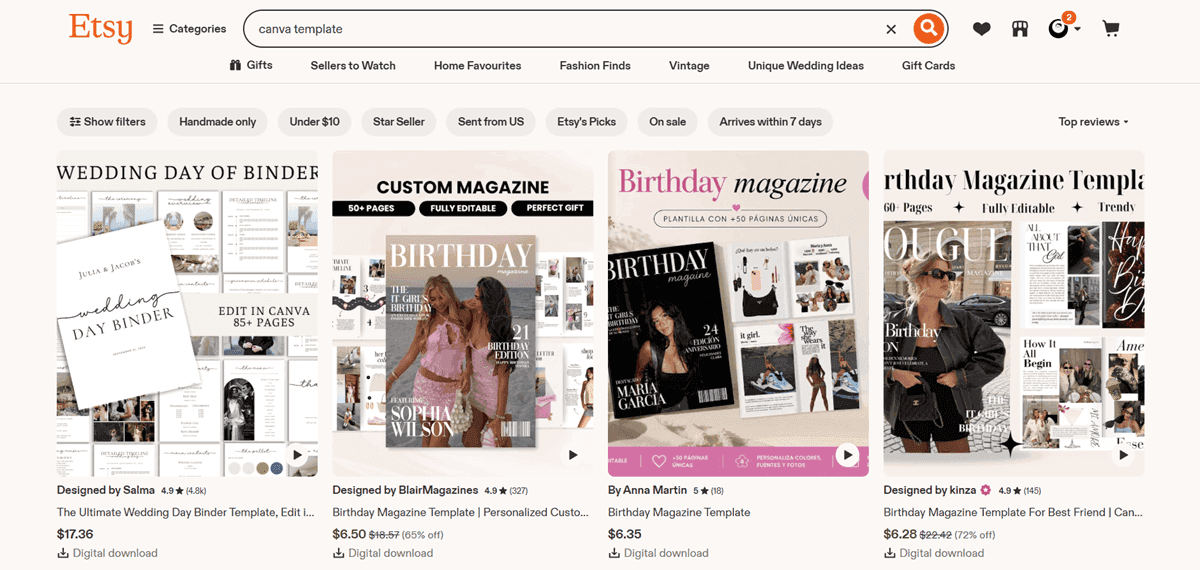
Etsy remains the most common starting point, and for good reason. Etsy reported 86.6 million active buyers in its first quarter of 2026, a figure straight from the company’s own SEC filing.
That built-in search traffic is why beginners with zero following can still make their first sale within weeks of listing.
The trade-offs are Etsy’s 6.5% transaction fee, a per-listing fee, and increasing competition in popular template categories.
Payhip
Payhip works differently. On the free plan, you pay $0 per month plus a 5% transaction fee, or upgrade to the Plus plan at $29 per month to drop that fee to 2%.
It includes a built-in affiliate program on every plan, which is especially important for template sellers who want their own buyers to help spread the word without setting up separate software.
Creative Market
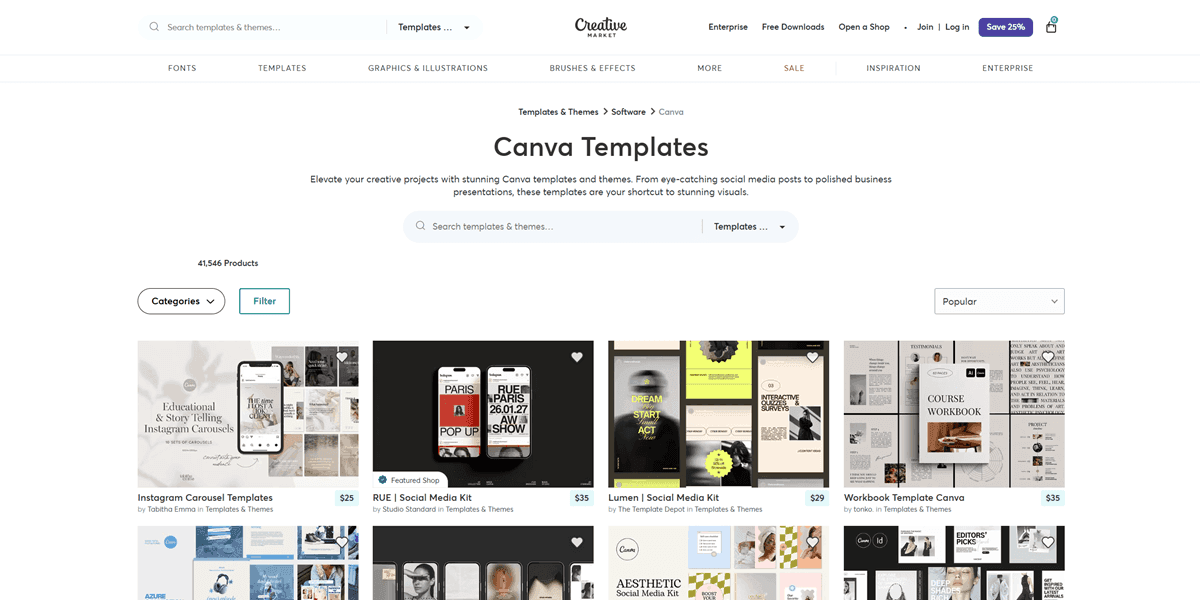
Creative Market suits sellers targeting design-conscious buyers willing to pay a premium, though it takes a higher commission than Etsy or Payhip in exchange for that curated audience.
For a beginner building their first template catalog, starting on Etsy to prove demand exists, then adding Payhip once you have a few proven bestsellers, gives you the built-in traffic of one platform and the better margins of the other.
Building A Real Audience Around Your Template Shop
A storefront full of great templates still needs eyes on it. Marketplace search only carries a shop so far before an owned audience becomes the difference between $500 a month and $5,000 a month.
Growing an engaged Instagram or TikTok following is one of the most direct paths to that traffic, since template buyers often discover new shops through creators showing their design process.
Outfame is built specifically for this stage. It uses Instagram’s official API to identify and engage real accounts in your niche based on competitor followers, relevant hashtags, and location, without requiring your password or relying on bots.
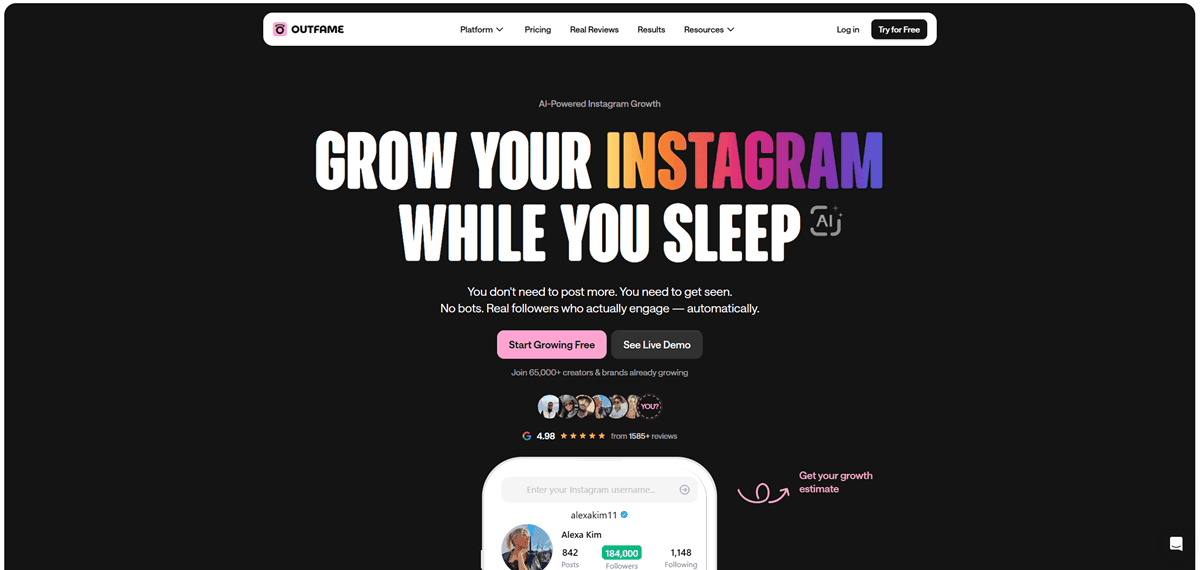
One creator’s account grew from 1,800 to 11,500 followers in 5 months using this kind of targeted approach, with engagement staying strong because the new followers actually matched the niche.
Once that audience exists, ManyChat turns casual viewers into buyers by automating direct messages triggered by a comment on a post or Reel. A viewer comments a keyword and receives an instant message with a link to your template shop, cutting the number of people who scroll past before ever clicking through.
An owned email list closes the loop. beehiiv lets you capture every buyer’s email with permission and takes 0% of your subscription revenue beyond standard Stripe processing fees. Once someone has bought one template from you, emailing them about your next bundle converts at a far higher rate than reaching a cold stranger through search alone.
Here is why that gap exists. A buyer who already trusts your design quality does not need to be convinced again from scratch; they just need to know the new product exists. Marketplace search traffic has no memory of your past sales, but an email list does, which is why sellers who combine both consistently report steadier income than sellers relying on search discovery alone.
Turning Template Sales Into Recurring Income
A single template sale is a one-time transaction. Recurring income compounds, and it is the layer most template sellers never add.
A growing number of template creators are packaging their catalog into a paid membership instead of selling one bundle at a time. A Skool community bundles a discussion feed, a file library, and scheduled events into a single paid membership, with plans starting at around $9 per month and higher-tier features such as an affiliate program.
Instead of selling a single template bundle once, members pay monthly for ongoing access to your entire growing catalog plus new releases as you make them. That model does require a more consistent presence than a static listing, since members expect regular content and some level of engagement.
For a template seller with a catalog already proven to sell individually, a membership is the natural next step once individual sales plateau, not a replacement for the storefront that got you there.
Common Mistakes That Cap Your Canva Template Business Income
A handful of avoidable mistakes account for most stalled template shops.
1. Listing Canva Pro content as a Flat File
Putting Canva Pro content into a download and sharing it as a plain file is not allowed. This goes against Canva’s rules. If you do this, you could lose your whole Canva account, not just have one item taken down. It’s important to double-check your templates and make sure everything follows Canva’s guidelines before posting them for sale.
2. Pricing Every Template the Same Regardless of Complexity
Not all templates are created equal. Some are quick to make, like a single Instagram post. Others, like a big onboarding kit, take hours of effort. If you ask the same price for both, you’re missing out on what your hard work is worth. Take a little time to think about how long each template took and set prices that match the effort.
3. Publishing Once and Suddenly Disappearing
If you only upload a few templates and stop, your shop will likely stay quiet. Sellers who earn the most keep adding new templates. Even one new design a week can help your shop grow. Sharing fresh ideas regularly brings in more shoppers and keeps them coming back.
4. Skipping Niche Research Before Designing
Jumping straight into designing without thinking about your audience makes selling harder. If you make a basic social media template pack, you’re just one of many. But if you create something special for a group—like real estate agents, wedding photographers, or life coaches—shoppers looking for those exact things will spot your templates faster. It’s like making a sign with their name on it.
5. Ignoring Product Mockups
When buyers see a template on a phone or computer screen, it’s easier for them to imagine using it themselves. A plain, flat preview doesn’t help as much. Good mockups let people picture your template in their own lives, making them more likely to buy. Adding these images doesn’t take long, but it really helps.
6. Treating Every Platform the Same
Each website where you sell your templates is a little different. A description that works on Etsy, where buyers arrive through keyword search, often falls flat on Payhip or your own site, where buyers arrive through an existing relationship with your brand. Adjusting tone and detail level per platform takes minutes and consistently improves conversion.
Your 14 Day Plan To Start A Canva Template Shop
Days 1 to 3: Pick a Niche and Validate Demand
Search for your product idea on Etsy directly. Strong review counts on a similar template confirm real demand, and reading those reviews tells you exactly what buyers wish existed but do not have yet.
Days 4 to 8: Design Your First 3 Templates
Build entirely original compositions inside Canva, checking every element for Pro content along the way so you know your delivery method before you finish.
Days 9 to 10: Set Up Your Delivery and Storefront
Generate template links for anything using Pro content. List your first products on Etsy to tap into its built-in search traffic from day one.
📌 Note: If you’re selling to Indian customers, consider making the buying experience seamless by automating product delivery with Superprofile. It enables instant, hassle-free access to your Canva templates upon purchase; no manual emails or delays. They can even pay instantly using UPI, which is super convenient in India. This not only saves you time but also provides a more professional and trustworthy experience for your buyers.
Days 11 to 12: Build Your Product Pages Properly
Create realistic mockups showing the template in use, and write descriptions that describe the specific buyer and the problem each design solves.
Days 13 to 14: Publish and Start Building an Audience
List your templates, post your design process on Instagram or TikTok, and set up an email capture through beehiiv so every buyer can join your list from day one. This helps you keep in touch with people who like your work.
If you want a complete, structured system instead of piecing this together listing by listing, our own Digital Wealth Academy 3.0 walks through niche selection, product creation, and monetization for exactly this kind of digital product business.
And once your shop needs a real identity that buyers remember and return to, the Ultimate Branding Course covers how to build that from the ground up.
FAQ
Q: How much can you realistically make selling Canva templates per month?
A: Beginners testing the market typically earn $100 to $500 a month, consistent side sellers reach $1,000 to $3,000, and established shop owners with multiple platforms report $5,000 to $10,000 monthly. Top full-time sellers report $20,000 to $30,000 or more, usually built through daily creation and active marketing over years, not months.
Q: Is a Canva template business still profitable in 2026?
A: Yes, based on current seller data across multiple independent sources, though the market has grown more competitive as more creators enter it. Sellers who choose a specific niche, price for value, and publish new templates consistently continue to outearn sellers relying on a single generic catalog.
Q: Can you sell Canva templates that use Canva Pro elements?
A: Yes, but only as a shareable Canva template link that opens inside Canva for your buyer to edit, not as a flattened PDF or image file. This rule exists so Canva can continue paying royalties to the original stock contributors whose work appears inside your design.
Q: Do you need Canva Pro to start a template business?
A: No, a free Canva account gives you access to thousands of design elements you can use commercially, and you can create sellable templates using only free content. A Pro subscription adds premium elements and unlimited access without paying per design, which becomes worthwhile once your catalog grows.
Q: Where should a beginner sell their first Canva templates?
A: Etsy is the strongest starting point for a beginner with no existing following, since its built-in marketplace search sends traffic to over 86 million active buyers as of early 2026. Payhip becomes valuable once you have proven bestsellers and want lower transaction fees on a growing catalog.
Q: What is the difference between selling individual templates and bundles?
A: Individual templates typically price between $3 and $9, while comprehensive bundles typically price between $15 and $49 for a similar amount of underlying design work. Bundling proven bestsellers after they show individual demand raises revenue per listing without a matching increase in creation time.
Q: How many Canva templates do you need before making a consistent income?
A: There is no fixed number, but seller data consistently shows income scaling with catalog size and consistency rather than any single design. A catalog of 15 to 20 well-targeted templates, published over a few months rather than all at once, typically produces steadier income than a large batch released all at once and then abandoned.
Q: Can you get in trouble for reselling Canva templates as-is?
A: Yes, Canva’s Content License Agreement explicitly prohibits selling existing templates unchanged, whether that means minor color swaps or an untouched resale. Your product needs to be an original composition that combines multiple elements into something distinctly your own before it qualifies as legally sellable.
Q: What template niches have the least competition right now?
A: Business operations templates built for a specific professional group, like client onboarding kits for real estate agents or pricing guides for wedding photographers, tend to have far less competition than generic social media packs. Naming the exact buyer in your product title and description is usually more valuable than picking a trending design style.
What To Do Next
Canva template business income is not a fixed number, and any guide claiming otherwise overlooks the variables that actually determine it. Niche selection, pricing strategy, catalog consistency, and adherence to Canva’s licensing rules determine whether your shop lands closer to $100 a month or $10,000.
Pick one specific niche this week, design 3 original templates around it, and list them somewhere with built-in traffic before you spend time building anywhere else. Track which template sells first, then build more of that exact one.
If you would rather follow a complete, tested path instead of piecing this together alone, Digital Wealth Academy 3.0 walks you through the entire digital product process from niche to first sale and helps you build a shop people remember and return to.
