
How to Create Digital Downloads People Actually Buy in 2026

Every month ended the same way for Priya, a homemaker from Mumbai. Bills due, savings gone, and no income of her own to fall back on. She felt invisible, dependent, trapped. So one afternoon, between chores, she built a simple meal planner in Canva, listed it on Etsy for $7.50, and forgot about it.
The next morning, a sale. Then another. By the end of the month, she made $292.50 from a single file she created in a few hours. No shipping, no boss, no startup cost. That is the digital download business in its simplest form.
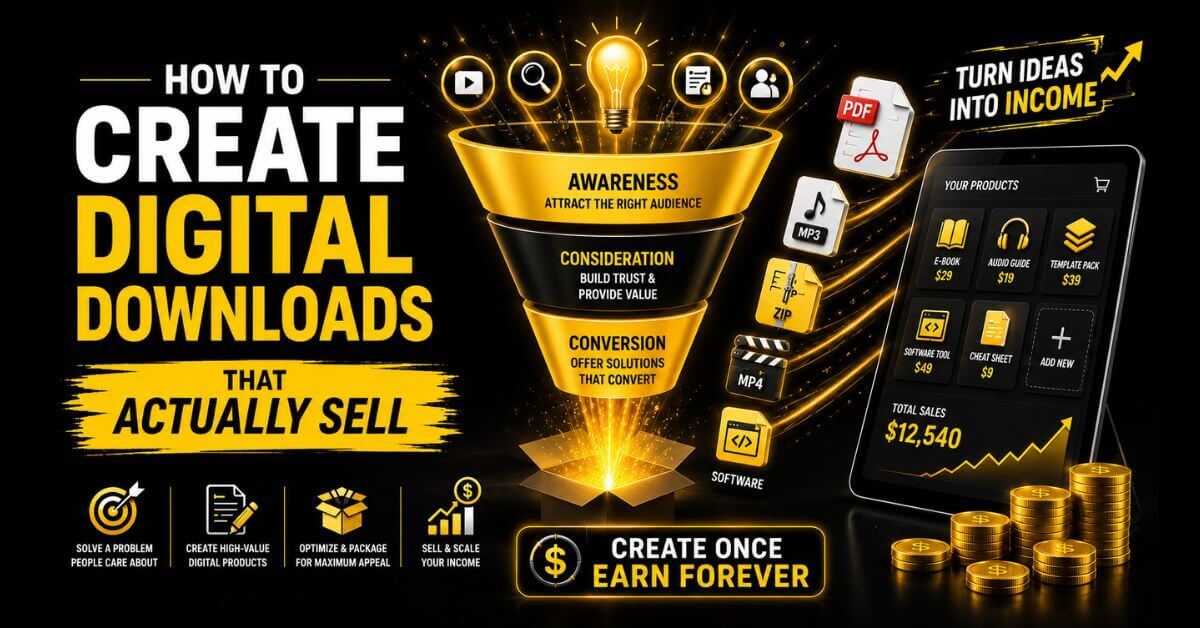
Knowing how to create digital downloads is the entry point to one of the most accessible online business models available. No inventory. No shipping. No ongoing production cost. You create a file once, upload it to a storefront like Gumroad, Etsy, or Payhip, and the platform handles payment and delivery automatically every time someone buys.
This guide covers the full process from start to first sale: how to pick a product idea and validate it before building, which tools to use for each product type, how to choose the right file format, how to package and price your download, where to sell it, and how to drive traffic from Instagram, Threads, and Pinterest without showing your face or spending money on ads.
What a Digital Download Actually Is
A digital download is any file a buyer receives electronically after purchase, with no physical shipping involved. The file lives on a server. The buyer pays, gets a download link, and the transaction is complete.
The category covers a wide range of product types.
PDFs are the most common: ebooks, guides, worksheets, planners, and checklists. Templates are the second largest category: Canva designs, Notion dashboards, PowerPoint presentations, and Google Slides decks. Other formats include audio files (music, sound effects, meditation recordings), stock photos and illustrations, video files, spreadsheet templates, and ZIP archives bundling multiple files together.
Digital products generated more than $124 billion in 2025, according to Mordor Intelligence’s Digital Goods Market Analysis. The market is expected to jump from $157 billion in 2026 to over $511 billion by 2031. That’s a strong annual growth rate of about 27% over five years, showing just how quickly this space is expanding.
Between 2022 and 2024, digital product transactions increased by nearly 70%. That growth shows up in real seller revenue across Etsy, Gumroad, Creative Market, and Payhip every month. The market is large and expanding, and the barrier to entry is lower than at any previous point because of tools like Canva, Notion, and AI writing assistants.
The core economic advantage is straightforward. A physical product has a cost of goods with every unit. A digital download has a creation cost once, then a near-zero cost for every subsequent sale. Selling 500 copies of a $17 PDF costs the same to produce as selling 1 copy, except for marketing and payment processing. That math is what makes digital downloads one of the strongest passive income models available to solo creators.
Step 1: Choose Your Product Idea
The most common mistake beginners make is building a product nobody asked for. The idea generation process matters less than the validation process, so do both before committing significant time to creation.
Types of Digital Downloads Worth Creating
Printable products are among the most beginner-friendly. Planners, habit trackers, budget sheets, journaling pages, checklists, and wall art are all printable products. Buyers download the PDF and print it at home or at a print shop. Etsy is the dominant marketplace. The niche you target matters more than the format: a weekly planner for homeschool parents outperforms a generic “weekly planner” in both search ranking and conversion.
Editable templates cover Canva designs, Notion dashboards, Google Slides presentations, and spreadsheet frameworks. Buyers receive a template they can edit and personalize, making these higher value than static PDFs. Canva templates for coaches, social media managers, and small business owners sell consistently across Etsy, Creative Market, and Gumroad.
Educational PDFs include ebooks, how-to guides, mini courses delivered as PDFs, and workbooks. These work well on Gumroad and Payhip because buyers are often willing to pay more for knowledge products than for design assets. A 20-page guide priced at $17 to $37 is realistic for a topic with clear demand and a specific audience focus.
Prompt libraries and AI tool collections are among the fastest-growing digital download categories. Curated prompt packs for ChatGPT, Midjourney, and other AI tools sell well on Gumroad when the prompts are specific to a professional use case (marketing copy prompts for coaches, product photography prompts for Etsy sellers).
Audio and music files cover sound effects, royalty-free music tracks, meditation recordings, and podcast intro music. These sell on dedicated platforms like AudioJungle, Pond5, and Gumroad. Production quality expectations are high in this category.
Stock graphics and illustrations include icon sets, font packs, watercolor illustration bundles, and background textures. Creative Market is the primary marketplace. High competition in generic categories means niche-specific illustration sets (botanical watercolors for wedding stationery, hand-drawn icons for food bloggers) perform significantly better.
How to Generate Ideas Systematically
The most reliable method is to search for the problems your target buyer already has. Pick one type of person: a freelance photographer, a homeschool parent, a new real estate agent, a productivity-obsessed student. List 10 specific frustrations or time-consuming tasks that the person faces weekly. Each frustration is a potential digital download idea.
A Notion template that helps a freelance designer track client projects eliminates a real frustration. A Canva media kit template for influencers saves 3 to 4 hours of design work. A budgeting spreadsheet for newly married couples solves a specific problem at a specific life moment. Specificity is the most important variable in digital product idea selection.
Step 2: Validate the Idea Before Creating Anything
This step is where most beginner guides skip to “open Canva and start designing.” That skipping is why most first products do not sell.
Validation means confirming that real buyers are already paying for something similar before you invest time building your version.
Etsy search method:
Open Etsy and search for your product idea. Products with hundreds or thousands of reviews confirm two things: the market exists, and buyers are willing to spend money. Look at the top 10 listings. Note the price range, the listing titles, and what the cover images show. Products with strong sales but weak photography or generic titles are your opportunity — you can outcompete them with better execution on the same product.
Gumroad search method:
Search for your product idea on Gumroad. Many sellers display their sales count publicly on their profile pages. A creator selling a similar product with 200 or 400 sales is direct evidence of buyer demand. You are not copying them; you are confirming the market before building your version.
Instagram and Threads signal method:
Search for your product topic on Instagram. If accounts in your niche are posting about the problem your product solves and those posts generate significant saves, comments, and shares, the audience cares enough to pay for a solution. High save counts on problem-related posts are particularly strong signals because saves indicate the viewer wants to return to the content.
Google Trends check:
Enter your product topic into Google Trends and check whether search interest is flat, rising, or declining over the past 24 months. A rising trend gives you a tailwind. Flat interest in an existing-demand category is fine. A sharply declining trend is a reason to reconsider the niche.
The fastest validation of all:
Build a minimum version of your product in 2 to 3 hours, list it on Gumroad for free or $1, share the link once on Instagram or Threads, and see if anyone downloads it in the next 72 hours. If they do, you have a real-world demand signal. If zero people download a free product after a social post, the topic is wrong, or the audience does not exist yet.
Step 3: Choose Your Creation Tools
The right tool depends on what you are creating. Using the wrong tool adds hours and produces worse results.
Canva is the best starting point for most beginners creating visual digital downloads. It handles PDF exports, template link generation for Canva templates, presentation slides, and printable layouts with no design training required. The free plan covers the basics for most beginner products. Canva Pro adds Magic Studio AI tools, premium elements, and faster batch production, which becomes worthwhile once you are creating products regularly.
Google Slides and Microsoft PowerPoint are strong options for presentation templates and slide-based digital products. The advantage is that buyers do not need a specific platform account to edit a Google Slides template — they can open it directly. This reduces the friction in the delivery process compared to Canva template links, which require the buyer to have a Canva account.
Notion is a tool for creating Notion template products. Build your template in Notion, duplicate it as a shareable template link, and sell that link inside a simple PDF with access instructions. No coding required. Notion templates for productivity systems, client management, content planning, and personal finance sell consistently on Gumroad and direct storefronts.
Google Sheets and Microsoft Excel handle spreadsheet-based downloads: budget trackers, financial planners, business income and expense templates, and content calendars with formulas built in. These are higher-perceived-value products than static PDFs because buyers can interact with the data and see results update automatically.
Adobe Express is a Canva alternative with stronger typographic controls and tighter integration with Adobe’s asset library. It suits creators who already use Adobe products or who need more precise control over print-ready PDF exports.
AI writing tools, including ChatGPT, Claude, and WriteSonic, accelerate the content creation inside text-heavy digital downloads like ebooks, guides, and email templates. Use them to generate first drafts, outline structures, and FAQ sections — then edit extensively in your own voice. AI-assisted content that has been substantially rewritten and fact-checked produces better buyer outcomes than raw AI output.
Step 4: Create Your Digital Download
The creation process varies by product type, but 4 principles apply across every format.
Design for the buyer, not for yourself.
A planner needs to be easy to print on standard home printer paper. A Canva template needs to be editable by someone with zero design experience. A spreadsheet tracker needs clear instructions at the top of every sheet. Step back during creation and ask: would a person who has never seen this product understand how to use it in under 5 minutes?
Keep the file size manageable.
PDF files above 10 to 15 MB create friction in the download and delivery process. Etsy has a 20 MB upload limit. Gumroad handles larger files, but slow downloads frustrate buyers. Compress images in Canva before exporting. Use “screen quality” resolution for digital-only products and “print quality” only when buyers specifically need to print at high resolution.
Include a welcome page or instructions page.
For any product that requires the buyer to take an action — click a template link, follow setup steps, enter data into a spreadsheet — include a clear first page that explains exactly what to do. This single addition reduces buyer confusion, support emails, and refund requests more than any other design decision.
Test the product yourself before listing it.
Download your own product, open it on a different device, and go through the buyer experience from scratch. Template links that do not work, PDFs that do not open, and ZIP files that contain the wrong files are among the most common causes of negative reviews and refund requests. Test first.
Step 5: Choose the Right File Format
This is the step that most creation guides skip entirely, and it is where many beginner sellers lose buyers to confusion and refund requests. The right file format is not a minor detail — it directly affects the buyer experience and your review rating.
PDF Files:
Use PDF for any product that the buyer reads, fills in by hand, or prints. Ebooks, guides, worksheets, printable planners, and workbooks all belong in PDF format. PDFs open on every device without additional software. They are the safest, most universal delivery format for most beginner digital downloads.
Canva template link delivered inside a PDF:
Use this format for Canva templates. You design in Canva, generate a template link via Share, embed that clickable link in a 1-page PDF with brief instructions, and upload the PDF as your product file. The buyer downloads the PDF, clicks the link, and gets their own editable Canva copy. Never upload a downloaded Canva file directly — buyers cannot open or edit those correctly and will request refunds.
Notion template link delivered inside a PDF:
Same logic as Canva. Your Notion template lives on Notion’s servers. You share a template link. The buyer clicks it, duplicates it to their own Notion workspace, and edits their copy. Package the link inside a branded PDF with setup instructions.
Google Slides or Sheets link:
For Google template products, share a copy-protected version of the file via a “make a copy” link. Buyers click it, get their own Google Drive copy, and edit independently. Package the link in a PDF.
ZIP archive:
Use ZIP when delivering multiple files as a single product. A Canva template bundle that includes 20 separate template links, a font license, and an instruction PDF should be zipped into a single download rather than uploaded as 20 separate files. ZIP files are natively compatible with Windows and Mac. On mobile, buyers may need a third-party app to extract them — mention this in your product description if mobile buyers are likely.
The rule that prevents most refund requests:
Match your format to your buyer’s technical level. Etsy buyers tend to have lower technical sophistication than Gumroad buyers. If your audience is small business owners without a design background, a PDF is safer than a Canva link. If your audience is content creators or solopreneurs familiar with Canva and Notion, template links are expected and preferred.
Step 6: Package and Name Your Product
The name of your digital download determines whether buyers find it and whether they click on it after finding it. Most beginners name their products from the creator’s perspective (“Social Media Template Pack Vol. 3”). Buyers search from their own perspective (“Instagram templates for real estate agents”).
Write your product name as a buyer would search for it. Include the format (templates, planner, tracker, ebook), the specific use case, and the audience, where possible. “30 Canva Instagram Templates for Health Coaches” tells a health coach immediately that this product was made for them. “Social Media Pack” tells nobody anything specific.
For bundle products, the packaging decision matters as much as the name. A well-packaged bundle has: a consistent visual identity across all included files, a branded cover design for each file, a welcome PDF that explains what is included and how to access each item, and a folder structure inside the ZIP that organizes files logically.
Sloppy packaging — files with default names like “Untitled-1.pdf,” no instructions, mismatched cover designs — signals low quality before the buyer has even opened the main product. Presentation is part of the product.
Step 7: Set Your Price
Pricing is the area where beginner sellers most consistently leave money on the table. The instinct is to price low to compete. That instinct is almost always wrong.
Buyers calibrate perceived quality from price before they look at anything else. A $3 worksheet and a $17 worksheet look identical in a search result. The $17 one signals more value, attracts more serious buyers, and generates lower refund rates.
Printable single files:
Set price to $5 to $15. Etsy buyers expect lower price points for individual printables. Keep quality high and build volume through catalog breadth rather than margin on individual items.
Canva template packs (5 to 15 templates):
Set your price to $17 to $47 for the entire template pack. Bundles justify higher pricing because the buyer gets immediate, comprehensive value. A pack of 15 coordinated social media templates saves far more time than a single template.
Ebooks and guides (15 to 50 pages):
$17 to $49 is a sweet spot for ebooks and guides. Price on the value delivered, not the page count. A 20-page guide that solves a specific professional problem is worth more to the right buyer than a 100-page generic overview.
Comprehensive niche kits:
Prices range from $47 to $97. A complete system for a specific professional audience — a full branding kit for wellness coaches, a complete client onboarding system for photographers — justifies premium pricing because it replaces hours of work across multiple areas.
Pay-what-you-want pricing on Gumroad:
Setting a minimum price and allowing buyers to pay more consistently results in average transactions 30 to 50% above the minimum, with no additional creation work. Use this for products where your audience skews toward supportive buyers: educational content, mission-driven niches, and community-focused products.
Step 8: Create Your Product Cover Image
Your product cover image is the most important sales asset you will create. It is the first thing a buyer sees on Etsy, Gumroad, Creative Market, or Payhip. It determines whether they click through to learn more.
A strong cover image is not a screenshot of your product. It shows the product in context: a planner open on a styled desk, a template displayed on a phone or laptop screen, and an ebook cover that looks professionally designed. Buyers need to visualize the product in use, not just see a flat file.
Create your cover images in Canva using device mockup templates. A 1280 x 720-pixel landscape image works for Gumroad. Etsy recommends 2000 x 2000 pixels for square listings. Use your brand colors and a consistent visual style across all your product cover images so your store looks curated, not random.
Create at least 3 to 5 cover images per product: a primary image showing the product in context, a second showing the contents or included files, and a third showing the product being used or edited. On Etsy, listings with 5 or more images consistently outperform listings with 1 or 2 images in click-through rate.
Step 9: Write Your Product Description
The product description is your sales page. Most beginner descriptions explain what the product is. What converts is explaining what the buyer gets, who it is for, and what problem it solves.
A structure that works consistently: open with the outcome the buyer achieves. Follow with what is included (specific list). End with who it is for and how to get started.
A weak description: “This is a set of 20 Canva Instagram templates. They are editable and easy to use.”
A strong description: “Stop spending hours designing Instagram posts from scratch. This pack of 20 editable Canva templates gives health coaches a full month of on-brand content in under an hour. Includes post templates, carousel layouts, and story frames — all fully editable in the free version of Canva. Perfect for coaches who want a consistent Instagram presence without hiring a designer.”
The strong version tells the buyer exactly what changes for them after buying. Write every product description with that goal.
Also include a practical section at the end of every description that covers: file format, what software or account the buyer needs, how delivery works, and your refund policy. These details reduce buyer hesitation and cut support emails in half.
Where to Sell Your Digital Downloads
Platform choice shapes how traffic reaches you and what you keep from each sale.
Etsy
Etsy is the best first marketplace for printables and Canva templates because buyers are already searching with purchase intent. The platform’s organic search brings buyers to your listings without you building an audience. Etsy charges a $0.20 listing fee per item and a 6.5% transaction fee per sale, plus payment processing. The fee structure is worth paying in the early stages for the traffic volume you receive.
Etsy SEO determines how visible your listings are. Your title, tags, and first sentence of the description all influence where you appear in search results. Use the phrases buyers actually search for (“editable weekly planner for moms,” “Canva media kit template for influencers”), not how you would describe the product in casual conversation.
Gumroad
Gumroad is the best direct-to-buyer storefront for most digital download sellers. It handles payment processing, automatic file delivery, global sales tax compliance, and basic email marketing in one platform with no monthly fee. Every buyer’s email address is accessible to you, giving you a direct line for future product launches.
Gumroad charges 10% plus $0.50 per direct sale, with card processing added on top. Sales through Gumroad’s own Discover marketplace carry a 30% fee. Build your own traffic sources — Instagram, Threads, Pinterest, email — to keep the majority of sales going through the lower direct rate.
Payhip
Payhip is a strong alternative or complement to Gumroad. Its free plan charges 5% per transaction. The Plus plan at $29/month and the Pro plan at $99/month reduce fees to 2% and 0%, respectively. The built-in affiliate program on all plans allows other creators to promote your products for a commission, expanding your reach without building a personal audience.
Creative Market
Creative Market suits sellers with design-focused products: font packs, icon sets, Canva template bundles, and stock illustration collections. The buyer audience is professional designers and marketers who pay higher prices and purchase repeatedly. Entry requires an application. The platform takes a significant cut (around 35%), but average order values are substantially higher than Etsy.
Your Own Store (Shopify or WooCommerce)
A self-hosted store makes sense once you have a product catalog of 15 or more items and consistent monthly revenue. You own the customer data completely, pay no marketplace fees on your own traffic, and build brand equity under your own domain. The setup investment is higher than any marketplace option, but the long-term control and margin advantage are significant.
Beacons and Stan Store
For sellers whose primary traffic comes from Instagram or Threads, Beacons and Stan Store function as link-in-bio storefronts. Followers can browse and buy directly without leaving the mobile experience. Stan Store is more polished for digital product-first sellers. Beacons is more flexible for displaying a mix of products, a newsletter signup, and external links on one page.
How to Drive Traffic to Your Digital Downloads
Creating a product and listing it is not enough. Traffic is the variable that determines whether you make 0 sales or 300 sales from the same product.
Etsy SEO and Internal Traffic
Etsy’s internal search algorithm is driven by relevance and conversion history. A new listing with zero reviews has no conversion history, so Etsy ranks it lower than established listings. The way to break out of this cycle early: drive external traffic to your Etsy listing through Pinterest pins and Instagram posts. External traffic that converts tells Etsy’s algorithm your listing is relevant to buyers, which improves organic ranking over time.
Instagram for Digital Download Sellers
A faceless Instagram account in your product niche drives consistent buyer traffic to your Gumroad store or Etsy listings. The formats that work best: text-based carousel posts showing the problem your product solves, before-and-after mockup posts demonstrating the product in use, and short screen-recording Reels walking through the product’s key features. None of these requires showing your face. The account promotes the value your product delivers, not your personal story.
Post 3 to 5 times per week with a link to your product in the bio. Use a Stan Store or Beacons page as your bio link to feature multiple products in a single tap.
Threads for Text-Heavy Products
Threads rewards short value posts that reach new readers through algorithmic distribution rather than follower count. For ebook sellers, guide creators, and prompt library sellers, Threads is one of the most efficient free traffic channels available. Post daily tips in your niche. Include your product link in your bio. Mention your product in context every 4 to 5 posts without making every post a sales pitch.
Threads works especially well for knowledge-based digital downloads (ebooks, guides, templates) because short educational posts naturally build the authority that makes buyers trust your paid product.
Pinterest for Evergreen Download Traffic
Pinterest pins linking to your Etsy listings or Gumroad product pages generate search-indexed traffic for 12 to 24 months from a single pin. Create vertical pins (1000 x 1500 pixels) showing your product in a styled context with keyword-rich titles and descriptions. For printables and templates, Pinterest is the highest-return long-term traffic source because buyers actively search for exactly those products.
Create at least 5 pins per product on launch. Distribute them across relevant boards over 2 to 3 weeks rather than posting all at once. The Pinterest algorithm rewards consistent pinning over bursts.
Email List as Owned Traffic
Every buyer who downloads a free lead magnet from your Gumroad page is a potential email subscriber. A list of 300 to 500 engaged subscribers converts new product launches at 3 to 5 times the rate of cold social traffic. Set up a free version of your product (a single template, a 5-page sample, a mini checklist) on Gumroad at $0, promote it on Instagram and Threads, and collect emails from the beginning.
Use Beehiiv or Kit to send a 2-email post-purchase sequence: a welcome email with download instructions, and a follow-up 3 days later suggesting your related paid products. That automation runs indefinitely on your behalf once set up.
6 Common Mistakes That Kill First-Time Digital Download Sales
1. Skipping validation and building a product nobody wants
The fastest validation takes a weekend. Building a product that nobody pays for takes weeks. Always confirm demand first.
2. Using the wrong file format for the audience
A ZIP file delivered to an Etsy buyer who expects a simple PDF creates confusion and generates refund requests. Match the delivery format to what your specific buyer is comfortable with.
3. Underpricing
A $3 digital product needs 100 buyers to generate $300. A $27 product needs 12. At $47, you need 7. Price for margin, not for accessibility.
4. Listing photos that look like screenshots
Flat, undestyled images of your product file do not convert. Professional-looking device mockups and lifestyle-context images convert. Spend as much time on your cover images as on the product itself.
5. Listing one product and waiting
One listing rarely generates reliable income. A catalog of 15 to 30 focused digital downloads in a specific niche builds multiple search entry points, reduces revenue concentration risk, and gives buyers a reason to return to your store for more.
6. Writing a description about the product instead of for the buyer
Describe the outcome and the person, not the file. Every word in a product description should answer one question: “What does buying this change for me?”
Quick-Start Summary: Your First Digital Download in 7 Days
Seven days is enough time to go from idea to live listing, even with a full-time job running alongside. Here is a realistic daily breakdown.
Day 1: Research your product idea on Etsy and Gumroad. Confirm demand with evidence (reviews, sales counts, search results). Pick one specific product for one specific audience.
Day 2: Outline the product. For a PDF: list every page or section. For a template: list every design element the buyer needs. For an ebook: outline every chapter.
Day 3 and 4: Create the product in Canva, Google Slides, Notion, or your chosen tool. Apply all 4 creation principles: design for the buyer, manage file size, include instructions, and test on another device.
Day 5: Create your product cover images. Build 4 to 5 mockup images showing the product in context.
Day 6: Set up your Gumroad account if you have not already, write your product description using the outcome-first framework, upload your file, and publish.
Day 7: Create your first Etsy listing using keyword-rich titles and tags, post once on Instagram or Threads with your product link in the bio, and create 3 to 5 Pinterest pins linking to your listing.
Your first sale is not guaranteed in 7 days. But your product will be live, findable, and ready to sell — which is further than most people who say they want to start a digital product business ever get.
FAQ
Q: What is the easiest digital download to create for beginners?
A: Printable PDFs are the lowest-barrier starting point. A single-page habit tracker, a weekly planner layout, or a checklist for a specific audience can be designed in Canva in 1 to 2 hours using the free plan. No technical skills are needed beyond basic Canva familiarity. Etsy is the best marketplace for printable PDFs because of its built-in buyer search traffic in this category.
Q: How do I deliver a digital download to buyers automatically?
A: Every major platform handles automatic delivery. On Etsy, buyers receive a download link immediately after purchase through Etsy’s own system. On Gumroad and Payhip, the platform emails the buyer a download link automatically after payment clears. You do not need to manually send files to any buyer. If you sell from your own Shopify store, install a digital downloads app like Sky Pilot or FetchApp to automate delivery.
Q: What file format should I use for digital downloads?
A: Use PDF for anything the buyer reads, fills in, or prints. Use a Canva or Notion template link (packaged inside a PDF with instructions) for editable templates. Use a ZIP archive when delivering multiple files as a single product. The guiding rule is to match the format to the buyer’s technical confidence level. Etsy buyers generally prefer straightforward PDF downloads. Gumroad buyers are typically more comfortable with template links and multi-file ZIP deliveries.
Q: How much can you realistically make selling digital downloads?
A: The creator economy reached $250 billion in 2025, and digital products represent one of the most accessible paths to generating passive income. For individual sellers, income varies widely based on niche, product quality, catalog size, and traffic strategy. Most sellers at 3 to 6 months in with 10 to 20 products report $100 to $600 per month. Sellers at 12 months with 30 or more focused listings and consistent social traffic commonly report $800 to $3,000 per month. The variable that matters most is how specifically the product is targeted at one audience.
Q: Do I need Canva Pro to create digital downloads to sell?
A: No. The free plan covers the basics for most beginner digital downloads, including PDF exports, basic layouts, and a large library of free elements. Canva Pro adds premium elements, Magic Studio AI tools, and the template link feature (which is needed to sell Canva templates as editable products, not just as static PDFs). If you plan to sell Canva templates specifically, Pro is worth the cost. For printable PDFs and non-template products, the free plan is sufficient.
Q: How do I validate a digital download idea before creating it?
A: Search Etsy for your product idea and look for listings with hundreds of reviews — that confirms buyers are paying for it. Search Gumroad for similar products and check publicly visible sales counts. Post about the problem your product solves on Instagram or Threads and observe whether your target audience engages significantly. The fastest method: create a minimal version of the product in 2 to 3 hours, list it on Gumroad for free or $1, share it once on social media, and see if anyone downloads it within 72 hours.
Q: Can I sell digital downloads without showing my face or building a personal brand?
A: Yes. Etsy, Gumroad, Payhip, and Creative Market all operate on product merit, not creator identity. Faceless Instagram accounts posting styled product mockups and niche value content consistently drive traffic to digital download stores without any personal branding. Pinterest is particularly effective for faceless sellers because it is a search engine, not a social feed — pins drive traffic based on relevance, not creator identity. Many successful digital download sellers have no public-facing personal brand at all.
Q: How many digital downloads do I need to make a consistent monthly income?
A: Most sellers report a more stable monthly income starting around 15 to 25 listings in a focused niche. A single listing rarely generates reliable ongoing revenue because platform search ranking, Pinterest traffic, and social proof (reviews) all take time to accumulate. A catalog of 20 to 30 focused products in one niche builds multiple traffic entry points, reduces the risk of depending on one listing, and gives buyers a reason to purchase more than once per visit to your store.
Your next step is choosing the right storefront for your first product. Learn how to set up your Gumroad store from scratch, and how selling Canva templates fits into a broader digital download business built for long-term passive income.
