How to Create a Paid GTA 6 Creator Community in 2026
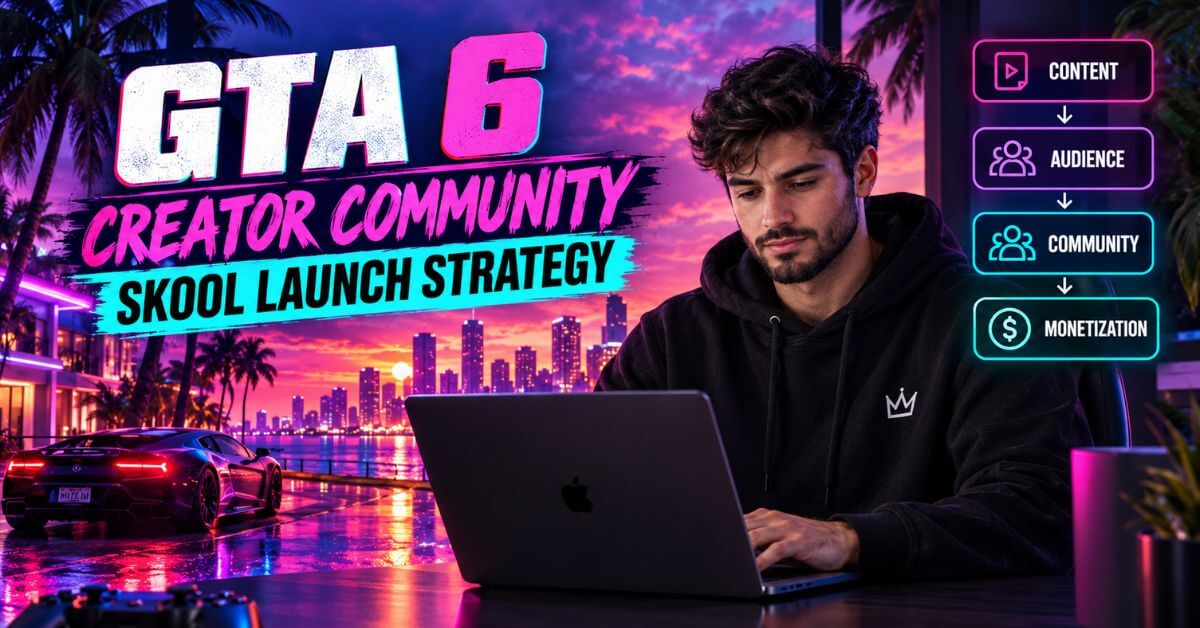
Quick answer: A paid GTA 6 creator community works when you sell ongoing access to expertise, feedback, and belonging, not game files. Choose the platform that fits how your members talk, price against lifetime value, gate content by member level, and launch in 90 days. Aim for monthly churn under 5% to 8%.
Social algorithms rent you an audience. A paid community lets you own one. This difference matters most before a launch like GTA 6, when attention spikes fast and fades faster.
This guide is for creators who already have people paying attention. It covers platform choice, real churn and lifetime value math, tier gating, marketing, retention, and a 90-day launch plan. One rule shapes every tier and comes first.
The Rule That Shapes Every Tier
On September 10, 2026, Rockstar published formal modding guidelines covering GTA 6 and its other titles. Press coverage agrees on the main points. Single-player mods are broadly tolerated as long as they don’t rewrite official storylines, imply Rockstar’s endorsement, or use third-party IP.
Multiplayer modding runs through Rockstar’s own Creator Platform, built on the Cfx.re technology behind FiveM. Mixing assets across different Rockstar games is banned. Selling mod content outside the official Creator Platform is prohibited.
This is not legal advice. Read the guidelines yourself before you design a paid tier.
What a Paid GTA 6 Community Can Sell
It can sell plenty of things, including
- Expertise, live reviews, and accountability.
- Templates, overlays, editing presets, and Discord setups.
- Workflow training for creators and modders.
- Feedback on a member’s content.
- Early access to your own non-game products.
None of that touches Rockstar’s game files or IP.
What It Cannot Sell
- Paywalled mod builds, scripts, vehicle models, or map assets.
- Paid access to a private roleplay server.
- Revenue-share ventures built on selling mods outside the official platform.
If your team builds mods, sell them through Rockstar’s Creator Platform. Then use your community for the craft around them: tutorials, testing feedback, and workflow.
Who a Paid Community Is For
A paid community is a strong move after you have an audience that trusts you. It is a weak first move. If you’re starting from zero, build attention first through the YouTube channel, social media pages, blog, and short-form strategies covered in earlier posts. Then come back here.
It also suits modding team leads who want a sustainable home for their craft. Charge for teaching, review, and belonging. Never for files.
➡️ Also Read: Step-by-Step GTA 6 Affiliate Marketing Guide 2026
The 4-Way Paid Community Platform Comparison
Here is the matrix. Prices and features come from vendor pages and recent reviews, so confirm current plans before you buy.
| Vector | Discord | Skool | Circle | Heartbeat |
| Primary strength | Real-time voice and chat. Free to run. | Built-in gamification and one clean feed. | Polished branding, courses, native live streaming. | Built-in voice rooms and a flexible layout. |
| Weakness for gaming | Chat buries content. No native courses. | Little white-labeling. No always-on voice channels. | Higher price. Gamification arrived later, in Circle 3.0. | Gamification is partial. Leaderboards are less developed than Skool’s. |
| Monetization mechanics | Server Subscriptions. 10% platform fee plus processing. | Built-in payments. $9 plan: 10% fee. $99 plan: 2.9% plus $0.30. | Paywalls and multi-tier gating. From about $89 a month, plus a small plan-based fee. | Paid tiers and events. From about $49 a month, plus a plan-based fee. |
| Ideal for | Active squads that need live chat. | Creator-led masterminds with structured libraries. | Established brands on their own domain. | Communities built around live voice and events. |
1. Discord: The Free Front Door
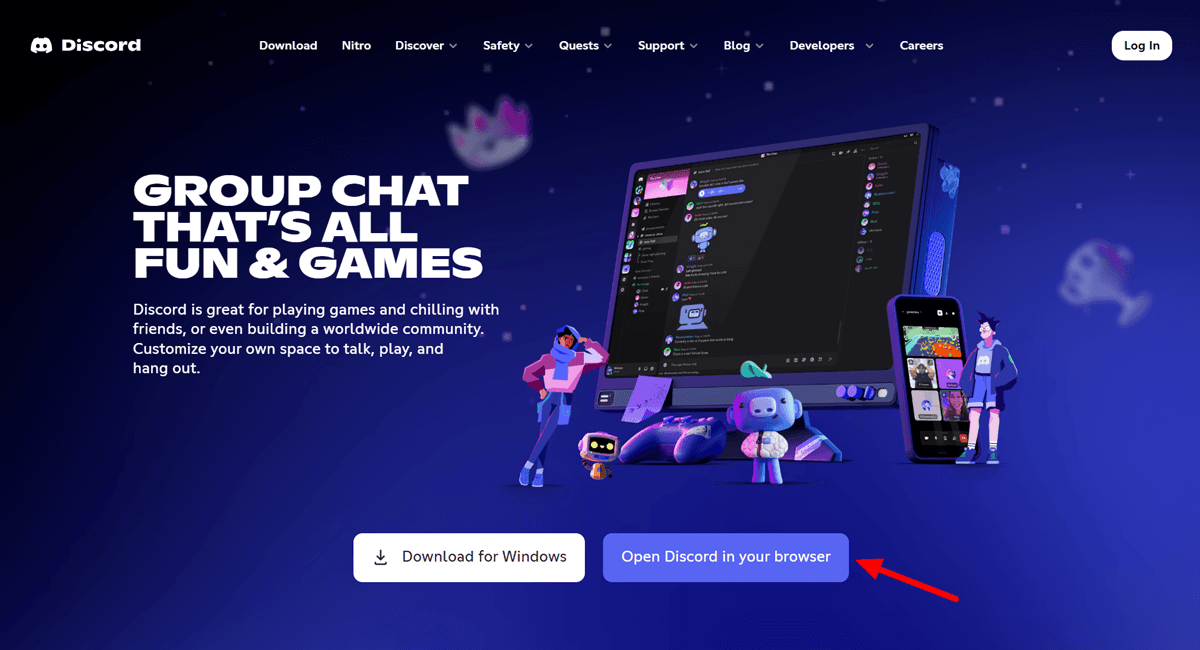
Discord is where gamers already are. It is free to run, fast, and built for live voice and chat. Its weakness is retention. Content scrolls away, nothing teaches, and a paid tier is only a locked channel.
Native Server Subscriptions pay you 90% of each sale. Payment processing comes out of that, and mobile app store cuts can add more. Eligibility rules are tight.
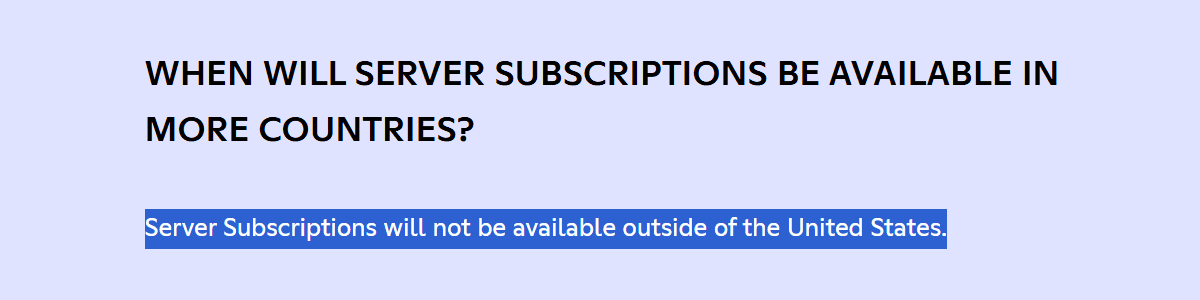
Please note that Discord’s native subscriptions are effectively US-only, so check current requirements first. Many creators keep Discord as a free lobby and put paid content elsewhere.
2. Skool: The Best Fit for Most Creators

Skool is the platform this guide recommends starting with. It bundles a community feed, a course area, an events calendar, and payments in one product. The interface is simple enough that members rarely need help.
The standout feature is gamification. Members earn points for posting, commenting, and finishing lessons. Points move them up numbered levels, and courses can be set to open at a given level. That makes levels a natural gating tool.
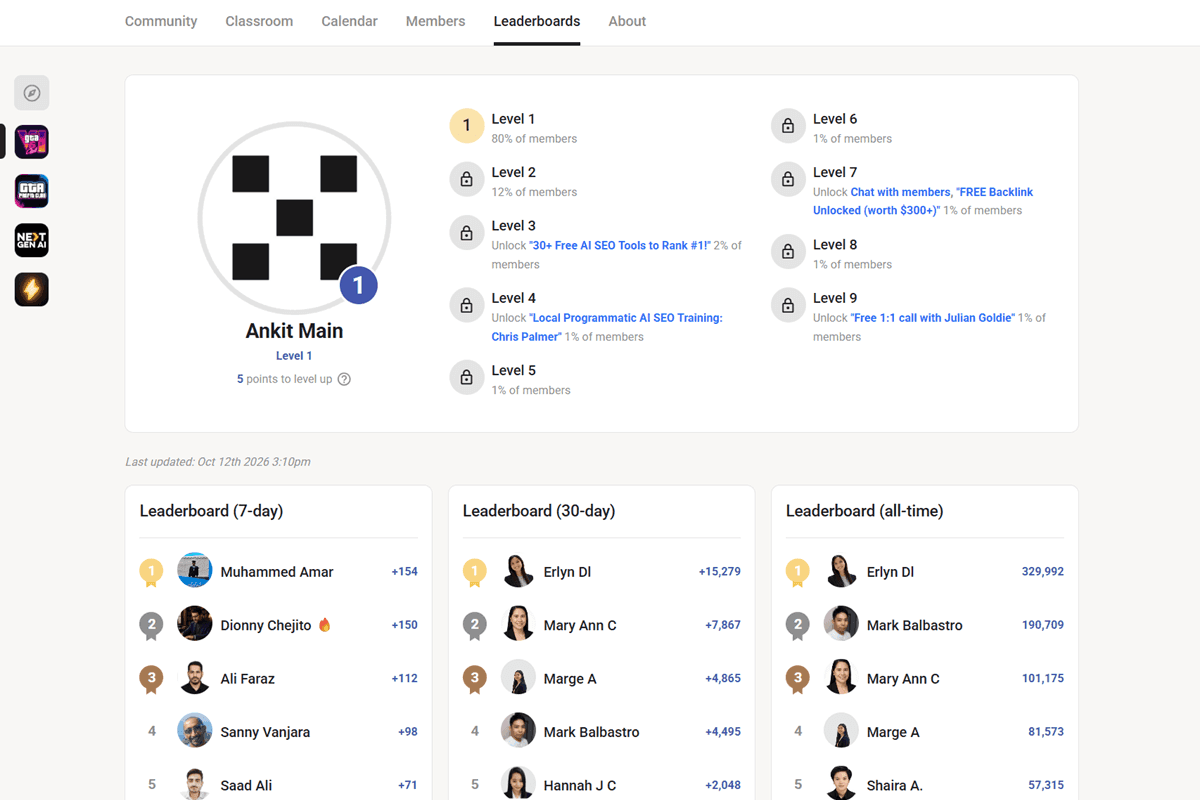
Pricing is $9 a month with a 10% transaction fee, or $99 a month with 2.9% plus 30 cents. The trade-offs are real. Branding control is limited, and reviews disagree on whether custom domains work outside the top plan. Reviews describe no always-on voice channels, so live calls run through its events tools.
3. Circle: When Branding and Courses Come First
Circle suits creators who want their own look. Reviewers highlight custom domains, white-label options, a branded mobile app on higher plans, and native live streaming. Courses are flexible, and separate spaces let you split topics or tiers.
Plans start near $89 a month, with a transaction fee that varies by plan. One correction to common advice: Circle added points, ranks, and leaderboards in its 3.0 update. Most reviewers still find Skool’s gamification more central and more fun. Pick Circle when brand control matters more than game mechanics.
If your main product is a structured course, a dedicated platform like Teachable can run beside any of these.
4. Heartbeat: When Live Voice Is the Product
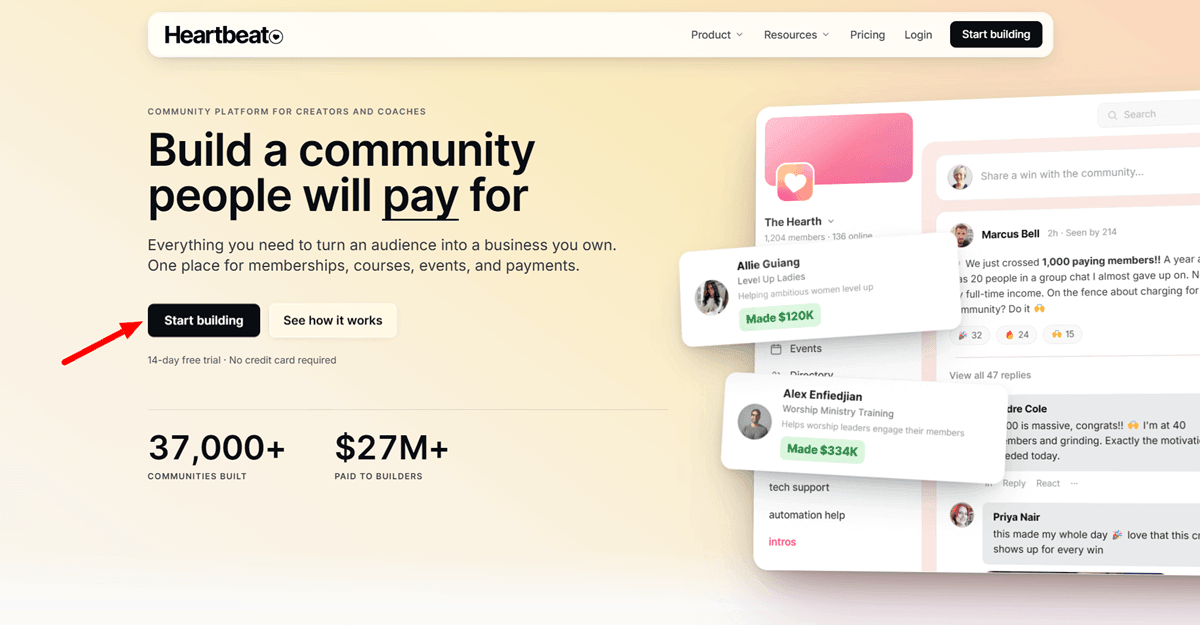
Heartbeat leans toward real-time connection. Reviewers describe built-in voice rooms for up to 256 people on every plan, plus live rooms and Zoom integration. The layout feels closer to Notion than to a corporate portal. Heartbeat’s own comparison says custom domains work on all tiers.
Plans start near $49 a month. Its own page admits Skool’s leaderboard system is more developed. That makes Heartbeat a strong fit for crews who want to talk live, and a weaker fit for competition-driven levels.
Skool vs Circle: The Short Version
Skool wins on gamification, simplicity, and entry cost. Circle wins on branding, custom domains, and course depth. If your members are motivated by levels and leaderboards, choose Skool. If they expect a branded, course-like experience, choose Circle. You can start on Skool and revisit Circle if brand control becomes the bottleneck.
Heartbeat vs Circle for Gaming
Both support your own domain and live events. Heartbeat adds voice rooms that stay open, which suits crews who hang out together. Circle adds deeper course tools and a more polished look. For a gaming community that talks live, Heartbeat usually fits better. For a course-led community, Circle does.
How to Choose the Best Platform for a GTA 6 Creator Community
Use three questions.
- Do members need to talk live all day? Choose Discord or Heartbeat.
- Do you want built-in competition and the simplest setup? Choose Skool.
- Do you need your own brand and domain? Choose Circle or Heartbeat.
When in doubt, start on Skool. Its low entry cost lets you test demand before you commit to a bigger platform.
Moving From Discord to a Dedicated Platform
Don’t announce a move and delete your server. Migrate in steps.
- Announce the new home early, with a clear reason: structure, courses, and levels.
- Offer a founding member rate to your Discord regulars.
- Run both for a few weeks. Keep Discord as the free lobby for quick chat.
- Move content, not chatter. Pin your best resources in the new space.
- Set a date when old paid channels close.
Members move when the new space is clearly better, not when they’re told to.
What the Platform Fees Cost You
Fees compound with every member, so run the numbers before picking a Skool plan. The $9 plan costs 10% of revenue. The $99 plan costs 2.9% plus 30 cents per payment. This math treats the 10% as the full cost, as the pricing structure suggests. Confirm it on Skool’s page.
At a $29 price, break-even sits near $1,500 a month in revenue, about 50 members. Below that, the cheaper plan costs less. Above it, the $99 plan saves money each month.
At 100 members, that is $2,900 in revenue. The cheaper plan costs about $299. The $99 plan costs about $213. Run the same math with your price before you commit.
The Math That Decides Whether Your Paid GTA 6 Community Works
1. Churn Rate Calculation
Monthly churn tells you how fast members leave. Use this formula:
Monthly Churn % = (Members Lost During Month ÷ Total Members at Start of Month) × 100
Start a month with 200 members and lose 12. That is 6% churn.
Benchmarks help you judge the result. One 2026 tracker puts the average paid membership community near 5.8% monthly churn. Other trackers place typical paid communities between 5% and 10%. For a premium gaming space, aim for 5%-8% or lower.
Count failed payments separately. An expired card cancels a member who never chose to leave.
2. Member Lifetime Value
LTV = ARPU ÷ Monthly Churn Rate
ARPU is average revenue per member per month. At $29 a month and 8% churn, lifetime value is about $362. At 5% churn, it rises to $580. Same price, same traffic. Only retention changed.
Use LTV to cap acquisition spend. If a member is worth $362, you can spend part of that through ads, referral rewards, or your own time and still profit.
3. Community Health Scorecard
Review five numbers on the same day each week.
| Metric | How to Calculate | What It Tells You |
| DAU/MAU ratio | Daily active members ÷ monthly active members | How habitual visits are |
| Weekly active rate | Members who post, reply, or attend ÷ total members | Whether people participate |
| Level progression velocity | Median days for a new member to reach Level 3 | Whether onboarding works |
| First-week action rate | New members who post or reply in week one ÷ new joins | Early churn risk |
| Monthly churn | Formula above | Overall health |
No universal DAU/MAU benchmark exists for paid gaming communities. Track your own trend. A falling line matters more than any single number.
Building a Member Analytics Dashboard
You don’t need special software. A simple sheet works. Add one row per week with these columns: members at start, new joins, cancellations, weekly active members, posts and replies, live call attendance, churn rate, and lifetime value.
Pull the numbers from your platform’s analytics each week. Add a notes column for what you changed, such as a new challenge or a price test. Three months of rows will show which changes moved the numbers and which didn’t.
Pricing and Entry Model
Price by value delivered, not by what feels comfortable. Underpricing attracts casual members and signals low value. Test a starting price in the tens of dollars per month, then adjust using real conversion and churn data.
Founding member pricing, a lower rate locked in for early joiners, rewards people who take a chance. It also gives you honest testimonials before full launch.
Free trial or paid-only?
A trial lowers the barrier but brings low-commitment members. Paid-only, softened by a short money-back window, filters for intent. Warm audiences can go paid-only. Cold traffic usually needs a trial or a guarantee.
Tier-Gating Logic
Gamification gives you a ready-made gate. On Skool, members earn points through activity and climb levels. You can set content to open at a chosen level. Use this to reward participation, not just payment.
Skool is built around one paid membership per community. Many creators run a free group beside the paid one and treat it as the open floor. Circle and Heartbeat support multi-tier paywalls directly.
Levels 1 to 3: The Open Floor
Entry content. General discussion, patch-note chat, introductions, and free posts about single-player mods shared without charge. This is where members meet each other and prove they’ll participate. Keep it generous. It is your marketing.
Levels 4 to 7: The Gated Mastermind
Paid depth. Weekly live review calls. Workflow training. Early versions of your own creator tools, like overlays, editing presets, and Discord templates. Optimization checklists and tutorials. A library of creator assets.
Notice what’s missing: game mods and scripts. Under Rockstar’s guidelines, these can’t be sold here.
Levels 8 and Up: The Inner Circle
The top tier. Direct collaboration with you. Co-created content. Revenue share on products you and members build together, outside Rockstar’s IP. Members who build mods can use this tier for feedback and testing, then sell through Rockstar’s Creator Platform.
Running a GTA 6 Mastermind Group
A mastermind is a small cohort inside your paid tier. Keep it to 8 to 15 members with similar goals, such as growing a channel or launching a creator product. Run a 90-day sprint with a weekly hot-seat call. One member presents a problem. The group solves it. Everyone posts their next action.
It works because it adds accountability, which a content library can’t. It also gives your highest-value members a reason to stay.
Designing Engagement Paths
Engagement paths guide a member from watching to contributing. Define three. The newcomer path is an introduction post, a first reply, and a first lesson. The contributor path is answering questions and sharing a win. The leader path is hosting a session or mentoring a newer member.
Shape what you reward because points follow activity. Aim for a new member to reach Level 2 in week one and Level 3 within about two weeks. If your level progression velocity is much slower, your onboarding needs work.
Justifying Each Price Step
Each step up needs a visible reason. Basic: community and library. Premium: live calls and personal feedback. Inner Circle: direct access. If a member cannot name what the extra money buys, the tier is too thin.
Avoid over-promising in your pitch. Deliver every week first, then raise prices later.
Ready to Set It Up?
Rented reach disappears when an algorithm changes. A community with a list, a login, and a calendar does not. If you’re ready to move from renting attention to owning an audience, start with the platform that gets you live fastest.
Start on Skool, compare Circle if brand control matters most, or check Heartbeat if live voice is your core product. These are affiliate links. SuccessPixel may earn a commission at no extra cost to you.
Recurring Subscription Architecture
Keep billing simple. Offer one clear entry plan, a monthly option, and an annual option with a discount such as two months free. More plans create more decisions, and more decisions cost you signups.
Use your platform’s built-in payment processing instead of adding a second billing system. Fewer connections mean fewer failures. Confirm that failed payments retry automatically and that members get a notice.
Check how your platform handles sales tax and VAT before you launch. Rules vary by country, so confirm your obligations. Lock founding member pricing in writing so early members know their rate won’t rise.
Finally, keep your pricing page honest. State what members get each week, and what they don’t. That protects you from refund requests and chargebacks later.
Onboarding and Content Rhythm
1. Onboarding Sequence Design
The first week decides retention. Build a short sequence.
Day 0: A welcome message and a map of the space.
Day 1: One easy first action, like introducing yourself and naming a GTA 6 goal.
Day 3: Point them to your best resource.
Day 7: Invite them to the next live call.
Pin the sequence so no one misses it. An empty feed feels like a mistake. Seed it before launch.
2. Content Drip Schedule and Live Call Cadence
Predictability beats volume. Release one new resource every Monday. Hold a live call every Thursday. Members plan around a rhythm as they plan around a show. A shorter weekly call beats a longer monthly one.
Native event hosting helps. Skool, Circle, and Heartbeat all run events from a built-in calendar. Record every call and add it to the library, so a missed week isn’t a lost week.
3. Resource Library and Discussion Design
A member-only resource library holds templates, guides, and call replays. Organize it by problem, not date. Choose a discussion layout that keeps replies attached to the right question. A flat feed buries answers fast.
4. Feedback Loop and Roadmap
Ask members one question each month: what would make this worth more? Act on the top answer, then tell them you did. Post a simple roadmap for the next 90 days. People stay through quiet weeks when they see what’s coming.
Community Moderation and Culture
1. Rules and Conflict Resolution
Write your community rules framework before the first conflict. State what is banned and what happens next. Include the Rockstar boundaries: no leaked material, no mod sales, no cheat promotion.
Resolve conflict fast and openly, using the same rules for everyone. A dispute left alone for days tells members the space is not moderated.
2. Scaling Moderation and Protecting Culture
Add a trusted member as a moderator once you check the community more than once a day. One moderator can burn out. Brief them on your rules and tone.
Culture thins as newcomers arrive who never saw the early days. Restate your purpose often, not only in a welcome message.
Marketing the GTA 6 Creator Community
1. One Brand Across Every Platform
Keep one name, one look, and one voice. The same neon Vice City palette on your banner, social profiles, and community cover tells people it is all one thing. A community that looks different everywhere reads as unfinished.
2. Finding Members on YouTube, Instagram, and Facebook
YouTube:
Make one video that shows what’s inside. Pin the join link on every relevant video.
➡️ Also Read: How to Start a GTA 6 YouTube Channel and Go Viral
Instagram:
Stories with a link sticker beat a single feed post. Share glimpses of leaderboards, wins, and live calls.
Facebook:
A free public GTA 6 group works as a taste of your presence. Keep it useful on its own, or it stops working as a funnel.
3. Threads, X, Snapchat, and Live Streams
Threads and X:
Post specific updates from inside the community, like a challenge result or a leaderboard shake-up. Specific beats repeated.
Snapchat:
Short, casual event clips fit the platform.
Live streams:
These may convert best. Run a members-only segment or a leaderboard shoutout so non-members see what they’re missing.
➡️ Also Read: GTA 6 Streaming Guide 2026: The Best Platforms, Broadcast Setup & Payout Splits
4. Waitlist and Conversion
Open a waitlist before you charge anyone. Capture emails with Kit or Beehiiv. If your traffic comes from Instagram, ManyChat or DMDaddy can turn “comment WAITLIST” into an automatic signup link.
Show the inside. A clip of a real leaderboard or call sells better than a feature list. Use urgency honestly, with a founding price that truly closes.
5. Testimonial Collection Process
Ask right after a member’s first win, while the feeling is fresh. Use one direct question: what changed since you joined? Ask permission to quote the answer, and use their own words. A specific line sells better than a generic “great community.”
Keep a running file of testimonials. You’ll want them for your landing page, your waitlist emails, and your founding member offer.
Keeping Members Long-Term Through Real Value
1. Challenges, Matches, and Leaderboards
Run a weekly or monthly challenge: best time on a route, first to finish a mission. Organized matches between members turn individuals into a league. Tie leaderboards to real performance, not login streaks.
2. Prizes, Merch, and Perks
Cash prizes can work when entry comes with membership and winners are decided by skill. That is generally treated as a contest, not a lottery. A prize tied to random chance and a separate paid entry is different. Post clear rules, and get a legal check before you run one.
Merch should carry your brand, not Rockstar’s. Perks cost little: early access, direct feedback from you, and a say in what you build next.
3. A Real Limit on Private Servers
Earlier advice called a members-only roleplay server a strong retention tool. The September 2026 guidelines change that. Multiplayer modding and its monetization run through Rockstar’s Creator Platform. Don’t charge for private server access, and don’t promise one.
Instead, run organized community sessions in whatever official multiplayer modes the game supports.
Retention Campaigns and Win-Back
1. Catching Churn Early
Track engagement weekly, not just revenue. A member silent for two weeks is a churn risk today. A personal message before they cancel saves more subscriptions than any new feature.
Check failed payments too. Most platforms retry cards and notify members. Confirm that this is switched on rather than assuming it.
2. A Retention Calendar
Plan touchpoints instead of improvising them.
Day 7: A personal check-in from you or a moderator.
Day 14: A prompt to post a first win.
Day 30: A short survey asking what’s missing.
Day 60: A member spotlight.
Day 90: A thank-you note and a preview of the next quarter.
Each touchpoint shows members they’re seen. That does more for retention than any feature.
3. Win-Back Sequence and Referral Incentives
Send three emails to members who leave. First, ask what went wrong. Second, show what’s new. Third, make a limited offer to return. Run it from Kit or Beehiiv.
For referrals, offer a free month to both the referrer and the new member. Cap the reward cost so growth stays profitable.
4. Cross-Selling Inside Your Community
Members who already pay you monthly are the easiest audience you’ll ever sell a second product to. Offer guides, templates, and creator assets at a member discount, or bundle them into a higher tier.
For the product side in full, see monetizing your community with high-ticket digital product cross-sells. Keep every product on the safe side of the Rockstar line: creator-to-creator assets, never game files.
Your First 90 Days as a Paid GTA 6 Creator Community Admin
Days 1 to 30: Waitlist and Founding Member Offer
Week 1: choose your platform, write your rules, and build your onboarding sequence.
Week 2: seed the feed with real posts, a starter library, and your first live call date.
Week 3: open the waitlist and promote it everywhere you already have an audience.
Week 4: launch to the waitlist with founding member pricing and a real close date.
Success check: a founding cohort that finished onboarding and attended at least one call. They become your testimonials.
Days 31 to 60: Onboarding and Drip Cadence
Lock in your rhythm: a Monday resource and a Thursday call. Start the weekly scorecard and record a baseline. Message anyone who has gone quiet for a week. Ask your first members what would make this worth more, then act on the top answer.
Success check: weekly active rate holding steady, and first-week action rate climbing.
Days 61 to 90: Retention Optimization and Referral Scale
Launch the referral incentive. Run your first win-back sequence on early cancellations. Review churn, lifetime value, and level progression velocity together. Decide whether member feedback supports a second tier. Publish a roadmap for the next quarter.
Success check: you know your real churn rate, not a benchmark from an article.
Measuring Success Beyond Member Count
A community with 200 members and 9% churn is in worse shape than one with 80 members and 4%. Track weekly active rate and churn together.
Treat the community as a long-term asset. Reinvest revenue into better content, and build genuine relationships with members. Retention follows relationships.
➡️ Also Read: How to Make Money With GTA 6 Online: Complete Creator Roadmap
Frequently Asked Questions
Q: Skool, Circle, Heartbeat, or Discord for a GTA 6 creator community?
A: Skool for most creators, thanks to built-in gamification and a simple setup. Circle if brand control matters most. Heartbeat if live voice is the product. Discord works best as a free lobby.
Q: Can I sell mods or scripts inside my paid community?
A: No, not outside Rockstar’s Creator Platform. Rockstar’s September 2026 guidelines prohibit selling mod content elsewhere. Sell teaching, creator tools, and feedback instead.
Q: Can I run a paid roleplay server for members?
A: Not as a paid product outside the Creator Platform. Multiplayer modding and its monetization run through that official system. Don’t promise a paid server to members.
Q: Is Skool better than Circle for a gaming community?
A: For most gaming communities, yes. Built-in levels and leaderboards suit competitive members, and the setup is simpler. Choose Circle if brand control and course depth matter more.
Q: Heartbeat or Circle for a gaming community?
A: Heartbeat if members want open voice rooms and live hangouts. Circle if the community is built around structured courses and a branded look.
Q: How do I move from Discord to Skool without losing people?
A: Migrate in steps. Announce early, offer a founding rate, run both spaces for a few weeks, and move content rather than chat.
Q: What churn rate should I expect?
A: Most paid communities land between 5% and 10% a month. One 2026 tracker puts the average near 5.8%. Aim for 5% to 8%.
Q: How many members do I need to make this worthwhile?
A: Fewer than you’d think. At $29 a month, 100 members bring in $2,900 in gross monthly revenue, before fees. Retention matters more than raw size.
Q: Monthly or annual billing?
A: Offer both. Monthly gives easy entry. Annual plans usually retain better and bring cash upfront, often with a discount.
Q: What’s the first thing to do this week?
A: Open a waitlist and write your community rules. Both cost nothing, and both shape everything that follows.
Conclusion
A paid GTA 6 community is not passive income. It is an ongoing relationship with people who pay you to keep showing up. Choose the platform, set honest tiers, track real churn, and keep every product on the right side of Rockstar’s rules.
Ready to build the owned audience?