
Perfmatters Black Friday Deals 2025: 30% Instant Discount

Perfmatters Black Friday Deals 2025: Save 30%
The Perfmatters Black Friday sale is live, giving you a limited-time chance to secure a full 30% discount on every plan. Running from 16 November to 02 December 2025, this annual offer is the ideal moment to upgrade your site performance toolkit without overspending.
Perfmatters is known for its lightweight, user-friendly approach to WordPress optimization. If slow loading times are hurting your engagement or conversions, this plugin makes it easy to fine-tune your site and achieve noticeable speed improvements in minutes.
With the Cyber Week discount, you can grab Perfmatters at its lowest price of the year. Choose your plan and save 30% while the offer lasts.
| Plan | Regular Price | Black Friday Price (30% Off) | Savings |
|---|---|---|---|
| 1 Site – Personal | $29.95 | $20.96 | $8.99 |
| 3 Sites – Business | $59.95 | $41.96 | $17.99 |
| Unlimited Sites | $124.95 | $87.46 | $37.49 |
Perfmatters Black Friday Sale 2025 Pricing Plans
The following table provides an overview of Perfmatters Black Friday pricing plans.
| Plan | Regular Price (Per Year) | Black Friday Price | Key Features | Money-back Guarantee | Use Cases |
|---|---|---|---|---|---|
| 1 Site – Personal | $29.95 | $20.96 | 1-year premium support & updates | 30-day money-back | Ideal for single-site owners |
| 3 Sites – Business | $59.95 | $41.96 | 1-year premium support & updates | 30-day money-back | Suitable for small portfolios |
| Unlimited Sites – Best Value | $124.95 | $87.46 | 1-year premium support & updates, Multisite support | 30-day money-back | Perfect for agencies & developers |
At the moment, Perfmatters doesn’t offer a free plan. However, premium plans seem affordable to most users.
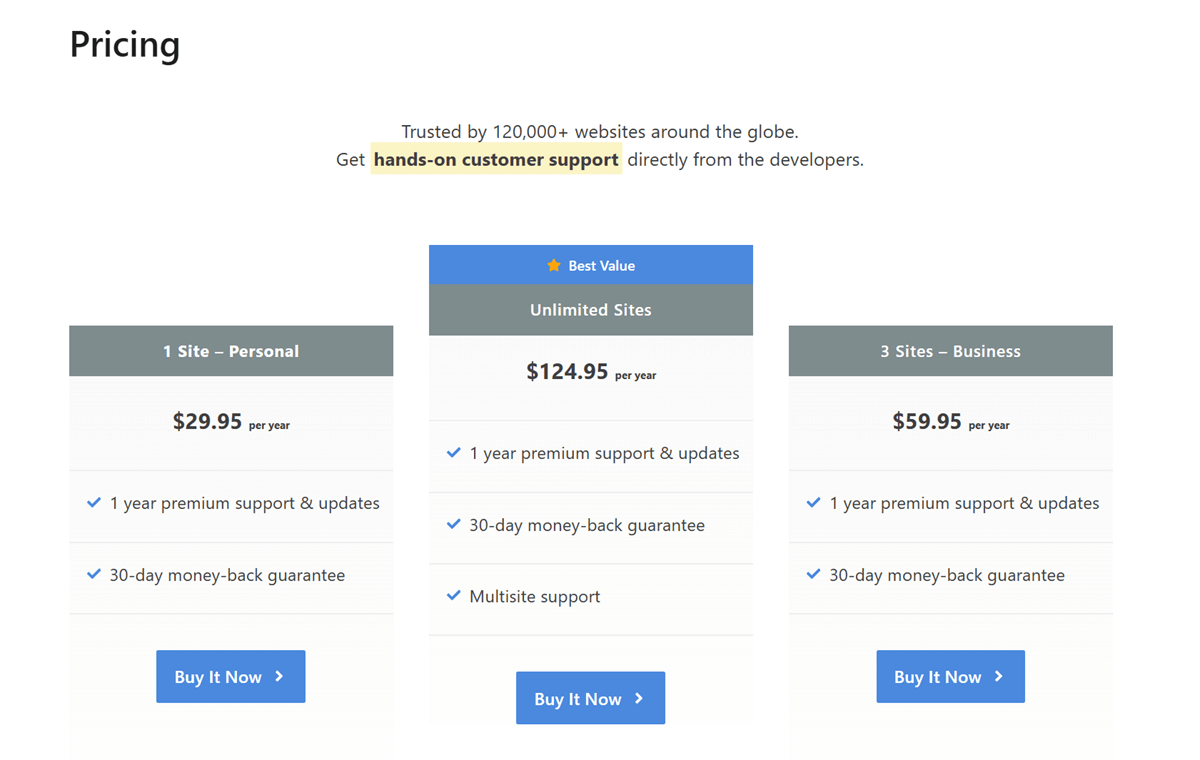
The company offers three pricing options.
1 Site – Personal
- Suitable for: Individual Bloggers
- Updates & Support: 1 Year
- Regular Price: $29.95
- Discounted Price: $20.96
3 Site – Business
- Suitable for: Business owners who manage up to three sites
- Updates & Support: 1 Year
- Regular Price: $59.95
- Discounted Price: $41.96
Unlimited Sites
- Suitable for: Website designers, agencies, and freelancers who manage multiple sites
- Updates & Support: 1 Year (This version supports multisite installations)
- Regular Price: $124.95
- Discounted Price: $87.46
Every new Perfmatters purchase includes a 30-day money-back guarantee.
In addition, you’ll receive a 15% renewal discount on all pricing plans.
How to Activate Perfmatters Black Friday Deal?
Step 1: Click this link to visit the Perfmatters Black Friday deals page.
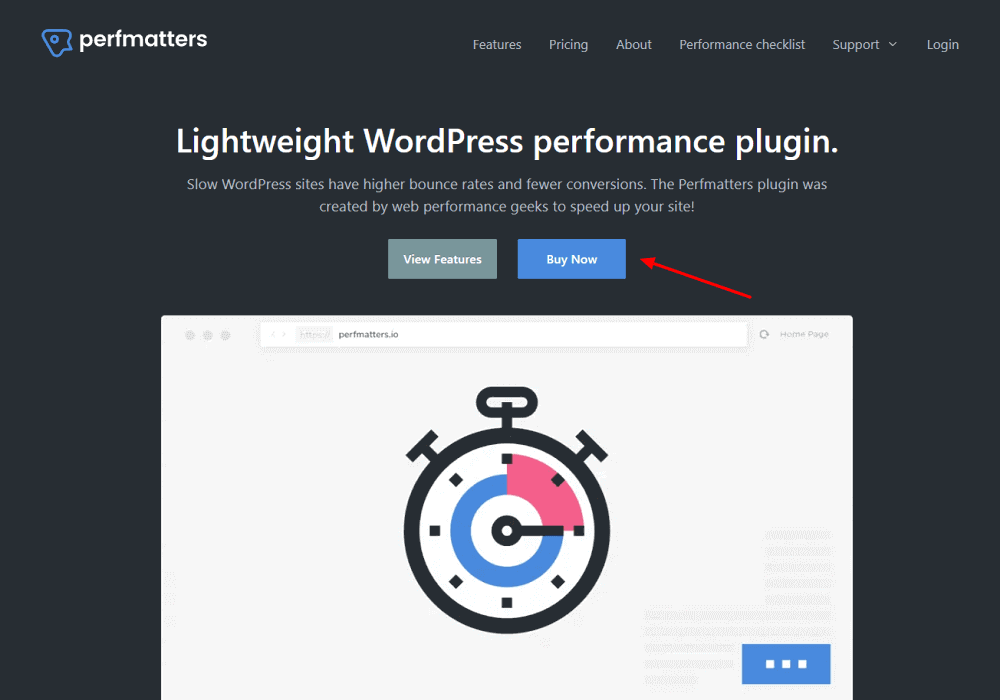
Step 2: Choose the Buy Now option. It will take you to the Perfmatters pricing page.
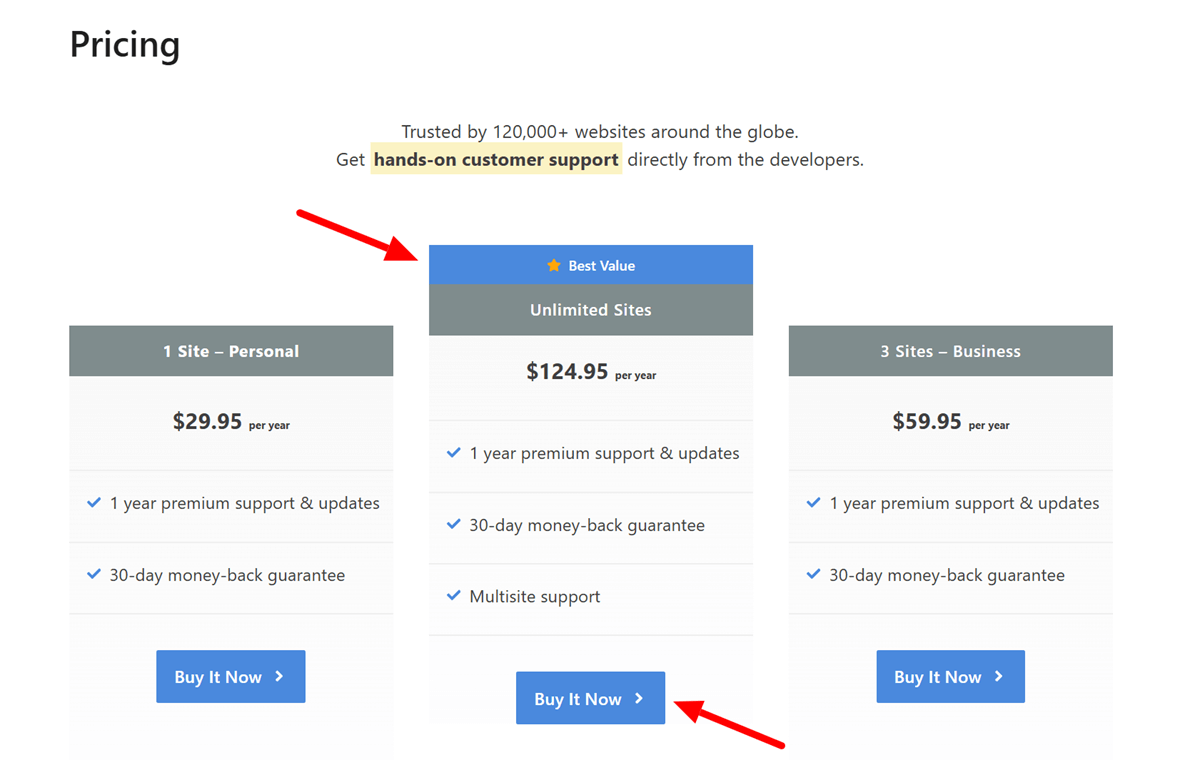
Step 3: Choose an appropriate Perfmatters license that best suits your needs and click the Buy it Now button.
Step 4: On the Checkout page, apply the special coupon code BLACKFRIDAY to get an instant 30% discount on regular Perfmatters pricing.
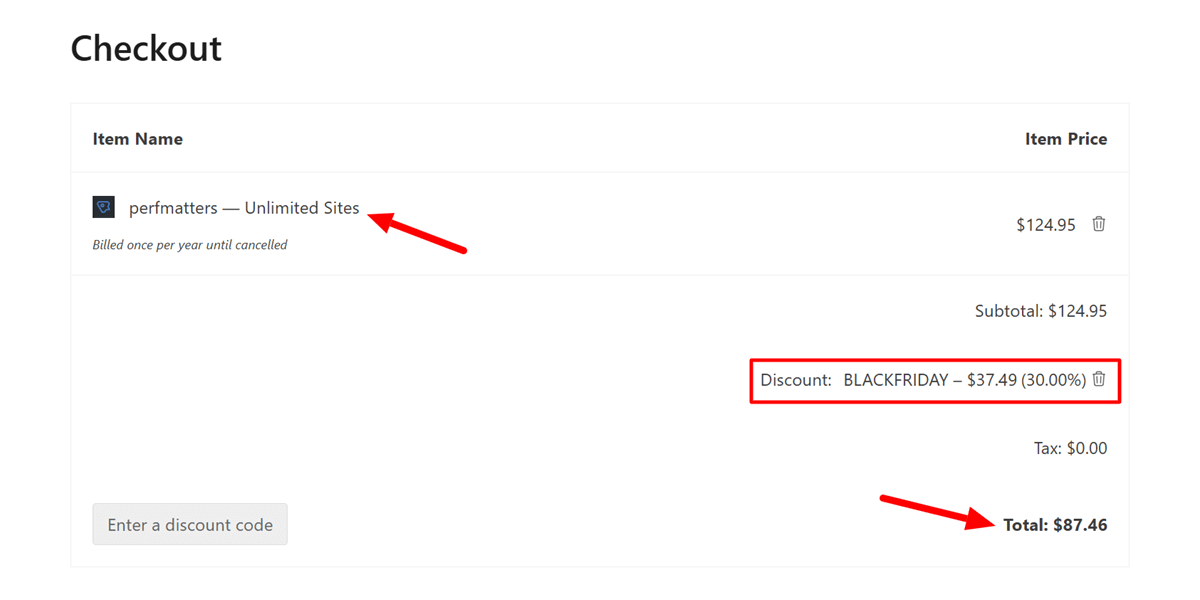
Step 5: Choose your preferred payment method (credit card or PayPal).
Step 6: Enter your personal information, credit card information, and billing details.
Step 7: Read and accept the Perfmatters terms and privacy policy.
Step 8: Click on the Purchase button to complete your order.
Congratulations! You have successfully claimed the Perfmatters Black Friday deal.
You can now access the Perfmatters WordPress plugin by signing in to your account.
Hopefully, it will help you improve your website’s performance.
Perfmatters WordPress Plugin Features

- Disable emojis, embeds, and dashicons
- Change autosave interval
- Disable or limit post revisions
- Disable and tweak Heartbeat API to reduce high CPU usage and a crazy amount of AJAX calls
- Disable comments and URLs to reduce spam
- Disable self-pingbacks
- Disable Google Maps
- Disable XML-RPC
- Remove jQuery migrate
- Remove WordPress version
- Add blank favicon
- Disable password strength meter
- Remove RSD link
- Remove wlwmanifest link
- Remove shortlink
- Remove RSS feed links
- Disable RSS feeds
- Disable REST API
- Remove REST API links
- Disable Google Fonts
- Lazy loading for images, inline background images, iframes, and videos
- Disable WooCommerce scripts and styles
- Disable WooCommerce cart fragments (AJAX)
- Disable WooCommerce widgets
- Disable WooCommerce status meta box
- A built-in robust Script Manager to disable scripts for individual posts/pages or across your entire site with a few clicks
- Database optimization to maintain your site’s performance and health
- Change your WordPress login URL
- CDN rewrite
- Host Google Analytics and Google Fonts locally
- Add custom code to a website’s header, body, or footer
- Preloading resources
- Defer and delay JavaScript
- Multisite support
- Excellent customer support and ongoing plugin development
- Attractive pricing, especially with the Perfmatters Black Friday deal 2025
Pros and Cons of Perfmatters
Pros
✅ Very lightweight: Perfmatters adds almost no load to your site, which makes it suitable for performance-focused setups.
✅ Easy to use: The interface is simple, clear, and beginner-friendly. Most settings are explained well, so you can apply improvements without technical knowledge.
✅ Script control on each page: The Script Manager lets you unload plugins, styles, and scripts on specific pages. This is one of the strongest reasons people choose Perfmatters.
✅ Works with any caching plugin: Perfmatters does not replace your caching tool. Instead, it complements plugins like WP Rocket, FlyingPress, LiteSpeed Cache, or any other option you prefer.
✅ Strong bloat reduction features: It removes unnecessary WordPress features, emojis, embeds, and background tasks that slow down the site.
✅ Improves Core Web Vitals: By reducing scripts and improving front-end loading behavior, Perfmatters can help lower LCP, FID, and CLS metrics.
Cons
❌ No built-in caching: You must use a separate caching plugin because Perfmatters handles only optimization, not caching.
❌ Can feel detailed for beginners: While the interface is simple, some users may find the number of features slightly overwhelming at first.
❌ No free version: Perfmatters is a paid plugin with no free tier, so users looking for a free option may prefer LiteSpeed Cache if their hosting supports it.
❌ Some features require understanding: Script unloading and advanced settings need basic awareness of how plugins and themes work. Incorrect changes can affect functionality if not tested.
Perfmatters vs Competitors
Choosing the right performance plugin often comes down to how much control you want and how your site is hosted. Perfmatters is commonly reviewed alongside WP Rocket, FlyingPress, and LiteSpeed Cache, and each one brings a different approach to WordPress optimization.
Perfmatters vs WP Rocket
WP Rocket focuses on quick setup and automatic improvements. It applies caching, preload tools, file compression, and lazy loading as soon as it is activated. This makes it a practical choice for users who want an instant speed boost with little configuration.
Perfmatters gives you far more control over what loads on your site. Its script controls, bloat reduction options, and page-level settings allow you to trim everything that slows the front-end. It works well for people who want a lighter setup and prefer to manage performance features individually.
Perfmatters vs FlyingPress
FlyingPress works as a complete performance suite. It handles caching, critical CSS, layout-shift controls, lazy loading, and CDN integration inside a single interface. This makes it strong for improving Core Web Vitals with one tool.
Perfmatters focuses on reducing what your site loads rather than stacking multiple features. It is a better fit for users who want fast execution, minimal overhead, and the freedom to combine it with any caching plugin they prefer.
Perfmatters vs LiteSpeed Cache
LiteSpeed Cache delivers powerful server-level caching when used on LiteSpeed or OpenLiteSpeed hosting. It includes image optimization, QUIC.cloud integration, page-level settings, and advanced caching rules built directly into the server environment.
Perfmatters is lighter and works on any host. It concentrates on front-end and WordPress-level optimization, which makes it a flexible choice for users who are not on LiteSpeed servers or who want more precise control over what the site loads.
Which One Fits You Best
- Choose Perfmatters if you want precise control, low overhead, and a setup that works with any host.
- Choose WP Rocket if you want simple installation and quick, automatic improvements.
- Choose FlyingPress if you need a complete performance package in one plugin.
- Choose LiteSpeed Cache if your hosting runs on LiteSpeed and you want server-level speed benefits.
Perfmatters Black Friday Deals: FAQs
Q: What is Perfmatters?
A: Perfmatters is a premium web performance plugin that helps you optimize your site’s performance.
Q: How do you set up Perfmatters?
A: Once you have installed and activated Perfmatters on your WordPress site, play with its quick toggle options to get the best performance. You can also refer to Perfmatters support documentation to get help setting up the plugin.
Q: Can I use Perfmatters with WP Rocket?
A: Perfmatters is compatible with all popular WordPress caching and optimization plugins, including WP Rocket. However, I would not recommend using Perfmatters if you already use WP Rocket to optimize your site.
Q: Is Perfmatters GDPR compliant?
A: Yes. Perfmatters is GDPR-friendly, requiring no additional configuration. The company puts a significant emphasis on data privacy. The plugin does not place cookies, use trackers, or collect any personally identifiable information.
Q: Is Perfmatters good?
A: Perfmatters is a lightweight, easy-to-configure WordPress performance plugin that offers many features to increase your website speed without overburdening your server resources.
Q: How often should I renew my Perfmatters license?
A: You must renew your license yearly to continue receiving support and updates. All purchases will automatically renew for your convenience. However, you can cancel your Perfmatters subscription at any time.
Q: Can I upgrade my license?
A: You can easily upgrade your Perfmatters license from within your account at any time. Prorated charges will automatically be applied.
Q: Does Perfmatters offer refunds?
A: Yes! Perfmatters offers a 30-day money-back guarantee as long as you comply with the company’s TOS.
Perfmatters Black Friday Deals 2025: Summary
Slow site speed negatively impacts bounce rates, conversions, and search engine rankings.
That’s why Brian and Brett Jackson (a brother-duo) developed Perfmatters, a lightweight web performance plugin for WordPress.
Basically, it aims to fix those annoying Google Core Web Vitals warnings.
Some of the plugin’s features include a powerful Script Manager, quick toggles to disable unnecessary scripts, local analytics, Google Fonts, changing your WordPress login URL, lazy loading, database optimization, CDN rewrite, deferring and delaying JavaScript, preloading, and more.
There are very few WordPress optimization plugins that offer such an extensive feature set. If you want a fast-loading WordPress site that shows zero Core Web Vitals errors in GSC, consider using Perfmatters.
This plugin is available at a 30% discount for a limited time.
Why are you still waiting?
Get your Perfmatters license today!
Perfmatters Black Friday Deals

Name: Perfmatters
Description: Stop wasting money on inefficient WordPress caching plugins. Perfmatters WordPress plugin will help you boost your website performance and improve user experience. So if you wish to increase conversions on your website by optimizing its performance, Perfmatters can help you. Hurry up! The offer ends soon. Buy Perfmatters WordPress plugin today and save 30% off the regular price.
Offer price: $20.96
Currency: USD
Operating System: Linux
Application Category: WordPress Plugins
Author: Ankit Main
Overall
4.8-
Performance
-
Security
-
Ease of Use
-
Pricing
-
Support
User Review
( votes)