How to Sell GTA 6 Digital Products: Storefront and Asset Blueprint 2026
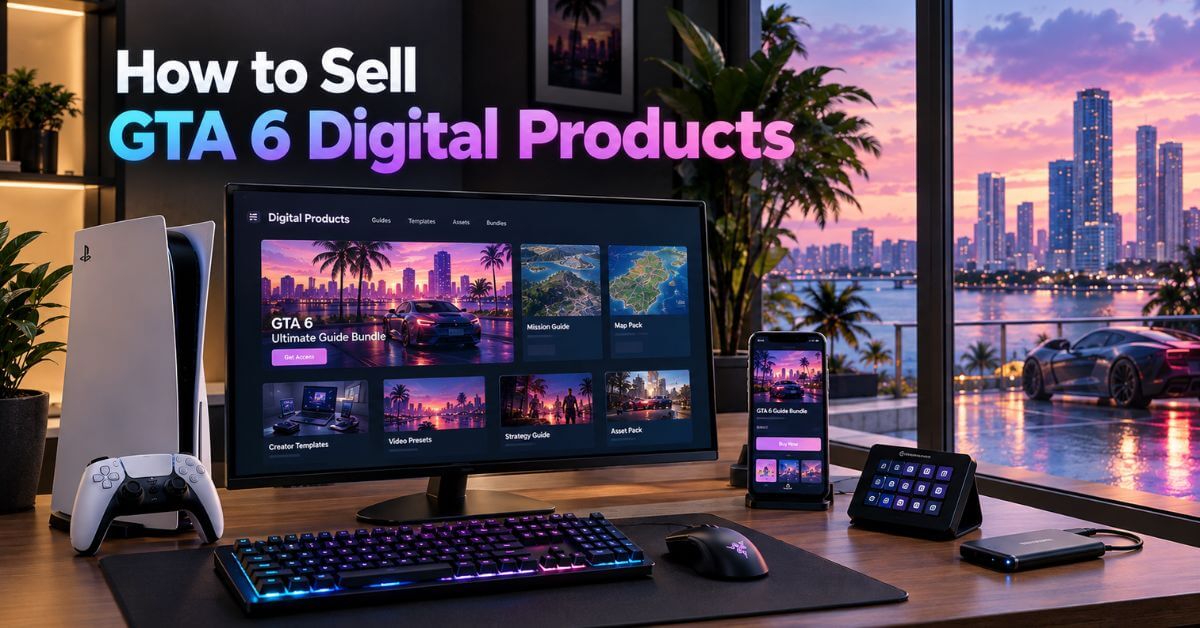
GTA 6 launches November 19, 2026, and thousands of streamers, editors, and community managers will compete for the same audience’s attention. Most need premium, day-one assets to stand out: overlays, edit packs, Discord templates, the tools that separate a polished channel from a generic one.
Here’s the part that changes the whole strategy. On September 10, 2026, Rockstar published its first formal modding guidelines covering GTA 6 and other titles. Selling in-game assets or mods outside Rockstar’s official Creator Platform is now explicitly prohibited, no longer a gray area. That policy shift is why this guide focuses almost entirely on Creator-to-Creator products, assets built for other creators rather than pulled from the game itself, which stay entirely outside that restriction.
This guide covers how to sell GTA 6 digital products, the real math behind running a store, and a launch plan that doesn’t waste the window around November 19.
The Legal Reality: What Changed on September 10
For years, Rockstar tolerated a large unofficial modding economy around GTA V without much formal documentation. That changed with a single policy page, so it’s worth understanding precisely, not roughly.
Single-player mods remain broadly allowed, as long as they don’t rewrite official storylines, imply Rockstar’s endorsement, or use someone else’s intellectual property. Multiplayer modding is restricted specifically to Rockstar’s own Creator Platform, built on the Cfx.re technology behind FiveM, which Rockstar itself now owns.
Mods that combine assets, maps, or characters across different Rockstar titles are banned outright. Monetization outside that official Creator Platform is also explicitly prohibited: approved creators can only sell content through Rockstar’s authorized storefronts within that licensed system.
What this means practically: selling a custom vehicle model, map interior, or roleplay script through an independent marketplace is no longer a gray area. It’s a documented policy violation with real account and legal consequences. The safe, sustainable path is products that never touch Rockstar’s game files or IP.
What’s Actually Safe to Sell
Creator-to-Creator products, secondary digital goods built for other creators rather than pulled from the game itself, sidestep this restriction entirely. They’re built with your own tools, using your own original work, and they satisfy real demand without ever touching Rockstar’s Creator Platform.
1. GTA 6 Streaming and Video Assets
GTA 6-themed overlay packs, alert graphics, and stream layouts, built in your own visual style, not lifted from official art. This is the highest-demand category at launch, since every new streamer needs a channel identity fast.
2. Edit Packs for Creators
CapCut and Premiere preset packs tuned specifically for GTA 6 footage, color grading presets that match the game’s pink-and-purple Vice City palette, and transition packs built for gameplay pacing. A tool like ClipFinder is useful here: study which moments in viral GTA 6 clips get cut and how, then design your presets around what’s already working rather than guessing.
3. Audio and Community Assets
Soundboards, custom notification tones, royalty-free ambient background tracks, and Discord server templates, complete with channel structure, roles, and welcome flows, sell well to the same audience building out their own community or stream. None of this touches the game client at all.
4. Managing Production
Once you juggle more than a couple of these products, a simple Trello board tracking each asset from concept through final export keeps a growing catalog from becoming a folder of half-finished files.
➡️ Also Read: GTA 6 Streaming Guide 2026: The Best Platforms, Broadcast Setup & Payout Splits
Validating Demand Before You Build
The biggest mistake in this space isn’t picking the wrong platform. It’s building a polished asset pack nobody searched for.
Look at what’s already selling in adjacent creator-tool niches, overlay packs, preset bundles, and Discord templates on Etsy and existing gaming asset stores. A product with sustained sales usually solves a specific, named problem. “GTA 6 stream overlay” beats a vague “gaming graphics pack” because it tells buyers exactly what they’re getting before they click.
Build one small, finishable piece first, a single overlay or five-preset pack, rather than a full twenty-item bundle. It validates the sales and delivery process quickly, and you learn what sells before investing time into a bigger catalog.
Product Photography and Presentation
A buyer can’t touch a digital file before paying, so the preview does all the selling. A clean mockup, an overlay shown live over gameplay footage, or a preset applied to a before-and-after clip sells far better than a plain product description.
This doesn’t require professional equipment. A well-composed mockup built in Canva or a quick screen capture showing the asset in use is usually enough. Show the real thing working, not just a static icon, since every buyer’s question before paying is: does this actually look like what I need?
Written and Planning Products
Not everything worth selling is visual. Text-based and planning products round out a catalog and often cost less time to produce than a full graphics pack.
1. Guides and Ebooks
A specific, tested “GTA 6 Day-One Money Guide” or a strategy ebook covering an efficient early-game path solves a real, searchable problem better than a generic tips list. The narrower the promise, the more it converts.
2. Content Planners and Calendars
A 90-day content calendar for GTA 6 creators, pre-filled with post ideas mapped to the game’s news cycle, launch week, patch drops, and community discoveries, saves buyers hours of planning.
3. Email Sequences for GTA Creators
A ready-made welcome sequence or launch-week email series built specifically for gaming creators is an underserved niche. Deliver it through whichever platform a buyer uses; Kit and Beehiiv both support importing pre-written sequences directly.
4. AI Prompt Packs
A curated set of prompts for generating GTA-inspired art, thumbnail concepts, or video scripts saves buyers the trial-and-error of writing effective prompts themselves. Keep any AI art prompt pack framed as “inspired by,” never claiming to replicate Rockstar’s exact copyrighted art style, for the legal reasons above.
➡️ Also Read: How to Start a GTA 6 Blog: Complete Setup Guide
Visual and Social Media Products
This is where the widest range of buyers exists, since every creator, not just streamers, needs visual assets for their own channel and social presence.

1. YouTube Thumbnail Packs and Editable Social Templates
Canva-based thumbnail templates and Instagram or TikTok post templates, pre-built around the game’s palette and typography, let buyers swap in their own footage and text in minutes instead of designing from scratch.
2. IG Story Packs and Pinterest Pin Packs
Story templates for daily updates or countdown content, and Pinterest-ready pin designs built around GTA 6 content ideas, help creators maintain a consistent posting schedule without designing every post individually.
3. Copyright-free, GTA-inspired Wall Art Packs
Original artwork inspired by the game’s aesthetic, Vice City’s neon skyline, and vehicle silhouettes, never tracing or reproducing Rockstar art, sells to fans wanting home or stream-room decor without licensing risk.
4. UGC Packs
Templates and prompts for user-generated content, like “share your GTA 6 setup” style post templates a community can fill and repost, build engagement for anyone running a fan page or community account.
Live Streaming Setup Guides
A written or video guide walking a new streamer through connecting a console, configuring OBS, and going live for the first time is a high-demand, evergreen product, distinct from platform-economics content covered elsewhere. Bundle it with an overlay pack from earlier, and it becomes a complete “start streaming GTA 6 today” package rather than a standalone guide competing with free YouTube tutorials.
Pricing Psychology: Tiering What You Build
Price by the value a bundle delivers, not the hours it took to assemble. A single overlay or preset can sell for $5 to $15. A full “streamer starter kit” with overlays, alerts, transitions, and a sound pack justifies $25 to $60 since it solves a bigger problem than any single piece alone.
This is where a value wrap bundle earns its keep: packaging several related, smaller items together at a price higher than any one piece but lower than buying them separately. Buyers see more value for a moderate price increase, and you raise your average order value without building anything new.
The Hard Math: Real Margin Models
Skip the vague “you could make thousands” framing. Here is the actual formula and what it looks like with real numbers.
Net profit margin equals your gross revenue, minus platform fees, minus payment processing fees, minus any paid acquisition cost, all divided by gross revenue. That fraction is the real number that determines whether a store is actually working, not just generating sales.
Platform Fee Breakdown
1. Gumroad
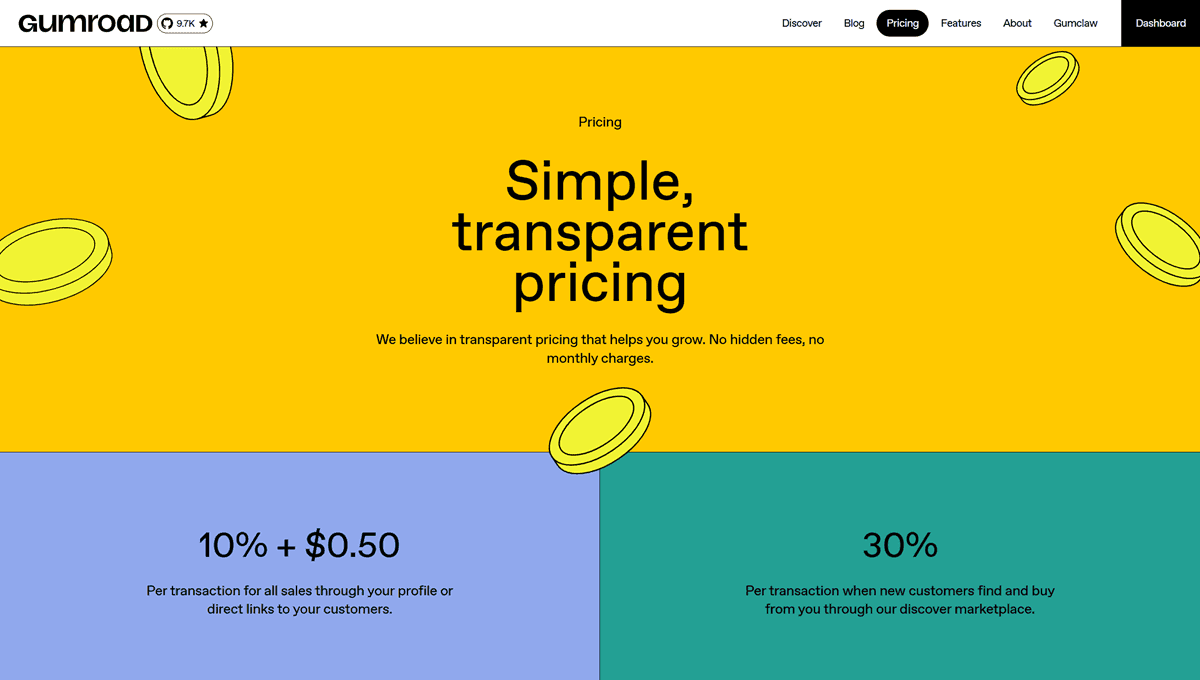
It charges a flat percentage with no separate payment gateway fee, which sounds simple, but that flat rate hits low-ticket items hardest. A $5 overlay pack loses a larger share of its value to a 10% fee than a $50 bundle does, which matters in a category built around small, individual assets.
2. Payhip
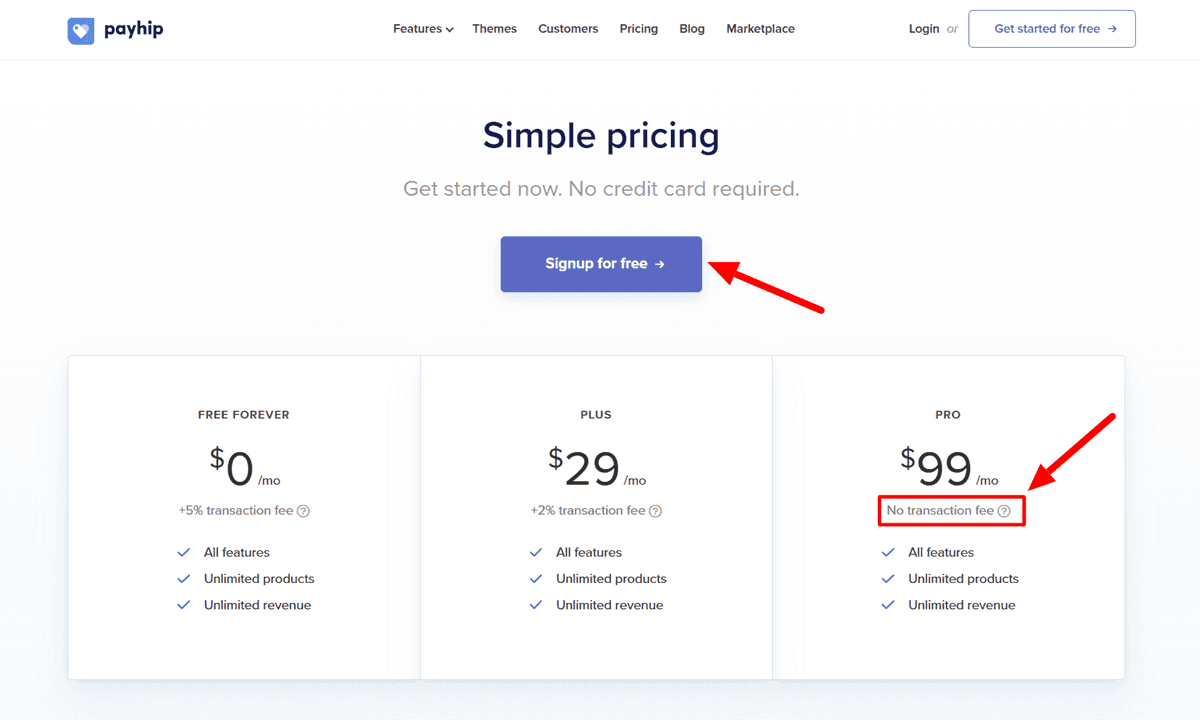
Payhip undercuts that flat-fee model. Its free tier charges 5%, with paid tiers lowering that further and the top tier removing the platform cut entirely. It’s a straightforward, no-code option that gets a bundle selling fast without requiring you to think about hosting or checkout design.
3. Superprofile
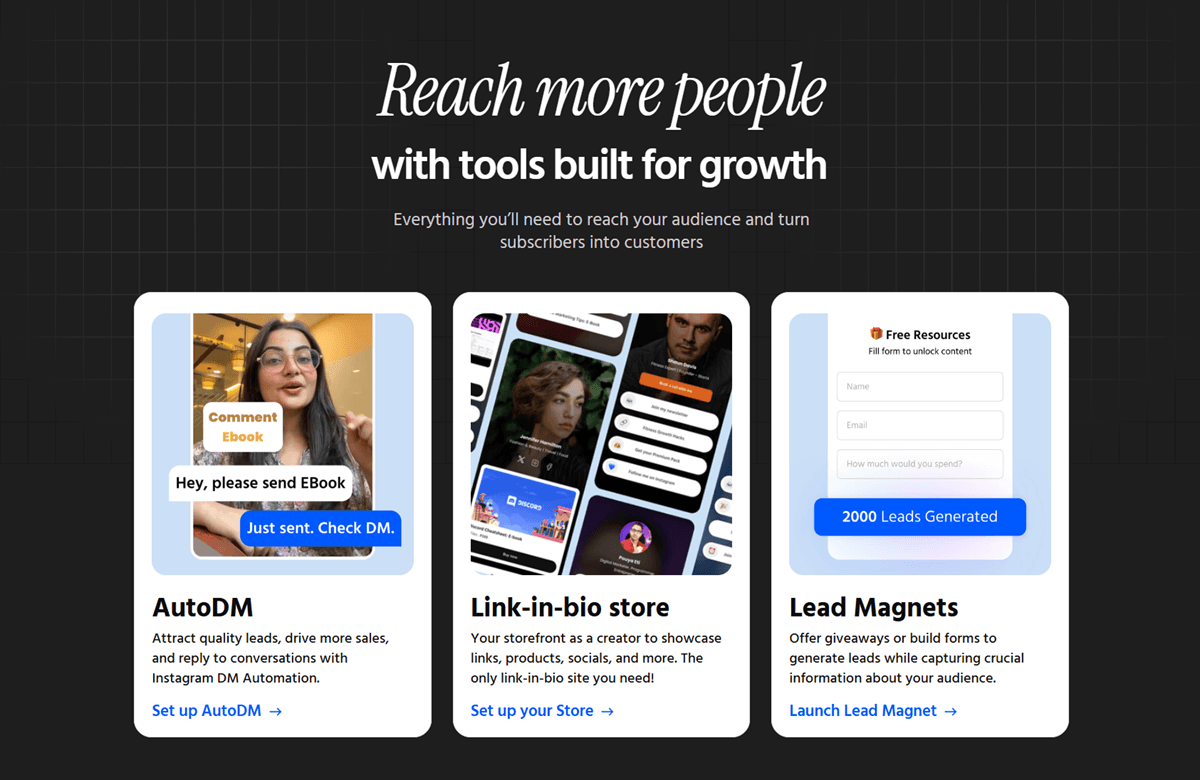
Superprofile bundles a link-in-bio page, checkout, and DM automation into one platform, suiting creators whose traffic mostly arrives through a single social link rather than a website. It’s especially strong for creators with an Indian audience, since an Indian company built it for that market.
Both Payhip and Superprofile require you to handle your own tax compliance for digital sales since neither automatically manages global VAT obligations like larger marketplaces. That’s a real tradeoff for keeping more of each sale.
4. ThriveCart, for Scaling Past Your First Few Products
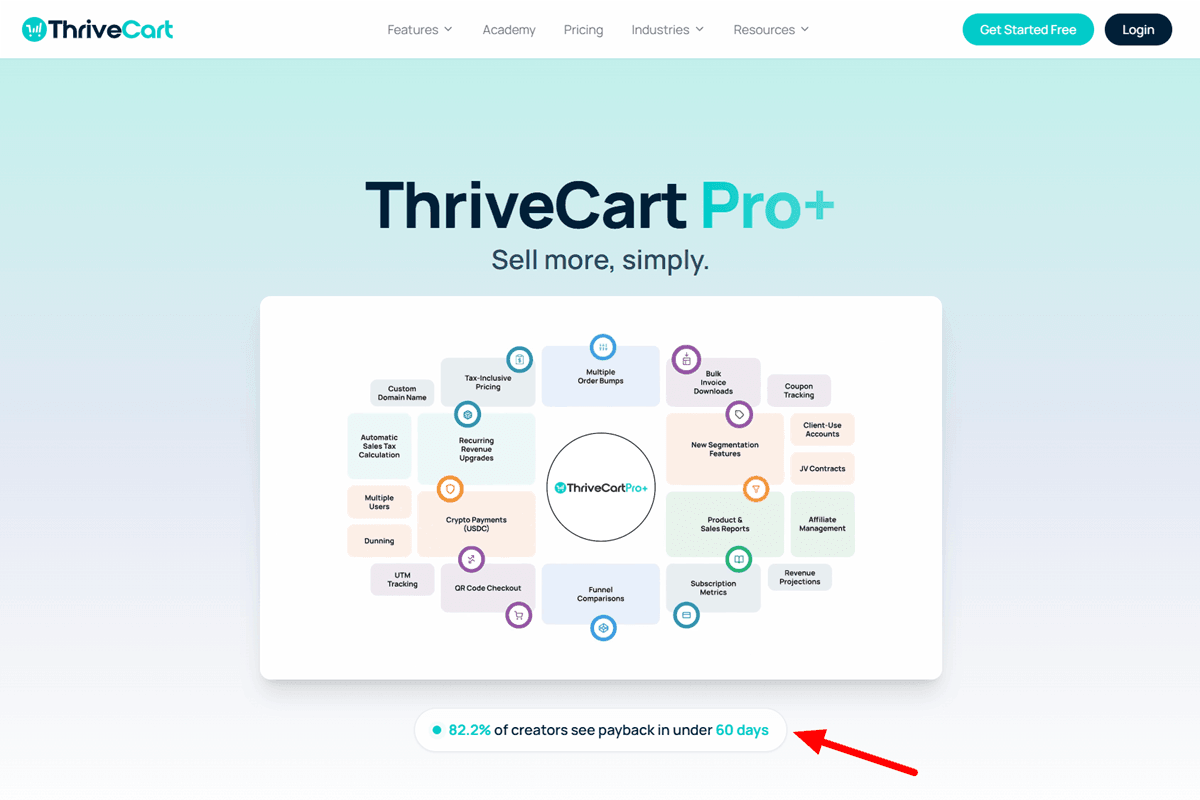
ThriveCart Pro Plus is worth knowing about once you’re past a first bundle or two and thinking about a multi-product catalog. It’s built around checkout and upsell optimization, order bumps, split testing, and an affiliate system for recruiting other creators. Be precise about the “lifetime” framing: the base purchase is one-time, but Pro Plus adds features, affiliate management, payment-failure recovery, reporting, and tax tools that carry a separate annual renewal starting in year two. Read the pricing page carefully before treating this as a single, permanent payment since that renewal is easy to miss in marketing copy leading with “lifetime access.”
5. Self-Hosted WordPress Storefronts
Self-hosted storefronts carry the lowest platform fee, often none, but setup complexity is a hidden cost: payment integration, hosting, security, and legal pages fall on you.
Emergent is worth knowing as an AI app builder that can generate a working custom storefront from a prompt, avoiding traditional development costs.
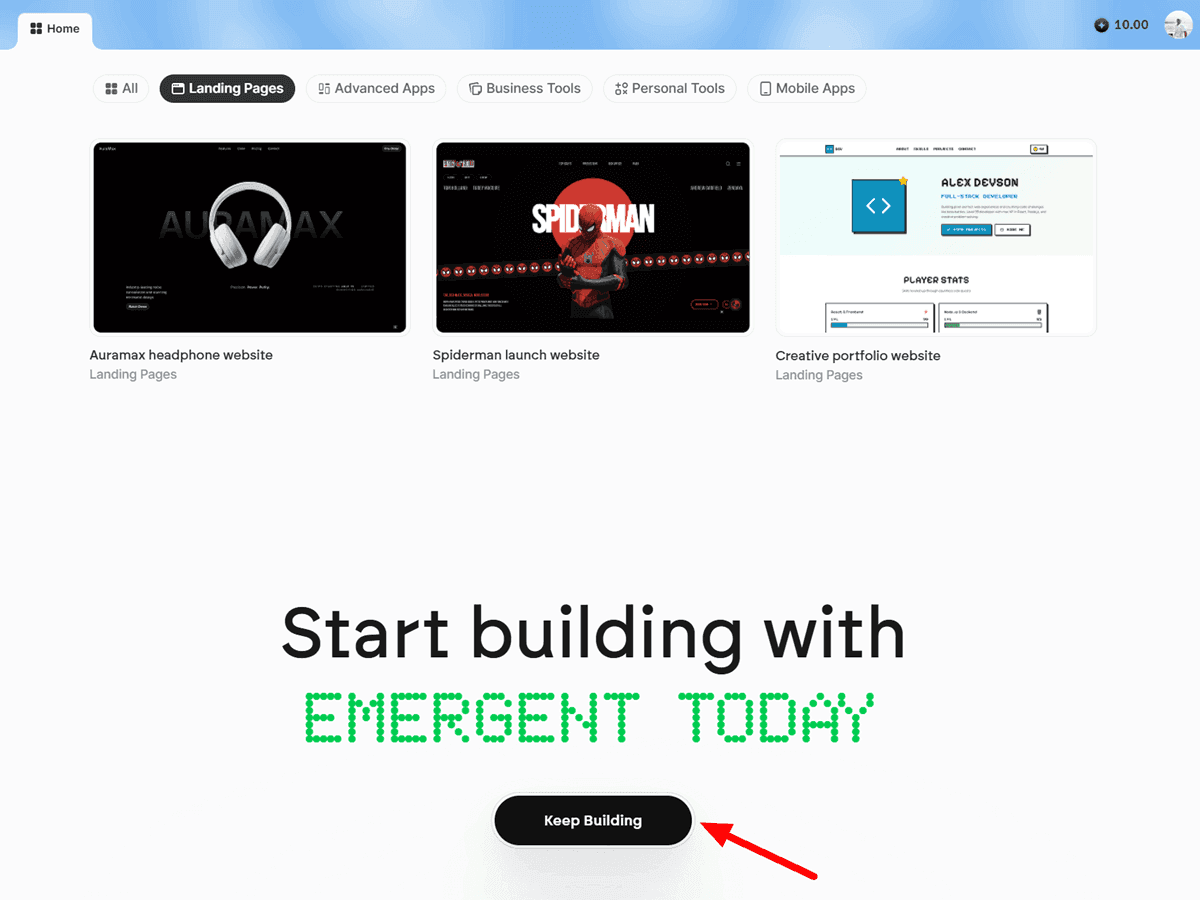
It’s a general-purpose app builder, not a checkout specialist, so treat anything it generates around payment handling as a starting point needing security review, not a finished product to trust blindly.
CartFlows is a more established option if you’re running WordPress with WooCommerce. It turns a standard WooCommerce checkout into a funnel with order bumps, upsells, split testing, and abandonment recovery, features that otherwise require paying for a separate SaaS platform. It requires WooCommerce, so it fits sites already built around WordPress rather than from scratch.
What the Fees Actually Cost You
A $12 bundle sold through a flat 10% platform, plus roughly 2.9% and 30 cents in card processing, nets around $10.15. The same bundle on a 5% platform nets about $10.75, a 60-cent difference per sale that compounds across volume. A hundred sales net $1,015 on the higher-fee platform versus $1,075 on the lower, purely from fee structure.
Here’s a simple way to picture growth. Sell a $17 bundle, 5 copies a day, for 30 days. That’s $2,550 in gross revenue before fees, with no ceiling as volume grows. This is not a promise. Reaching steady daily sales takes a good product, real marketing, and time. Treat every number here as a planning tool, not a guarantee.
Building a Storefront That Actually Converts
1. Choosing Your Preferred Digital Product Selling Platform
Match the platform to your technical comfort: Payhip or Superprofile for a fast, no-code setup; Emergent if you want something fully custom and don’t mind extra setup. Whichever you pick, use Semrush to check real search volume behind your product angles, “GTA 6 stream overlay” vs. a vaguer “gaming graphics,” before writing sales copy around the wrong term.
2. Checkout Page Optimization
A clean sales page leads with the specific problem your bundle solves, shows the value wrap bundle clearly (what’s included, what it costs separately), and displays license terms plainly: personal use, commercial use, redistribution rights, whatever applies.
3. Payment Merchant Configurations
Whichever platform you choose, avoiding digital payment merchant bans starts with clear, accurate product descriptions and a visible refund policy. Payment processors flag accounts with disproportionate chargebacks, and a confusing checkout is a common reason buyers dispute charges instead of asking for a refund first.
4. Email Capture and Retention
Collect an email at checkout every time and route it into a real tool rather than leaving it stuck in your storefront’s basic export. Beehiiv suits creators wanting newsletter-first scaling with a built-in ad network. Kit suits creators wanting advanced automation sequences, welcome flows, product launch emails, and win-back campaigns without switching tools later.
5. Refund Policy Structure
Set a clear, fair refund window before your first sale, not after your first complaint. This protects genuine buyers and reduces chargeback disputes since buyers with an easy refund path rarely escalate straight to their bank.
Reviews, Updates, and Long-Term Trust
Collect reviews actively rather than hoping they appear on their own. A short, specific request right after delivery, asking what the buyer used the asset for, gets more responses than a generic “please leave a review” message. A specific answer sells better on a landing page than a vague star rating.
Set a clear product update policy before you need one. State plainly whether buyers get free updates when you improve an overlay pack or refresh a preset for a new GTA 6 patch, or if a major revision counts as a separate purchase. This decision prevents recurring complaints and matters more here than in most digital-product categories since visual trends and game updates age content faster than a static ebook.
License terms deserve the same clarity. State exactly what a buyer can do with a purchased asset: personal channel use, commercial use across multiple channels, resale rights, or none. A creator buying a Discord template to run their own server has different needs than one reselling access, and vague terms cause disputes when sales are largest.
The GTA 6 Digital Products Launch Sequence
Pre-order and Momentum.
Opening pre-orders for a bundle before it’s fully finished funds the final production push and proves real demand before you build everything. Pair this with a genuine product launch sequence: a short countdown of teaser posts building toward a specific release moment rather than a single unannounced drop.
The Scarcity Lever, Used Honestly.
A limited release strategy, a lower price for the first 48 hours or a cap on early-bird spots, creates real urgency without dishonesty, as long as the limit is real. Compare this against evergreen pricing, the stable ongoing price a bundle settles into after launch week. Plan for both from day one, rather than accidentally treating the launch price as permanent.
Automated Delivery, Done Right.
Package files in formats your buyer opens without friction, with properly compressed folders for multi-file bundles and clearly labeled formats for each editing platform. Use a light watermark on preview images only, never on delivered files, to protect against reposting. Configure a reliable product-delivery email through your existing email tool so delivery never depends on you being online.
Testing the Funnel Before It’s Actually Live
Run a full payment test before any real customer sees the checkout page. Buy your own product with a real card or use your platform’s test mode transaction if available, and walk through every step: does the payment go through cleanly, does the delivery email arrive, does the file open and work as intended? A broken delivery step discovered by your first buyer costs you a refund and a bad first impression. Catching it beforehand costs only ten minutes.
Once the funnel works, bring in a small group of real people, including an early buyer and a fellow creator, before pushing upsells or a wider launch. Ask directly for feedback and honest product reviews while stakes are still low. Early feedback is worth more than a week of guessing and provides genuine testimonials for the real launch. Add upsells and cross-sells only after this test phase confirms the core purchase and delivery experience works end to end.
A Realistic Timeline Before November 19
Most new sellers either rush a bundle out unfinished or spend too long polishing something nobody has validated. A more realistic path fits into the weeks before launch.
In the first week, pick one narrow product idea, an overlay pack or preset bundle, and check real search interest before building anything. Use weeks two and three for production: design assets, test them against real GTA 6 footage once trailers and gameplay reveals provide material, and set up your storefront in parallel rather than after.
Open pre-orders or a waitlist in week four, giving early buyers a discount in exchange for being first. Launch properly in the week leading into November 19, when search interest is climbing fastest and most competing sellers still haven’t shipped anything. This whole cycle, from idea to a validated first sale, realistically takes three to five weeks of focused, part-time work, not a single weekend as some guides imply.
Growth: Turning Traffic Into Recurring Buyers
Upsell Sequence Design
The moment right after a purchase is the best time to offer something related. A simple “creators who got this also got this” line, shown once, converts better than the same pitch emailed cold days later.
Cross-Sell and Bundle Discounts
Once you have three or more products, a bundle discount strategy lifts average order value and gives existing buyers a reason to come back instead of waiting for your next release.
Social and DM Automation
Outfame handles scheduled, AI-assisted posting across Instagram and TikTok, which is useful when you promote products on a real schedule instead of posting occasionally and hoping. Pair that with a comment-to-DM tool, ManyChat or DMDaddy, to turn “comment BUNDLE” into an automatic checkout link delivered straight to someone’s inbox, capturing high-intent leads the moment they show interest.
An Affiliate Program for Your Own Products
Once a bundle proves it sells, let other GTA 6 creators promote it for a cut. This works well here since a creator recommending your overlay pack to their audience is vouching for something they’d genuinely use themselves.
Community-Based Recurring Revenue
One-time bundle sales have a ceiling: every dollar needs a new buyer. A private creator community turns that into recurring revenue instead. Skool or Heartbeat both work well for this, hosting a space where members get ongoing access to new assets, direct feedback, and each other for a flat monthly fee instead of a per-purchase cut.
This is a deeper topic than fits here. The full breakdown of building and retaining a paid creator community covers tier structure, churn, and retention.
The Next Step: Scaling Past Your First Store
Once your first bundle has real sales behind it, the systems in this guide, pricing, platform, and launch-sequence, are proven for your specific audience, not just theory anymore. From there, the GTA 6 Money E-book covers the broader system for turning that same foundation into a full, scaled digital product business, for creators ready to go beyond a single storefront.
How to Sell GTA 6 Digital Products: FAQs
Q: Can I still sell GTA 6 mods or in-game assets after the September 2026 policy update?
A: Only through Rockstar’s own official Creator Platform. Selling scripts, vehicle models, or map assets through an independent marketplace is now explicitly against Rockstar’s published policy, not just a gray area. Creator-to-Creator products, overlays, edit packs, and Discord templates stay entirely outside this restriction since they never touch the game itself.
Q: What’s the actual difference between Payhip and a self-hosted storefront?
A: Payhip trades a small transaction fee for zero setup complexity. A self-hosted or AI-built storefront can eliminate that fee, but you take on payment security, hosting, and compliance yourself. Most creators start on a hosted platform and only move to something custom once volume genuinely justifies it.
Q: Is the margin math in this guide based on a real store’s actual numbers?
A: The platform fee percentages are real and verified against current published rates. The sales-volume examples are illustrative math built on those real fees, not a report from an actual store’s history. Your real results depend entirely on your product, price, and marketing.
Q: Do I need an existing audience to sell GTA 6 creator assets?
A: It helps, but a useful, well-priced bundle can find buyers through search and creator-to-creator recommendations even from a small starting point. An existing audience just speeds up that first traction.
Q: How much of this can I realistically build before GTA 6 launches?
A: A full streamer starter kit, overlays, alerts, and a preset pack is realistically buildable in one to two weeks of focused work. Starting now, before November 19, means launching into rising search demand instead of scrambling to catch up later.
Q: Should I sell individual assets or bundles only?
A: Offer both. Individual items give first-time buyers a low-commitment entry point, while a bundle gives your best customers a reason to spend more at once. Most successful creator-asset stores lead with a bundle on the sales page but keep individual pieces available for buyers who need only one thing.
Q: What’s the single biggest reason a digital product store fails to sell?
A: Being too generic. A “GTA 6 graphics pack” with no specific angle competes with dozens of similar listings. A “GTA 6 stream overlay pack for solo variety streamers” is narrower, easier to find in search, and easier for the right buyer to recognize as built for them.
Conclusion
The safest, most durable business here isn’t in the game files, but in the tools every GTA 6 creator needs: overlays, edits, sound, and structure. Build one real bundle, price it on the value it delivers, and launch it before the rest of the market catches up.
What’s the first asset you’re going to build?