How to Make GTA 6 Shorts (2026 Viral Workflow)
How to Make GTA 6 Shorts that Go Viral on TikTok, Reels, and YouTube Shorts
Quick answer: To make GTA 6 shorts that grow exponentially, treat TikTok, YouTube Shorts, and Instagram Reels as three separate systems, not one upload button. Hook viewers in the first two to three seconds, cut each clip for that platform’s specific ranking signal (completion rate on TikTok, swipe-away rate on Shorts, shares on Reels), and post natively instead of reposting the same file everywhere. The full platform-by-platform breakdown, plus a real editing workflow and monetization numbers, is below.
Most “how to go viral” guides for a game launch could have been written a year ago, with the names swapped in. This one couldn’t.

GTA 6 launches November 19, 2026, and creators are already finding specific, clippable details in the official reveal footage that almost nobody is covering yet. Snapmatic, the game’s in-game photo app, is confirmed to return with a real twist: Jason and Lucia can browse it but can’t post, since they’re fugitives trying to avoid a digital trail. That’s the kind of specific, verified detail a fast, well-cut short can turn into real reach right now, weeks before launch, while most channels are still posting generic trailer reactions.
Short-form content is the fastest way into this moment since the production barrier is low. You need a smartphone, a video clip, and a real understanding of how TikTok, Shorts, and Instagram Reels work; how each platform decides what to push, how to get viral GTA 6 clips on purpose instead of by accident, and how to monetize GTA 6 videos once the views start coming. That’s this whole guide, platform by platform, starting now.
TikTok: Completion Rate Is the Whole Game
Any real GTA 6 TikTok strategy starts with one fact: TikTok in 2026 runs almost entirely on one signal: how much of your video someone actually watches. Multiple creator-analytics trackers now put a strong completion rate benchmark around 65 to 70%, up from roughly 50% a couple of years ago, which tells you the bar has genuinely risen, not just that creators talk about it more. Below 30% completion, distribution stalls fast.
Here’s what that means practically. Video length on TikTok has been drifting longer, not shorter. The platform-wide average length is now reported around 42 seconds, up from roughly 25 in 2022, because a well-paced 45-second video watched to the end now outperforms an 8-second clip that gets shared but not watched through. If your GTA 6 clip indeed needs 40 seconds to land the joke or reveal, don’t chop it down just because “short is safer.” Chop it down if it’s padded, not because of an arbitrary length target.
Hooks, Loops, and Growing a New Account
The three-second hook rule still applies, but think of it as the entry fee, not the whole strategy. It stops someone from swiping immediately. What keeps them watching, and what TikTok’s algorithm rewards, is completion, rewatches, and shares outweighing plain likes.
A 20 to 30% rewatch rate on a short clip is strong. Design for that with a loop point: end your clip on a beat that runs fluidly back into the opening frame, so a viewer who reaches the end slides straight into watching it again without deciding to.
New accounts get tested with followers first before wider distribution, a shift from TikTok’s earlier “cold start to strangers” model. That means your first few posts, even with a tiny follower count, still matter for training the algorithm on your content. Post consistently in your GTA 6 niche from day one rather than testing five unrelated formats in your first week.
Trend audio matters here more than on the other two platforms. Jumping on a genuinely trending sound within its actual trending window, not two weeks after everyone has used it, gives a clip a real discovery boost through TikTok’s sound-based recommendation layer. Don’t skip the format tools built for this: duets and stitches on a viral GTA 6 reaction, a trailer breakdown, or a surprising gameplay detail put your take directly next to the original, giving you free exposure to that clip’s audience.
YouTube Shorts: The First Two Seconds Decide Everything
Shorts runs on a stricter, faster version of the same idea. Getting comfortable with GTA 6 YouTube Shorts automation later in this guide starts with understanding the raw mechanics first. The algorithm tracks swipe-away rate second by second, and the first two seconds function as the primary filter. If a viewer doesn’t swipe away by then, the probability they watch to completion jumps sharply. That’s a much narrower window than TikTok’s three-second grace period and changes how you should open a clip: the very first frame needs to show something already, not build up to it.
Length has shifted here too, in a specific direction. Sub-15-second Shorts have lost reach in 2026 because they can’t clear the platform’s watch-time bar even at perfect completion. Meanwhile, 30- to 45-second Shorts have become the sweet spot. Looping matters even more here than on TikTok: a rewatch within about two seconds of the end counts as a partial new view, so a clip built to loop cleanly gets a measurable distribution boost on top of raw completion.
Why Shorts Compound With Your Channel
The single biggest thing that separates YouTube Shorts from both other platforms: it’s not a closed loop. A high-retention Short gets planted inside your long-form channel’s watch pages and recommendation surfaces, which means a good Short can drive traffic into your regular uploads for weeks after it’s posted, something neither TikTok nor Reels does in the same way. That’s the strongest argument for a GTA 6 creator to treat Shorts as a genuine growth lever for a larger channel, not just a standalone content stream.
One technical point worth being blunt about: YouTube’s system detects reposted content, especially clips with a visible watermark from another platform, and suppresses its distribution. If you’re repurposing a video clip that did well on TikTok, export it clean and re-edit the framing for Shorts specifically. Don’t just re-upload the TikTok video export with its watermark still baked in.
Instagram Reels: Shares Beat Everything, Including Watch Time
Reels is the platform where Instagram’s head, Adam Mosseri, has been most specific about what matters. It’s worth taking him at his word. Watch time is the top-ranked signal across Instagram generally, but for reaching people who don’t follow you, sends per reach (how often someone DMs your Reel to a friend) is the signal that does the real work. Mosseri said DM sends matter more for unconnected reach than likes do by a wide margin, and likes per reach is consistently the weakest of the three confirmed signals.
That should change what you’re optimizing for. A GTA 6 clip built to be watched is good. A GTA 6 clip built to be the kind of thing someone sends to their group chat, “you have to see what they added to this game,” is what actually travels on Reels. A confirmed, specific detail, like Snapmatic’s fugitive-mode restriction, is a strong example of shareable content: it’s the kind of small, surprising fact people forward because it makes them sound like they know something.
Originality, Hashtags, and Faceless Content
Original content carries a confirmed advantage over reposts on this platform. Content flagged as original gets a larger distribution boost than reposted content, and accounts that repost heavily (over ten reposts in a rolling 30-day window) can get excluded from recommendations entirely.
If you’re cross-posting the same GTA 6 clip across all three platforms, re-cut and re-caption it for Reels rather than uploading the identical TikTok export.
Hashtags are close to irrelevant here now. Instagram caps them at five per post, and Mosseri said hashtags don’t meaningfully improve reach. Spend that caption space on a hook and a reason to send the clip instead of stuffing tags.
A GTA 6 faceless channel works well on Instagram since Reels rewards the clip itself, not a personality on camera. A well-cut gameplay moment with a strong caption performs the same whether or not a face appears, making Reels a low-barrier way to start if you don’t plan to be on camera. At this stage, making money with GTA 6 Reels comes down almost entirely to shares and saves rather than platform payout, since the real value is the traffic it sends to better-monetized formats.
The GTA 6 Moments Worth Building Content Around Right Now
You don’t need to wait for launch day to have something to post. A few specific, already-viral threads are worth knowing because jumping on something already moving beats trying to manufacture a new angle from scratch.
Lucia’s animation detail from the trailer is a strong example. A specific walking shot generated enough attention that a former Rockstar animator addressed the underlying animation work on a livestream. The lesson here isn’t the specific detail; it’s the pattern: a single, specific, highly rewatchable few seconds of trailer footage can carry an entire content thread if you’re fast enough to clip, caption, and post before the conversation moves on.
Snapmatic, GTA’s in-game parody of Instagram, is confirmed to return, with one real twist: Jason and Lucia can browse it but can’t post their own photos, since they’re fugitives trying not to leave a digital trail. That’s a genuinely good hook for a “GTA 6 has better social media mechanics than some actual apps” angle, and it’s confirmed, not speculation, which matters for the credibility of anything you build around it.
Launch Week Deserves Its Own Content Plan
November 19 isn’t just another posting day. It’s the single highest-search-volume moment this niche will see, and treating it like a normal Tuesday wastes the biggest opportunity in the whole launch cycle.
The pre-load window, the days before launch when the game becomes downloadable but not yet playable, is worth content on its own. “What to do while you wait” and “everything confirmed so far” formats perform well in that window, since search interest is rising but there’s no gameplay to show yet. The moment the game becomes playable is the highest-value content opportunity of the year: genuine, unscripted first reactions posted within the first hour beat anything scripted or planned because that’s exactly what people are searching for, and almost nobody else has it yet.
In the days right after, map breakdowns and secret-location content tend to perform well, since players actively explore and compare notes on what they’re finding. A short clip pointing out one specific hidden detail in Vice City, framed as “did you find this yet,” taps directly into that behavior.
Turning One Clip Into a Week of Content
A single strong idea rarely needs to be a single video. Series formats, where one clip explicitly sets up the next (“Part 1 of 4”), measurably improve completion and return viewing. Labeling content as part of a series gives viewers a reason to commit to the arc rather than treating each clip as disposable.
For a GTA 6 channel, this maps naturally onto content with multiple parts: a map breakdown covering one district per video, a “ranking every vehicle” series released one entry at a time, or a running “day one moments” series posted throughout launch week. The individual clips still need to work as standalone videos since most viewers land on entry three before entry one, but labeling them as a series and referencing earlier parts gives your existing audience a reason to keep coming back to your channel rather than the next random clip in their feed.
Tracking What’s Actually Working
Posting consistently without checking the numbers is guessing with extra steps. A handful of metrics tell you almost everything that matters and are the same ones the algorithms watch.
Completion rate and average watch time are the two to check first on every clip since they’re the dominant signal on all three platforms covered here, just weighted slightly differently. Shares per 1,000 views tell you whether something is spreading vs. just being watched, which matters most on Instagram given how heavily Reels weights DM sends. Saves are a slower-building but useful signal too since a save means someone wants to find this again later, a stronger intent signal than a like.
Review this weekly, not daily. Day-to-day swings are mostly noise, especially in your first few weeks on a new format. Over a week or two, look for a pattern: which specific format, length, or topic consistently outperforms your other content so you can double down on that and quietly retire formats that aren’t working instead of spreading effort evenly across everything you’ve tried.
Building Clips That Actually Hold Attention
1. Source Footage Selection
Not every clip is worth cutting. Look for a specific, isolated moment that makes sense with zero context: a reaction, a visual detail, a single line of dialogue, rather than a general “cool gameplay” stretch that needs setup to land. If you have to explain what’s happening before the payoff, it’s the wrong clip.
2. Vertical Framing and the Subtitle Safe Zone
Shoot or crop for 9:16 from the start, not as an afterthought. Keep essential visual information out of the very top and bottom of the frame, since platform UI elements (captions, usernames, engagement buttons) sit there and cover it. Subtitles should sit inside a safe zone roughly in the lower-middle third of the frame, high enough that Instagram’s UI and TikTok’s caption bar don’t overlap them.
3. Jump-cut Pacing and Dead Time
Cut anything that isn’t actively delivering information or a reaction. A half-second pause reads as dead air on a platform where the next video is one swipe away. This is the single most common fix I’d point to for a clip with a good idea and weak numbers: the edit gives the viewer too many chances to leave.
4. Text Overlay Timing
Text should appear exactly when it’s relevant, not a beat early or late, and it should be gone before it’s stale. Text that lingers on screen after the moment it describes reads as sloppy and gives the viewer’s eye somewhere to disengage.
5. Caption Hook Structure
The on-screen caption and the post caption are doing two different jobs. On-screen text should reinforce or add context to what’s happening visually. The post caption is where the actual hook line lives, the thing that makes someone stop scrolling before the video even starts playing, especially on platforms where autoplay previews are muted by default.
6. Comment Bait, Used Honestly
A genuine open question (“did they actually fix the physics from the last game, or does it just look different?”) drives real comments, which is a real ranking signal on every platform covered here. Fake controversy for the sake of engagement reads as hollow fast. Use a question you’d actually want the answer to.
7. Call-to-Action Placement
Where you ask matters as much as what you ask. A “follow for part two” line lands better at the exact moment a viewer gets value, right after the payoff, than tacked onto the very end after their attention has already started drifting toward the next clip in their feed. If you’re driving traffic toward a longer video or a channel, that specific ask belongs in the post caption or a pinned comment, not spoken mid-clip where it interrupts pacing you’ve otherwise worked to protect.
A Real Batch Production Workflow
Treat source footage as a resource you mine repeatedly, not something you clip once and discard. A single long GTA 6 video or stream often yields five to ten separate short-form clips if you go through it properly.
1. Highlight Moment Detection
Manually reviewing a full recording for clip-worthy moments works but is slow. AI highlight-detection tools scan a recording and flag spikes in reaction, dialogue, or visual change, cutting review time significantly once you produce more than a couple of clips a week. The dedicated breakdown of automated highlight detection tools covers this in more depth than makes sense here.
2. Batch Clipping in One Sitting
Pull every worthwhile moment from a source video in one pass rather than clipping, editing, and posting one at a time. Separating “find the clips” from “edit the clips” into two sessions is faster since each task uses a different kind of attention.
3. Clip Length Optimization, For Each Platform
Aim for 30 to 90 seconds on TikTok depending on what the moment needs, 30 to 45 seconds on YouTube Shorts specifically, and don’t force Instagram content shorter than needed since Reels up to a few minutes can still reach non-followers through recommendations.
4. Thumbnail Frame Selection
Shorts and Reels auto-generate a cover frame, but manually picking a clear, expressive moment over a mid-motion blur improves click-through anywhere the clip appears outside the main feed: a profile grid, a search result, or a shared link.
Cross-Posting Without Getting Penalized
Native upload beats reposting on every platform covered here by a wide margin. TikTok, YouTube Shorts, and Reels all detect recycled content, especially anything with a visible watermark from another platform, and suppress its reach accordingly.
The practical workflow is to export a clean, watermark-free master file, then re-cut the framing, captions, and length for each platform instead of uploading the same file everywhere. It’s more work per clip, but the difference between three platforms treating your content as native vs. quietly throttling it as a repost.
Tools built for this exact workflow, such as resizing, reframing, and auto-captioning a single source clip into platform-specific versions, cut a meaningful amount of repeat work. CapCut remains one of the most widely used free options for this task, and a growing category of AI-powered tools can also handle highlight detection and clip-length work covered above in the same pipeline rather than as separate steps.
AI Tools for GTA 6 Shorts: What to Actually Look For
You don’t need to try every option on the market. A handful of specific capabilities matter for GTA 6 short-form work specifically, and the rest is mostly interface preference.
Auto-Reframing Accuracy
A tool that reframes horizontal gameplay footage into 9:16 needs to track the action, keeping a car chase or fight scene centered as it moves rather than locking to a fixed crop that cuts off what you’re trying to show. Test this on a genuinely chaotic clip before committing to a workflow built around a specific tool, since this is where cheaper auto-reframing tends to fall apart.
Caption Accuracy on Game Audio
Auto-captioning tools are built and trained mostly on speech. Game audio, gunfire, engine noise, and in-game radio dialogue layered under commentary trip up weaker caption engines more than clean podcast-style audio. Check a tool’s caption accuracy specifically against gameplay footage, not just your own voiceover, before relying on it for a whole batch of clips.
Native Export Presets For Each Platform
A tool that exports directly to TikTok’s, Shorts’, and Reels’ specific dimensions, safe zones, and length limits saves real time over manually resizing and repositioning captions for each platform. This is less about any single tool being “the best” and more about matching the specific three-platform workflow this guide has built.
Batch Processing For Multiple Clips at Once
Once you produce more than a handful of shorts a week, processing clips one at a time in a single-clip editor becomes the bottleneck, not the creative work. A tool that can queue and process a batch of source clips together is worth switching to, even if a simpler single-clip tool got you started.
None of this requires a large budget to start. A free tool covers the fundamentals for the first several months of consistent posting. Paid, more automated tools usually pay for themselves in time saved once volume, not quality, becomes the constraint.
To automate GTA 6 shorts video editing end to end, a good starting stack pairs a highlight-detection tool with a reframing and captioning tool, leaving only a quick manual review before posting. The same stack works whether you’re cutting a GTA 6 Reels edit or a Shorts upload since the underlying footage-review problem is identical.
Two Opus Alternatives I’ve Actually Tested
Many creators have gotten frustrated with Opus Clip specifically, and after testing the space myself, two tools stood out as genuinely better picks for a GTA 6 clipping workflow.
1. ClipFinder: Best AI Clipping Tool for Long GTA 6 Streams
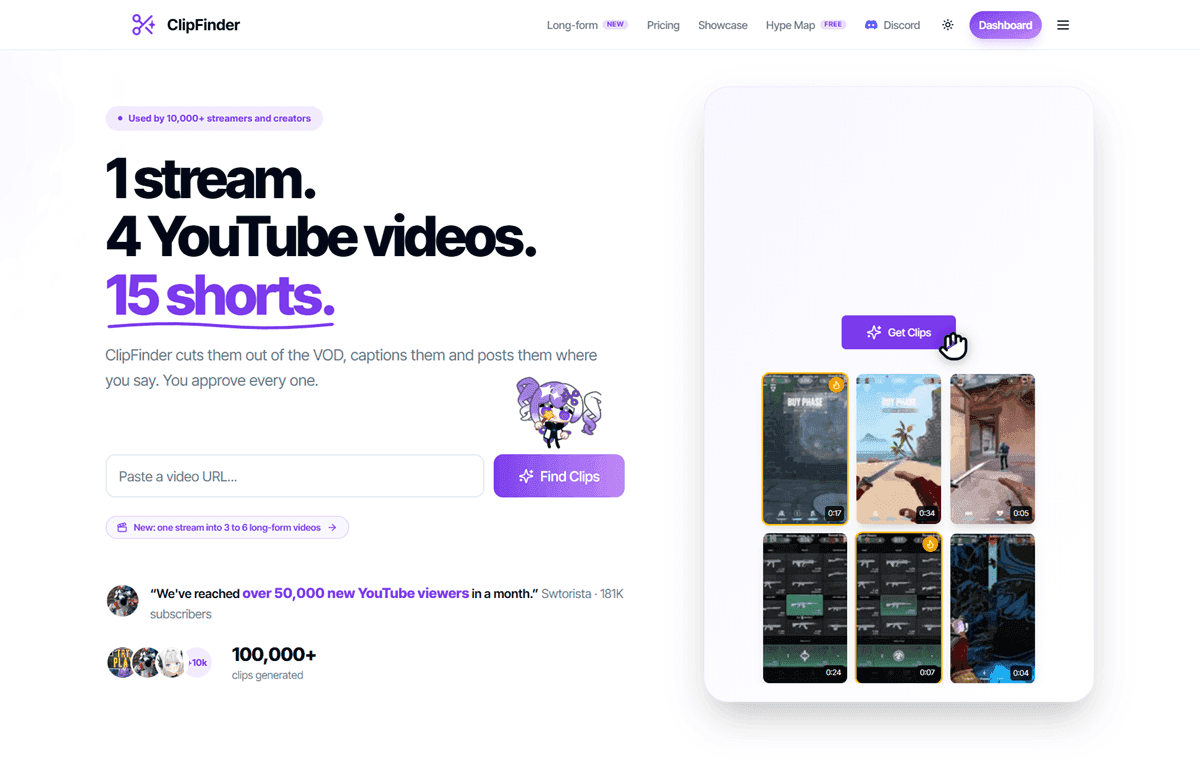
ClipFinder is the one I’d point to first if you’re working from long streams. It watches the entire recording, gameplay and reactions included, not just a transcript. This matters for GTA 6 content since much of what’s worth clipping is visual (a stunt, a reaction, a specific animation detail) rather than something someone says.
Pricing starts at $15 a month for 10 hours of footage, with a $29-a-month Pro tier ($174 billed yearly) that removes the cap and adds priority processing, confirmed on ClipFinder’s pricing page. In my use, it does the job well; moment-finding is accurate, and exports are clean, but it’s not fast. Processing a longer VOD takes real time, so this isn’t the tool for same-day launch-window content where speed matters more than polish.
Independent reviews on it are still thin since it’s a newer, smaller tool, so treat that as one data point (mine) rather than a broad consensus.
2. Vizard AI: Faster AI Video Editing and Clipping Tool

Vizard is the faster of the two, and speed is its main selling point. It’s built more around spoken-word content (podcasts, webinars, commentary-heavy footage). For GTA 6 content with much narration or reaction commentary over gameplay, it moves through a batch quickly. The tradeoff, matching my testing, is polish: the auto-reframe occasionally crops shots too tight on the sides when converting to vertical, especially on faster-moving footage. A manual check before publishing is worth doing rather than trusting every export blindly.
That specific complaint shows up in independent reviews too. G2 reviewers note the AI doesn’t always pick the ideal moment and that captions and framing sometimes need manual correction, particularly with fast speech, and Capterra reviewers have flagged the project dashboard loading slowly at times. Worth knowing before you commit to an annual plan: Vizard’s credit system doesn’t refund or carry over unused credits if you cancel, according to reviews on Trustpilot. Pricing runs from a free tier (60 credits a month, 720p exports, watermarked) up to a Creator plan around $14.50 a month billed annually, confirmed on Vizard’s own pricing page.
Neither tool is flawless, and I’d rather say that plainly than pretend otherwise. But both do the core job better than the frustration many creators report with Opus specifically, and which one fits depends on whether your bottleneck is speed or polish.
GTA 6 Shorts Monetization: What Each Platform Actually Pays
TikTok’s Creator Rewards Program applies the same way to GTA 6 content as any other niche: it pays out based on video performance and watch time for videos over a minute, though per-view payouts run well below what YouTube’s ad-revenue system pays on long-form video.
YouTube Shorts revenue comes from a pool shared across all monetized Shorts after music licensing costs, split by view share. In creator-economy terms, that’s your effective gaming RPM on Shorts for 2026, commonly cited in the one-to-six-cent range per thousand views, a real but modest income stream compared to long-form.
➡️ Also Read: How to Start a GTA 6 YouTube Channel and Go Viral
Instagram doesn’t run a comparable direct per-view payout for most creators; its value is almost entirely in the DM-share-driven reach covered above, which functions as a discovery engine feeding traffic toward other, better-monetized formats.
None of these three platforms is an income destination on its own. Learning how to monetize GTA 6 videos properly means treating short-form as the top of a funnel. It’s the fastest way to build the audience that a YouTube channel, an affiliate site, or a paid product can then convert.
Frequently Asked Questions
Q: Can you really make $10k a month with GTA 6 shorts?
A: Some creators eventually do, but not from short-form payouts alone and not quickly. Direct per-view payouts on TikTok, Shorts, and Reels are modest even at scale. Creators who reach that income usually route short-form traffic into a monetized YouTube channel, an affiliate site, or a paid product, exactly the funnel covered above. Treat any number like this as a ceiling reached through a full system, not a starting expectation from posting clips alone.
Q: Which platform should I focus on first for GTA 6 short-form content?
A: TikTok if speed and trend participation matter most to you right now, since its discovery system moves fastest on breaking topics. YouTube Shorts if you already have or want a long-form channel, since Shorts uniquely compound with your existing videos in a way the other two don’t. Most creators run all three but pick one to genuinely master first rather than spreading thin across all from day one.
Q: Should I jump on every trending GTA 6 topic, or stay focused on my niche?
A: Stay focused. A trending topic outside your niche might pull a short-term view spike but doesn’t build the kind of audience that keeps coming back. Prioritize trends that genuinely fit the content you’re building and let the ones that don’t pass by.
Q: How long should my GTA 6 shorts actually be?
A: It depends on the platform, not a universal rule. Roughly 30 to 90 seconds on TikTok, 30 to 45 seconds on YouTube Shorts specifically, and Instagram Reels can run longer since length matters less there than watch time and shares. The real rule on all three is as long as the moment needs, no longer.
Q: Can I post the same clip to all three platforms?
A: Not the identical file. All three platforms detect and suppress reposted or watermarked content compared to native uploads. Export clean and re-cut the framing, caption, and length for each platform specifically, even if it’s the same underlying moment.
Q: Do I need expensive editing software to compete here?
A: No. Free tools like CapCut handle the core cutting, captioning, and reframing work most short-form GTA 6 content needs. More advanced paid tools mostly save time on highlight detection and batch repurposing once you’re producing at real volume, not on basic editing itself.
Conclusion
The algorithms here aren’t mysterious once you stop treating TikTok, YouTube Shorts, and Instagram Reels as one platform with three upload buttons. Completion rate wins on TikTok. The first two seconds decide everything on Shorts. Shares and DM sends beat watch time on Reels.
Build your clips, hooks, and posting workflow around those specific differences. The low production barrier that makes short-form accessible stops being a disadvantage and becomes why you can move faster than channels treating this as an afterthought. Making money with GTA 6 shorts comes down to running this system consistently, not finding one lucky viral post.
What’s your GTA 6 short-form angle going to be? Drop it below.
➡️ Also Read: How to Make Money With GTA 6 Online: Complete Creator Roadmap