
12 Best Platforms to Sell Digital Products in 2026


Picking the wrong platform to sell digital products costs you money on every single sale, forever. A creator processing $3,000 a month on Gumroad pays roughly $360 in platform fees. The same revenue on Payhip Pro costs $99 flat. That $261 monthly difference is $3,132 a year, and most creators never run the math.
Finding the best platforms to sell digital products in 2026 is not about picking the most popular name. It depends on what you sell, where your traffic comes from, and which fee structure actually protects your margins at your current revenue level. Get this decision right early, and you build a digital product business on solid ground. Get it wrong, and you fund someone else’s platform with every sale you make.
This guide compares 12 platforms across every major category in the digital product marketplace:
- Zero-monthly-fee storefronts like Gumroad and Payhip
- Full e-commerce platforms like Shopify and WooCommerce
- Course and membership platforms like Teachable and Thinkific
- High-converting checkout tools like ThriveCart Pro Plus
- All-in-one marketing systems like Kartra
- Social bio storefronts like Beacons
- Email-first selling platforms like Kit and beehiiv
Every platform gets real fee math, honest trade-offs, and a clear verdict on who it actually fits.
How to Pick the Right Platform Before You Compare Features
Most platform comparisons get skipped over because they list features without answering the only question that actually matters: what will this cost me per dollar earned, and what setup overhead does it require?
Before comparing any platform, nail down 3 things.
1. Your average order value
Platforms with fixed per-transaction fees, the $0.50 Gumroad takes or the $0.25 Etsy adds on every payment, hit a $7 template much harder than a $97 course. A platform that looks cheap at a $50 average order value can be the most expensive option at $10.
2. Your traffic source
If you have a social media audience, an email list, or a blog, you do not need a marketplace. You need a storefront with low fees and a fast setup. If you have no audience yet, a marketplace with built-in discovery has real value, even at a higher fee.
3. Your product type
A single downloadable file is a different problem from a 6-module course with student progress tracking. A membership with subscription billing is a different problem from a one-time checkout. Pick a platform built for your product type first, not a platform that technically handles all of them poorly.
Simple Storefronts and Marketplaces: Fast to Launch, Fee-Heavy at Scale
Gumroad
Gumroad has been the default starting point for first-time digital product sellers since 2011 and remains one of the fastest setups available. No monthly fee. No plan tier to choose. Upload a file, set a price, share a link, and your product is live.
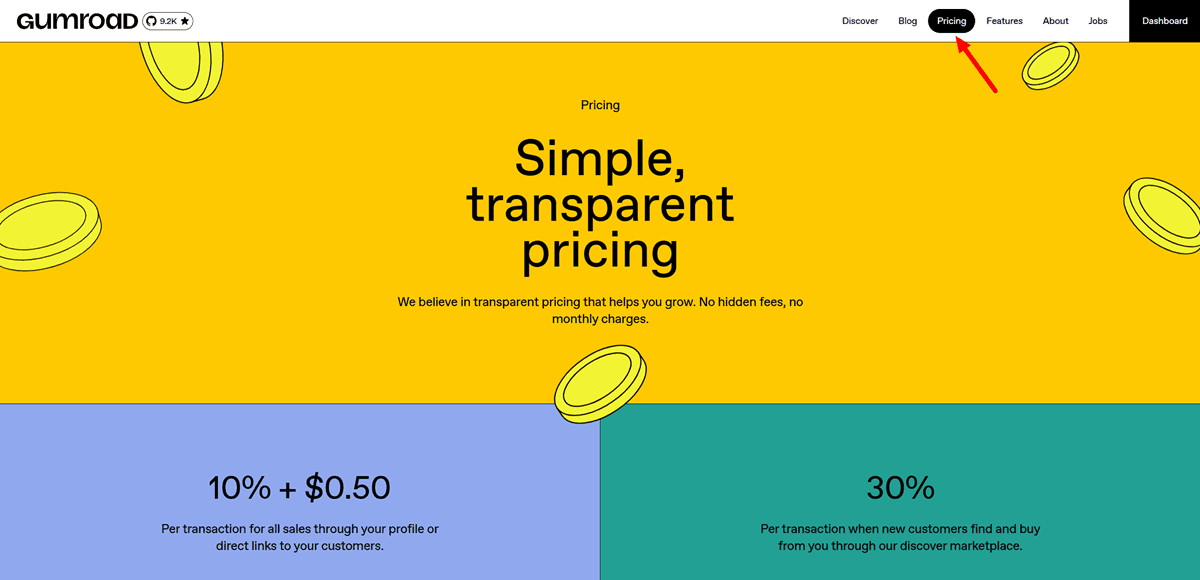
The fee structure is a flat 10% plus $0.50 per direct sale, with standard Stripe or PayPal processing on top. A $20 product sale on Gumroad costs you roughly $3.30 in total fees: 10% plus $0.50 to Gumroad, plus 2.9% plus $0.30 in processing. At $5,000 a month in direct sales, that works out to roughly $600 a month going to Gumroad, or over $7,000 a year.
Gumroad’s strongest feature for international sellers is Merchant of Record status, which it obtained in January 2025. This means Gumroad handles global VAT, GST, and sales tax collection and remittance on your behalf across every jurisdiction where your buyers live. For a creator selling to buyers in 30 countries, this removes a serious compliance burden.
One important setup note for 2026: Gumroad does not support banner image uploads on seller profiles. Profile customization is limited to font, background color, and highlight color. Plan your branding around those constraints rather than a header image.
The opinion here is direct. Gumroad is the best platform for validating whether a product sells, period. The fee is high compared to alternatives, but the zero-monthly-cost and instant-delivery setup make it the right tool for a first product. Once your monthly revenue crosses $500 consistently, run the math on whether a Payhip or WooCommerce store saves you money.
Etsy
Etsy is the natural starting point for printables, planners, Canva templates, and digital art because millions of buyers are already searching there. The discovery layer is real and free to access, unlike most marketplaces where organic reach requires advertising spend.
Etsy’s fees for digital downloads in 2026 come to a $0.20 listing fee, a 6.5% transaction fee, a 3% fee, and $0.25 in payment processing, for a total effective rate of roughly 10 to 12% per sale. The hidden fee that catches growing sellers is Offsite Ads: once a shop crosses $10,000 in trailing 12-month revenue, Etsy automatically enrolls it at a 15% fee on attributed sales, and this cannot be turned off.
The trust signal worth flagging is the fixed-fee component. For a $5 digital download, the combined $0.20 listing fee and $0.25 processing fee already represent 9% of revenue before the percentage cuts apply. Etsy works best for products priced at $15 or above, where fixed costs are a smaller share of the total.
Creative Market
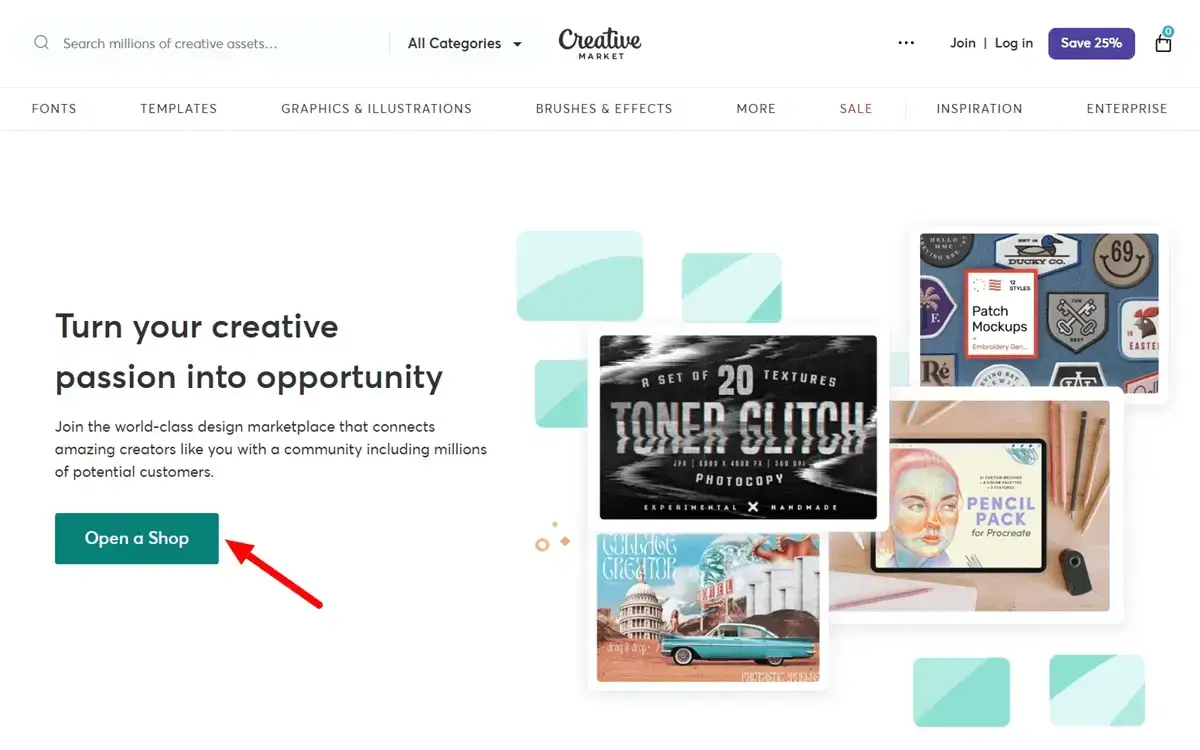
Creative Market is the go-to marketplace for design assets: fonts, Canva templates, mockups, and graphics aimed at other creators. The audience is pre-qualified, and search traffic is substantial for professional design assets.
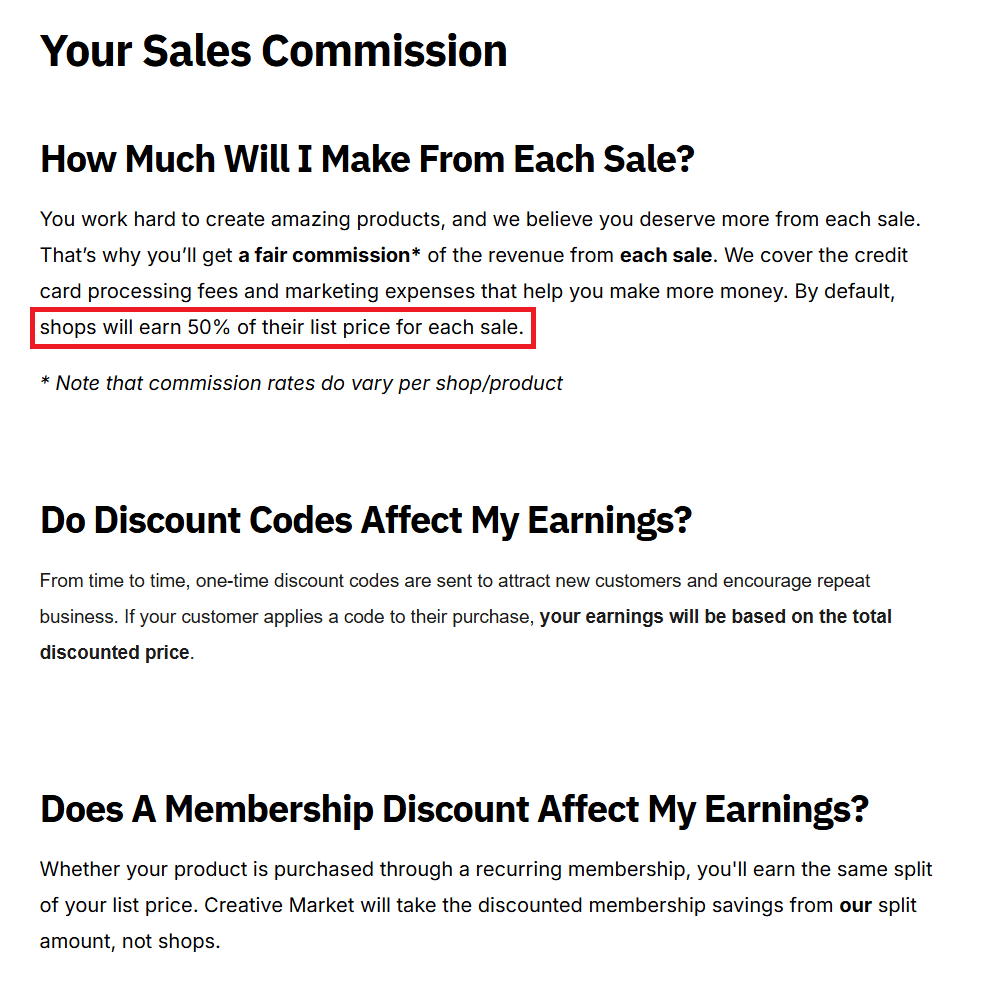
By default, shops earn 50% of their list price on Creative Market, with commission rates varying by shop and product. That means a $20 template pack leaves you with roughly $10, compared to $17 to $18 on a self-hosted Payhip or Gumroad store, with your own traffic. The trade-off is audience access without any ad spend.
Creative Market makes sense as a secondary distribution channel for design assets, not a primary store, once you have self-generated traffic.
Beacons AI
Beacons is built specifically for creators who live on Instagram, TikTok, and YouTube. It is a link-in-bio platform that has expanded into a full storefront and creator toolkit, with email marketing, media kit building, affiliate marketplace access, and AI-powered audience insights.
Beacons offers 4 tiers: Free with a 9% transaction fee, Creator at $10 per month with a 9% fee and a custom domain, Creator Plus at $30 per month with 0% transaction fees and courses and memberships, and Creator Max at $90 per month with 0% fees, white-glove onboarding, and an NFC card.
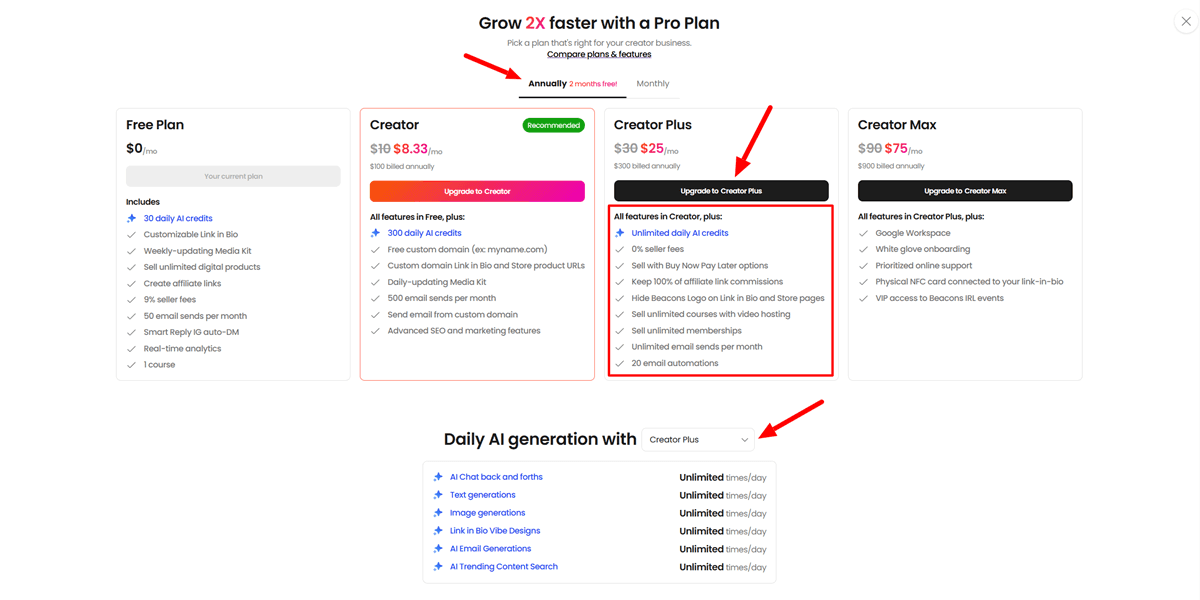
The free plan’s 9% transaction fee means a $100 digital product sale on the free tier costs $9 in platform fees plus standard Stripe processing, totaling roughly 12% overall. That makes the free tier more expensive than Payhip’s free plan for creators selling regularly. The Creator Plus plan at $30 per month with 0% fees is a strong deal for social-first creators, since it combines a storefront, email tools, and a media kit in 1 subscription.
The honest limitation: Beacons has no built-in video calls, basic scheduling, or group session tools. Creators whose business includes live coaching, workshops, or cohort-based offerings will still need separate tools on top of Beacons, which changes the real cost of the stack.
Owned Storefronts: Full Control, More Setup
Payhip
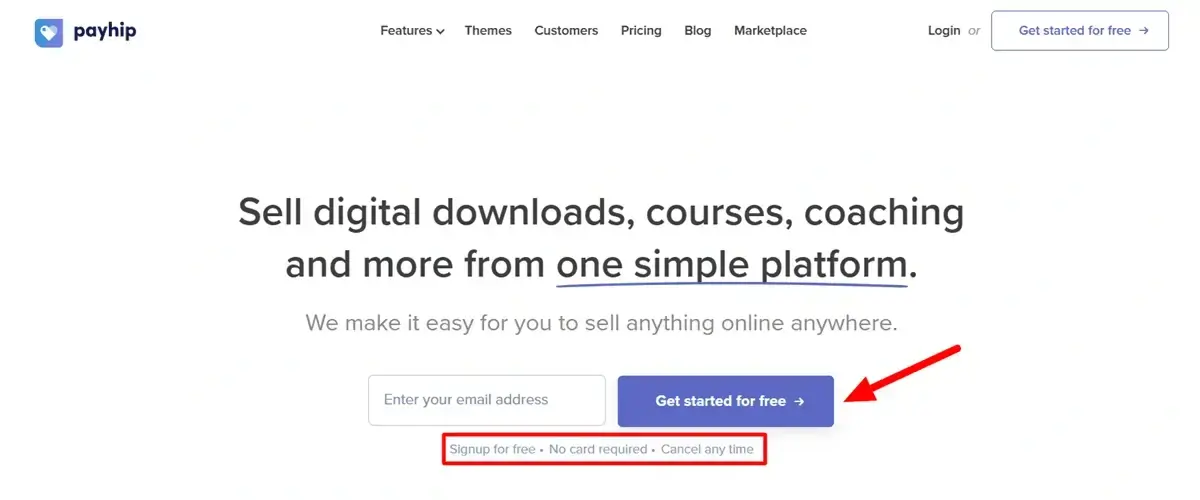
Payhip is the most underrated storefront builder on this list, and the platform I would recommend to most beginners over Gumroad once they have had their first sale.
Payhip offers 3 tiers: Free with a 5% transaction fee, Plus at $29 per month with a 2% fee, and Pro at $99 per month with 0% transaction fees. Stripe and PayPal processing fees of roughly 2.9% plus $0.30 apply on top of every plan, separately from the Payhip platform fee, which differs from how Gumroad and Lemon Squeezy bundle processing into their own cut.
Even with that distinction, Payhip Free beats Gumroad’s free tier at every revenue level for direct sales, since 5% plus processing is consistently lower than 10% plus $0.50 plus processing. The breakeven point where Payhip Pro at $99 per month becomes cheaper than Gumroad’s 10% sits at roughly $990 per month in sales.
Payhip also includes custom domains, affiliate tools, a storefront builder, course hosting, and email list integration on every plan, including the free one. For creators selling Canva templates, printables, or Notion templates in the $10 to $30 range, Payhip’s free plan is the best value starting point on this list.
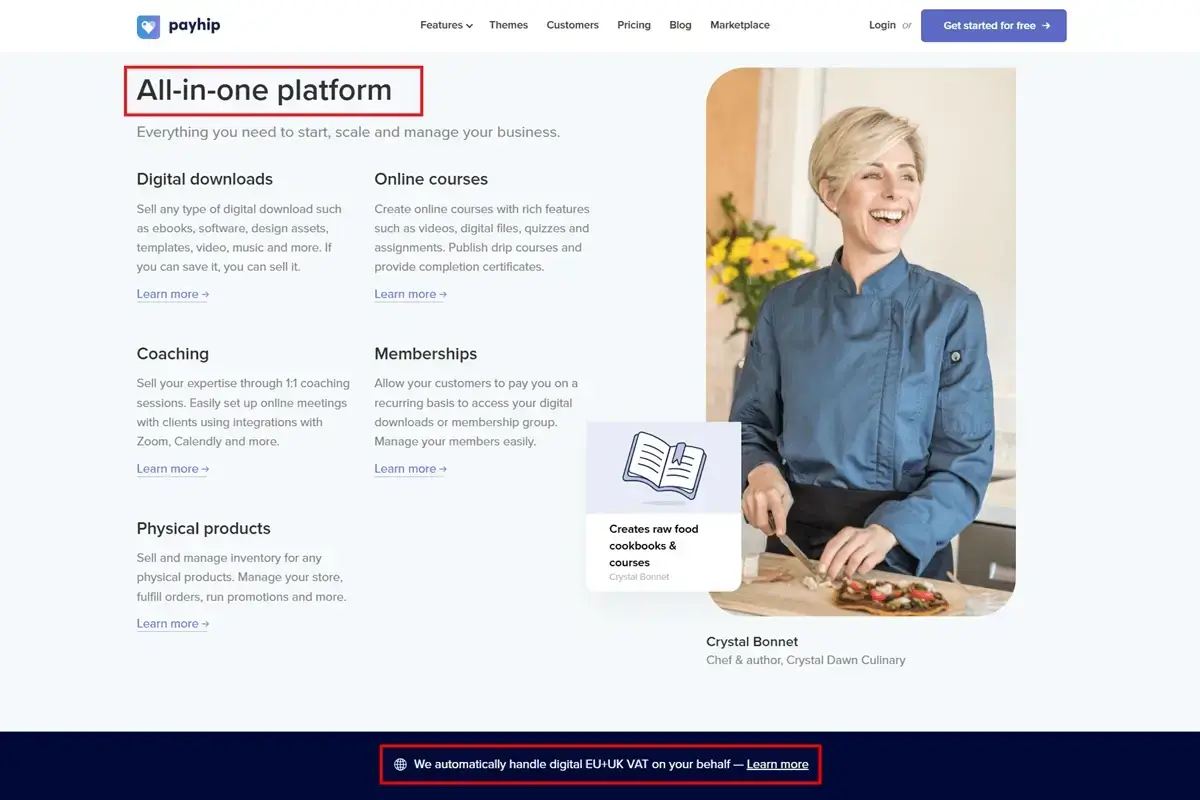
The trust signal worth knowing: Payhip handles digital VAT for EU and UK buyers automatically, but for sellers with heavy international traffic outside those regions, full global tax compliance requires a Merchant of Record platform like Gumroad or Lemon Squeezy.
Shopify
Shopify is overkill for a single download, and the right call once you are running a multi-product digital business with a brand to protect and an email list to build.
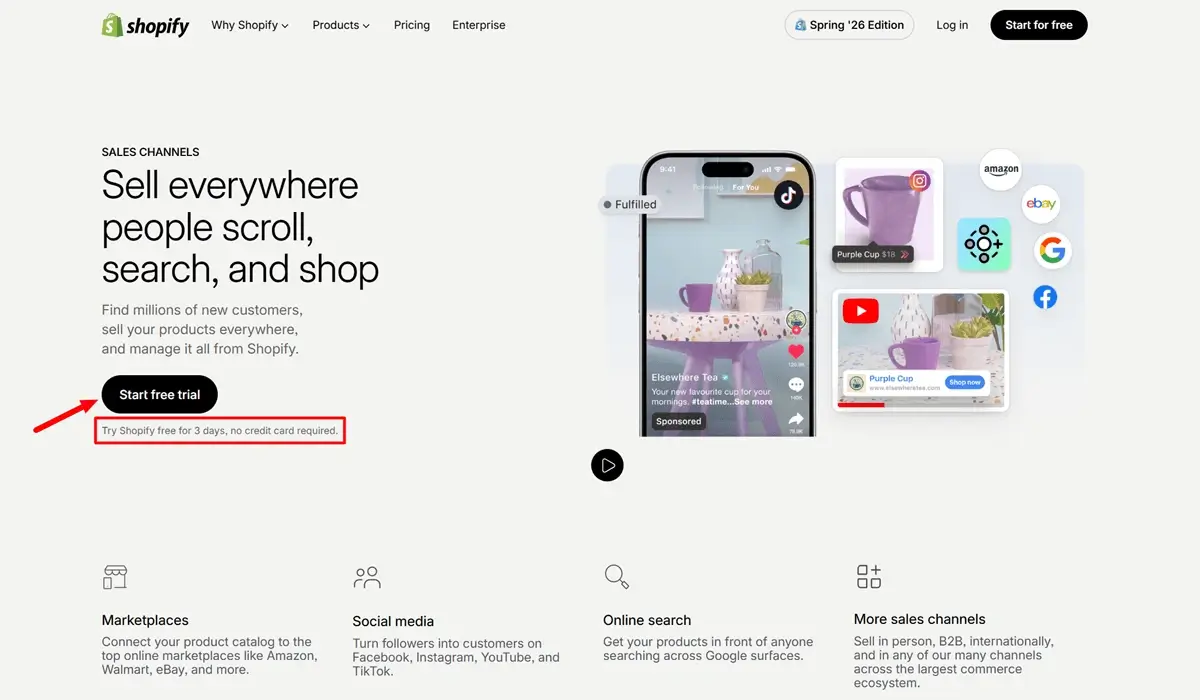
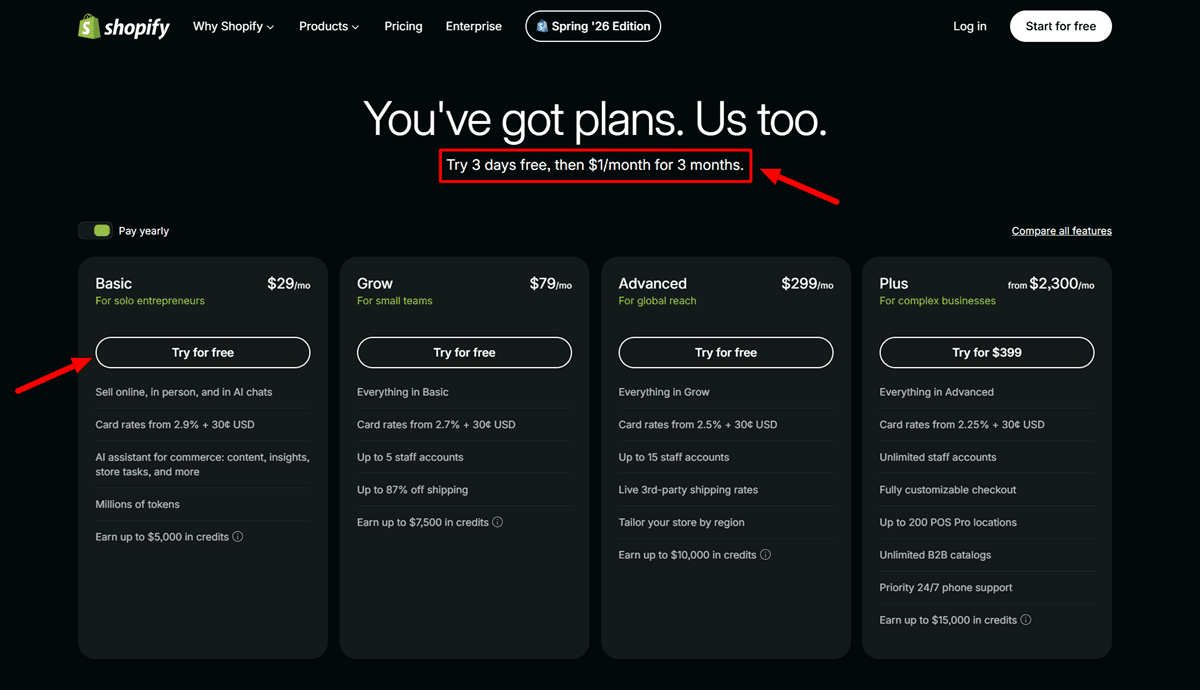
Shopify’s Basic plan runs $39 per month, and when you use Shopify Payments, there is no additional platform transaction fee, only the credit card processing rate of 2.9% plus $0.30 per online transaction on the Basic plan, dropping to 2.5% plus $0.30 on the Advanced plan.
For digital products specifically, you need a delivery app from the Shopify App Store, since automated file delivery is not built in natively. The Digital Downloads app from Shopify itself is free; more feature-rich alternatives with license key delivery and download limits cost $10 to $30 per month.
Shopify’s real cost advantage appears at scale, not at the start. A study of 250-plus enterprise stores found Shopify’s total cost of ownership runs about 33% lower on average than self-hosted alternatives once hosting, security, and maintenance costs are included. At $5,000 a month in digital product sales, that advantage is barely visible against the $39 monthly subscription. At $30,000 a month across a catalog of 20 products, it becomes a meaningful difference.
WooCommerce with Elementor

WordPress with Elementor hosting is the combination that makes sense for creators who already have a WordPress blog or content site and want to add digital product sales without migrating to a hosted platform.
WooCommerce, the digital delivery plugin, is free to install, and the transaction fee is effectively 0% beyond payment processing, since the platform takes no additional cut. A basic DIY WooCommerce setup can cost as little as $150 a year in hosting, while a custom-developed site can exceed $10,000 annually. The cost you are actually trading for that fee advantage is setup time, security responsibility, and ongoing maintenance.
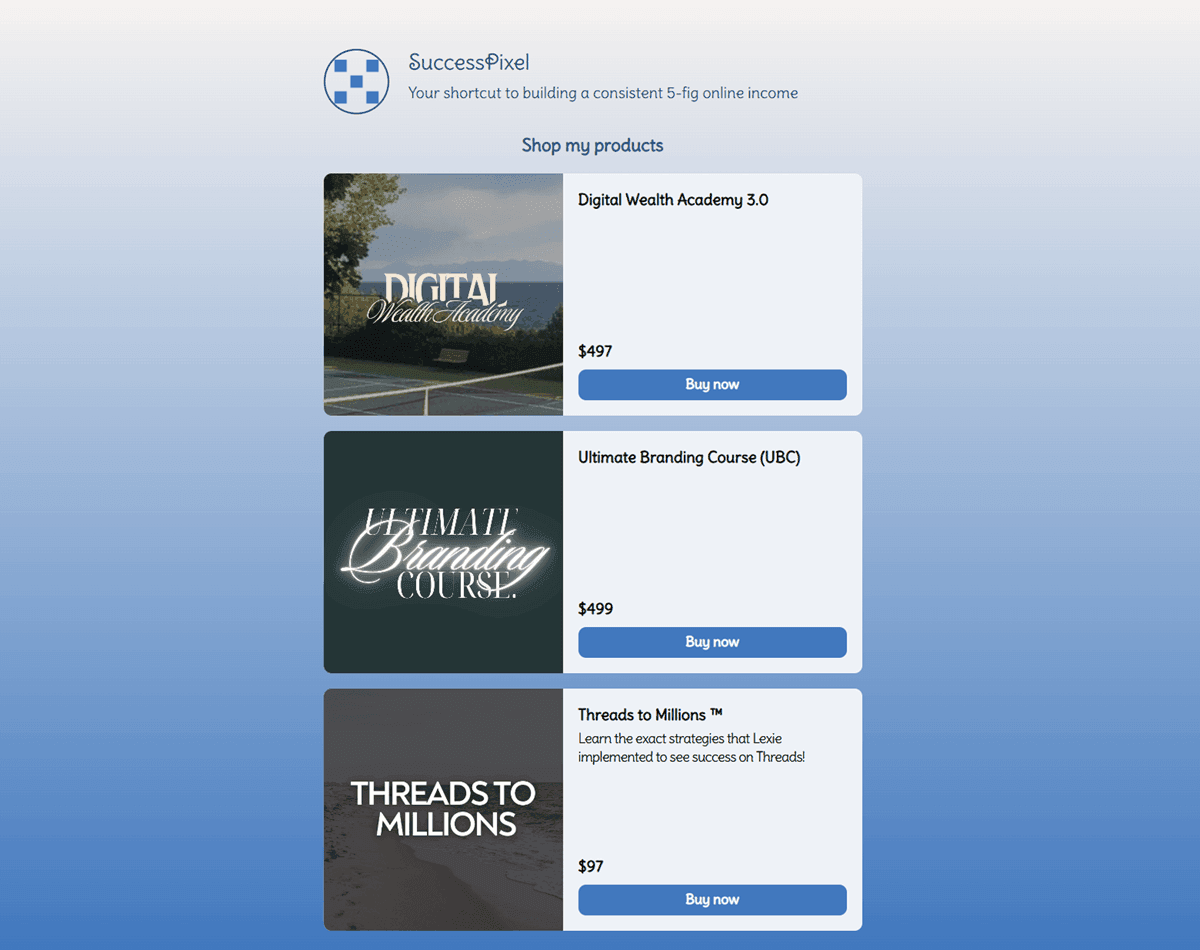
Elementor’s hosting tiers bundle managed WordPress hosting with the Elementor builder and WooCommerce pre-installed, which removes most of the friction. For a content creator running a blog at SuccessPixel-style scale, this combination is one of the most cost-efficient long-term setups for selling digital products alongside content.
The direct advice here: if your content business does not already live on WordPress, the setup overhead of WooCommerce rarely justifies the fee savings until you are doing significant monthly volume. If it does, this combination is worth the effort.
Course and Membership Platforms: Built for Teaching, Not Just Selling
Teachable
Teachable has one pricing trap that catches a significant number of course creators. The Basic plan at $59 per month charges a 5% transaction fee on every sale. At $2,000 per month in revenue, Teachable Basic costs $159 total, while Thinkific Basic at $49 per month with 0% fees costs $49 total for the same revenue, a difference of $110 per month.
The crossover point where upgrading to Teachable’s Pro plan at $259 per month makes financial sense is around $2,000 per month in sales. Below that, the Basic plan plus its 5% fee costs less. Above it, the Pro plan’s flat fee with 0% transaction costs saves money consistently.
Teachable’s genuine strength is the mobile student experience, which is polished and well-reviewed compared to most competitors. If your course audience skews toward mobile learners and you value a clean, professional course interface over fee optimization, Teachable competes well on the product side.
The affiliate tools, certificates, and advanced reporting are all gated to the Pro tier and above. For a creator launching a first course, start on Basic, track your monthly revenue, and upgrade to Pro when the fee math says to, not before.
Thinkific
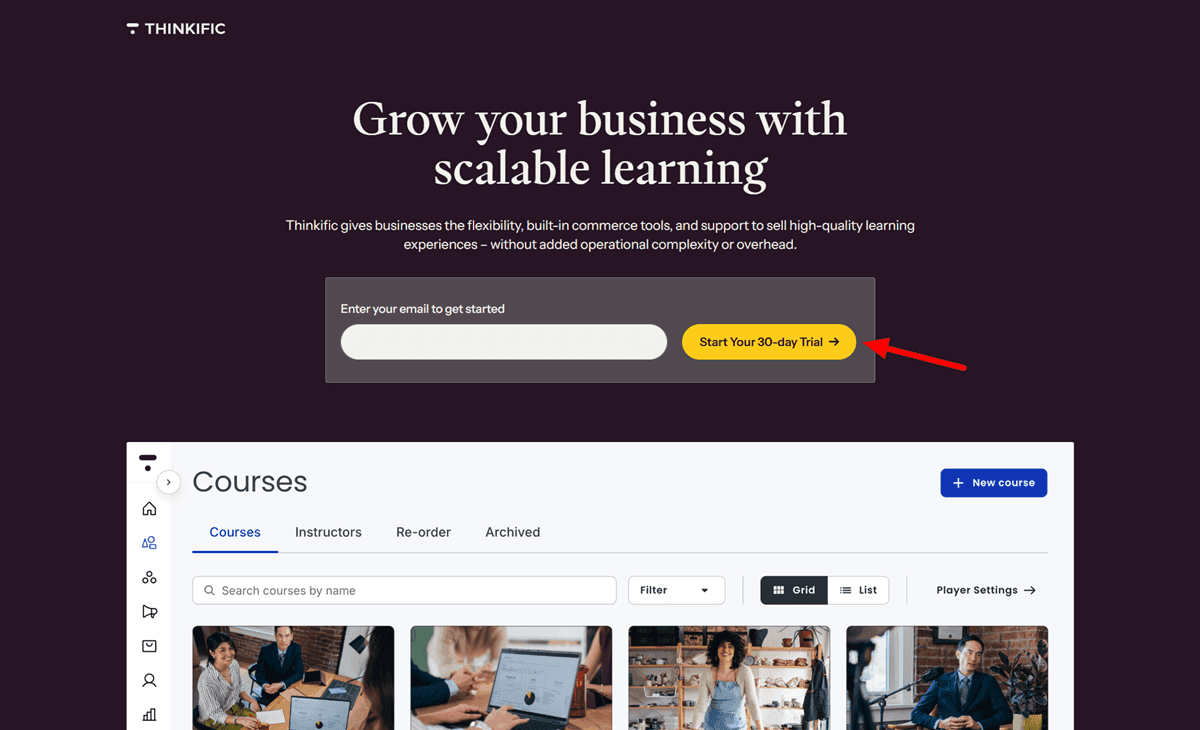
Thinkific charges 0% transaction fees on all plans, including the free plan that allows 1 course at no cost, when using Thinkific Payments. If you use your own Stripe account instead of Thinkific Payments, fees of up to 5% can apply, so the 0% claim depends specifically on which payment setup you choose.
Paid plans start around $36 per month on annual billing, and every paid plan includes unlimited courses, compared to Teachable’s per-plan course limits. This matters for creators building a content library of mini-courses, evergreen modules, or lead magnet courses rather than a single flagship product.
Thinkific also supports SCORM, the standard for tracking completion in corporate training and continuing education, and allows CSS and HTML editing for full design control. These are niche requirements for most solo creators, but they are meaningful for anyone building courses for organizational clients or continuing education programs.
For the average creator planning 3 or more courses and wanting 0% platform fees from the start, Thinkific is the stronger default pick over Teachable at the entry tier.
Stan Store
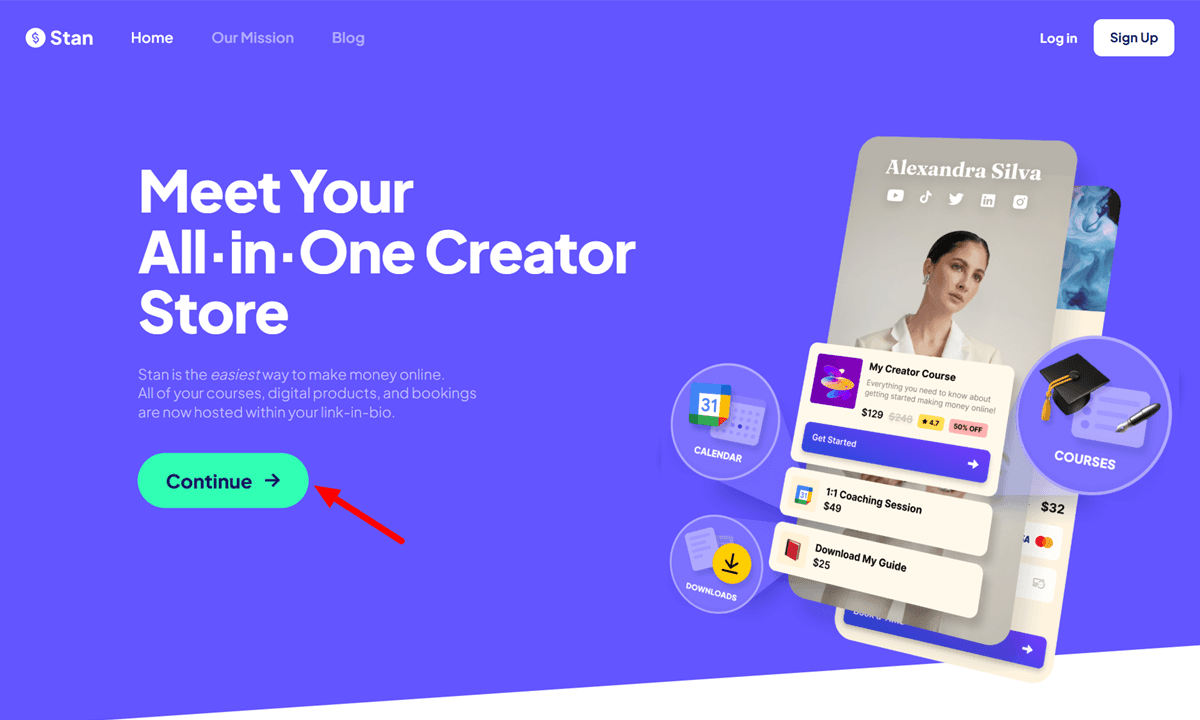
Stan Store is not in the course platform category strictly, but it fills the course-plus-downloads space for creators whose entire business runs through social media bios.
Stan Store costs $29 per month for the Creator plan and $99 per month for Creator Pro, with annual billing dropping those to roughly $25 and $79, respectively. Both plans carry 0% platform transaction fees, with only standard Stripe and PayPal processing fees applying.
The Creator plan includes a mobile-first storefront, digital product sales, booking pages, and a basic course builder. The Pro plan adds email marketing, funnels, upsells, affiliate tracking, and discount codes. For an Instagram or TikTok creator selling templates, eBooks, or digital downloads directly from their bio without managing a separate website, Stan Store’s mobile-first design and zero platform fees make it the right tool.
The caveat is real: Stan’s course builder functions as a content library rather than a structured classroom. It handles sequential lessons and basic modules, but creators building courses with feedback loops, quizzes, progress tracking, or cohort experiences will run into its limits quickly. Those creators should look at Teachable or Thinkific instead.
Checkout and Funnel Tools: For Sellers Who Optimize Every Sale
ThriveCart Pro Plus
ThriveCart Pro Plus is the checkout tool of choice for established digital product sellers who want maximum conversion optimization without ongoing monthly SaaS fees.
ThriveCart’s Standard plan is $495 as a genuine one-time lifetime payment with no recurring fees. Pro Plus, which adds affiliate management, subscription dunning, tax automation, and custom domains on checkout pages, costs $790 in year 1 and then $295 per year from year 2. The Ultimate Bundle at $985 includes everything plus ThriveAcademy, ThriveCart’s new community and course delivery platform that launched in 2026 to replace ThriveCart Learn.
ThriveCart charges 0% platform transaction fees on every plan. You pay only your payment processor’s standard rates, typically Stripe at 2.9% plus $0.30. For a seller processing $10,000 per month in digital product sales, eliminating a 2 to 5% platform fee saves between $2,400 and $6,000 per year compared to platforms that take a percentage cut.
ThriveCart’s actual strength is checkout optimization, not course delivery. It offers order bumps, 1-click upsells, downsells, A/B testing on checkout pages, cart abandonment recovery, and affiliate management that is best in class among checkout tools. These features consistently increase average order value for sellers who use them systematically.
Two limitations worth stating clearly. First, if you sell downloadable digital products through ThriveCart, your download links are not protected. Customers can share them freely, and anyone with the link can download your product without paying. The workaround is to host downloads behind a protected membership portal and use ThriveCart as the checkout layer, which adds complexity. Second, there is no free trial. You commit $495 before exploring the platform hands-on, with only a 7-day refund window.
ThriveCart Pro Plus is the right tool for a creator doing $3,000 or more per month who wants to stop paying platform fees and start optimizing checkout conversion. It is not the right tool for someone testing their first product.
All-in-One Marketing Platforms: When You Want One Dashboard
Kartra
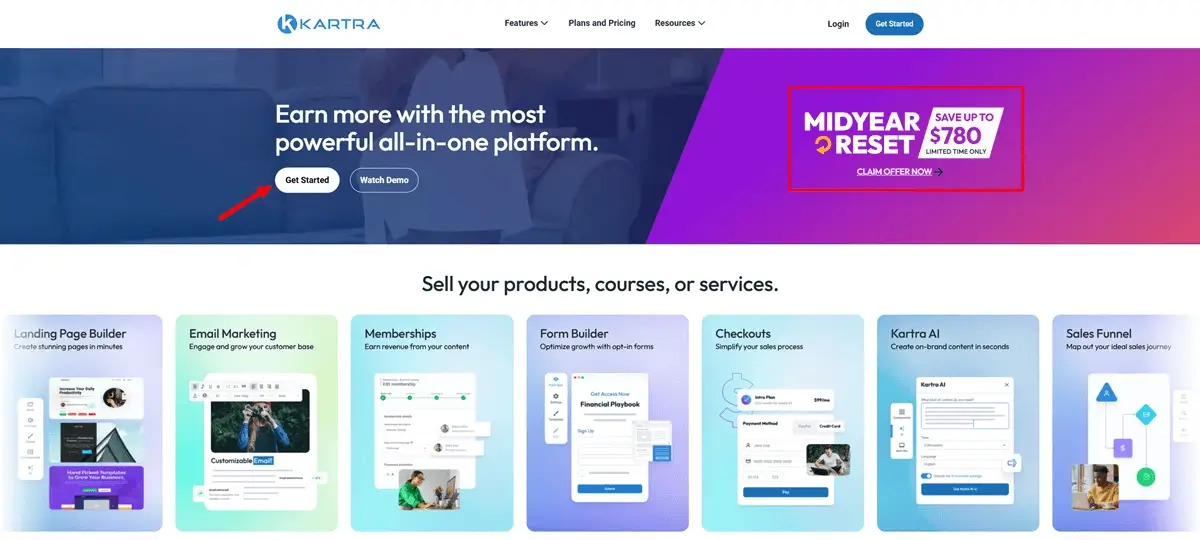
Kartra is the platform for creators who have proven their products and want to consolidate email marketing, funnels, landing pages, course hosting, affiliate management, and checkout into 1 system without running 5 separate subscriptions.
Kartra’s Starter plan at $119 per month removes the Essentials plan’s 5% transaction fee and unlocks unlimited courses, products, and memberships. The Essentials plan at $59 per month charges a 5% transaction fee, which makes it viable mainly for testing the platform before committing. The Growth plan at $229 per month, or $189 on annual billing, unlocks affiliate management, webinars for up to 1,000 attendees, advanced automations, and bandwidth limits removed.
The transaction fee detail that catches creators: the Essentials plan charges 5% on every sale on top of Stripe’s 2.9% plus $0.30, so a $100 course sale costs $8.20 in combined processing. At $1,200 per month in revenue, the Essentials plan fees total $60, exactly matching the cost difference to upgrade to Starter. Past that breakeven point, Essentials costs more than Starter.
The honest limitation: quizzes, surveys, and completion certificates, features standard on most dedicated course platforms, are locked behind the Growth plan at $229 per month on Kartra. If you need assessments and certificates, plan for the Growth tier from the start rather than discovering the gap mid-launch.
Kartra is worth its cost for creators doing $5,000 or more per month who currently pay for email marketing, a funnel builder, a course platform, and a checkout tool separately. For most of those businesses, consolidating into Kartra’s Growth plan saves money and eliminates integration maintenance. For a creator just launching, the complexity and monthly cost are premature.
Email and Newsletter Platforms That Sell Digital Products
Kit (formerly ConvertKit)
Kit (formerly ConvertKit, rebranded in October 2024) is built for creators who want email marketing and digital product sales in 1 platform, without managing a separate storefront for low- to mid-ticket products.
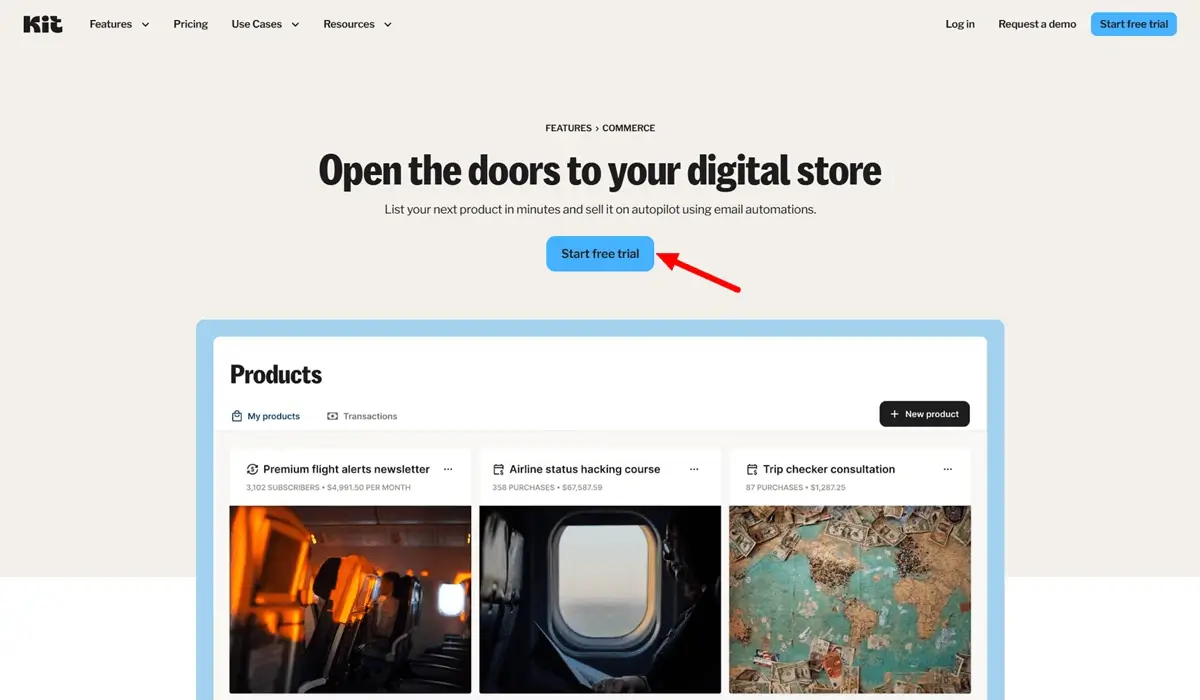
Kit’s free Newsletter plan supports up to 10,000 subscribers with unlimited emails, unlimited landing pages, and the ability to sell digital products, making it one of the most generous free plans in email marketing. The Creator plan starts at $39 per month for up to 1,000 subscribers on monthly billing, or $33 per month on annual billing. Prices increased roughly 35% in late 2025.
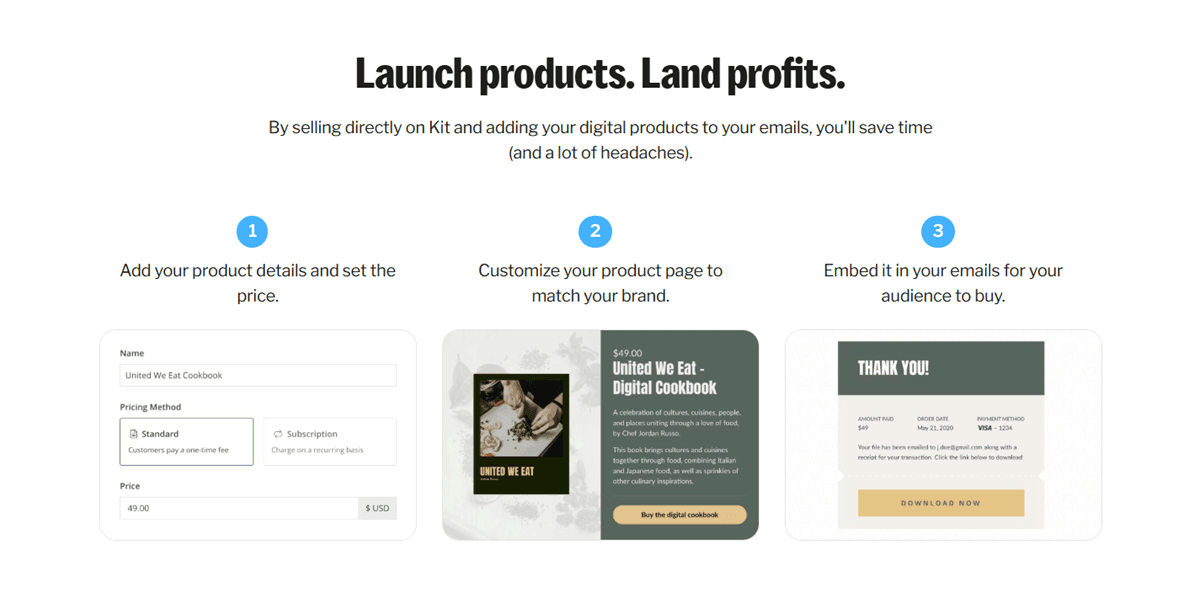
When selling digital products or paid newsletter subscriptions through Kit Commerce, the platform charges a 0.6% transaction fee on top of standard credit card processing, totaling roughly 3.5% plus $0.30 per sale overall. That rate is meaningfully lower than Gumroad’s 10% or Etsy’s 9.5%, making Kit worth considering as a combined email-plus-selling platform for creators who already run an active email list.
Kit’s strongest use case is a creator who wants to grow an email list, deliver content through automated sequences, and sell digital products like ebooks, templates, or mini-courses directly to subscribers without building a separate storefront. The built-in Creator Network for cross-newsletter promotions, paid subscriptions, and the tip jar feature are genuinely useful for newsletter operators who monetize through their list.
The honest caveat: Kit’s pricing scales by subscriber count, so your bill increases automatically when you cross a threshold. There is no warning before the tier bump happens. Clean your list regularly to avoid paying for inactive subscribers.
Beehiiv
Beehiiv is the platform for creators who want to build a newsletter business, monetize it through paid subscriptions and ads, and use email as the primary channel for driving digital product sales from content they own.
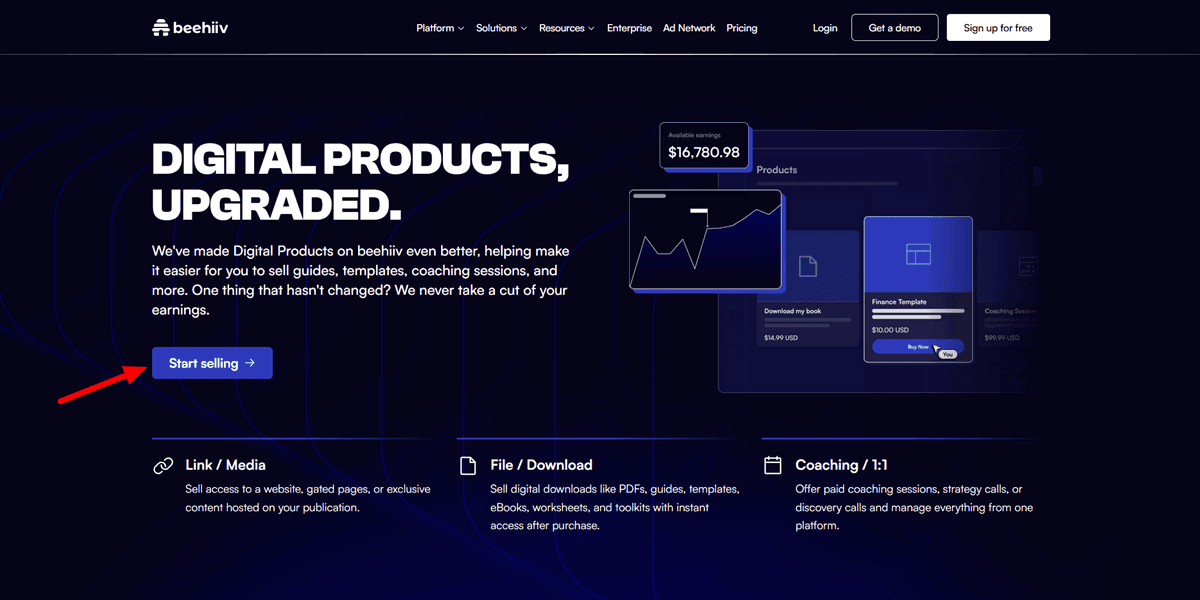
Beehiiv includes a free plan up to 2,500 subscribers with no transaction fees on paid subscriptions, a Scale plan at $39 per month for up to 1,000 subscribers with advanced analytics and custom domains, and a Max plan at $99 per month for up to 100,000 subscribers with full automation and the built-in ad network.
The differentiation versus Kit is meaningful. beehiiv’s built-in ad network connects newsletters directly with brand advertisers, which is a revenue stream Kit does not offer. beehiiv’s paid subscription model charges 0% platform fees on paid subscription revenue across all plans, compared to Kit’s 0.6% on digital product sales. For a creator building a newsletter where subscription revenue and ad revenue are the primary income streams, Beehiiv’s economics are genuinely better.
The trade-off is that Kit has stronger automation depth, more integrations, and better digital product sales infrastructure for creators who sell ebooks, templates, or courses as their primary products. If your business model is newsletter monetization, Beehiiv wins. If your business model is email list plus digital product catalog, Kit wins.
The opinion here: pair Beehiiv with Payhip or Gumroad as your product storefront, and you get Beehiiv’s newsletter monetization strength alongside a dedicated delivery engine without paying Gumroad’s 10% for a product your email audience would have bought anyway.
The Fee Comparison Table Every Seller Needs
| Platform | Platform Fee | Processing | Monthly Cost | Best For |
|---|---|---|---|---|
| Gumroad | 10% + $0.50 | Included | $0 | First product, testing |
| Payhip Free | 5% | 2.9% + $0.30 | $0 | Low-ticket, ongoing sales |
| Payhip Pro | 0% | 2.9% + $0.30 | $99 | $1,000+ per month |
| Etsy | 6.5% + $0.20 | 3% + $0.25 | $0 | Marketplace discovery |
| Creative Market | 50% commission | Included | $0 | Design asset discovery |
| Beacons Free | 9% | 2.9% + $0.30 | $0 | Social bio, testing |
| Beacons Creator Plus | 0% | 2.9% + $0.30 | $30 | Social-first creators |
| Shopify Basic | 0% (with Shopify Payments) | 2.9% + $0.30 | $39 | Multi-product brand |
| Stan Store Creator | 0% | 2.9% + $0.30 | $29 | Bio-link social sellers |
| Stan Store Creator Pro | 0% | 2.9% + $0.30 | $99 | Established Creators |
| Teachable Basic | 5% | ~2.9% + $0.30 | $59 | First course, low volume |
| Thinkific | 0% (Thinkific Payments) | 2.9% + $0.30 | from $36 | Multiple courses |
| ThriveCart Standard | 0% | 2.9% + $0.30 | $495 one-time | High-volume checkout |
| Kartra Starter | 0% | 2.9% + $0.30 | $119 | All-in-one marketing |
| Kit Free | 0.6% | ~2.9% + $0.30 | $0 (up to 10K subs) | Email-first selling |
| Beehiiv | 0% subscriptions | Varies | $0-$99 | Newsletter monetization |
The mechanism behind the table is more useful than the numbers alone. Every platform with a 0% platform fee still takes payment processing from Stripe or PayPal. That 2.9% plus $0.30 is the floor you cannot avoid, regardless of which storefront you choose. What varies is the platform layer on top of it, and whether that layer is charged as a percentage of revenue, a flat monthly subscription, or a one-time purchase.
The fixed-fee component, the $0.50 on Gumroad or the $0.25 plus $0.20 on Etsy, hits cheap products hardest. On a $5 template, Gumroad’s $0.50 is 10% of the sale before the percentage cut even applies. This is why Payhip, which charges no fixed fee above its percentage, is more cost-efficient for low-ticket digital products.
How to Match Platform to Business Stage
There is no universally best platform. There is the best platform for where you are right now.
Stage 1: Validating the first product ($0 to $500 per month)
Start with Gumroad or Payhip Free. Both cost nothing to launch, handle automated file delivery, and get your product live in under an hour. Gumroad’s Merchant of Record status removes tax complexity from day 1. Payhip’s 5% fee is lower for the same traffic. Pick one, launch this week, and use the sales data before making any further decisions.
Stage 2: Consistent sales, low-ticket products ($500 to $2,000 per month)
Run the breakeven math. At $990 per month in consistent sales, Payhip Pro’s $99 monthly fee saves money over Gumroad’s 10%. At lower volume, stay on Payhip Free or Gumroad. If you sell primarily through social media bios, Beacons Creator Plus at $30 per month with 0% fees is worth comparing to Payhip at this stage.
Build your email list now. Connect Beehiiv or Kit to your storefront. The single most common mistake at this stage is treating your platform as your only distribution layer. An email list you own outperforms any platform’s discovery algorithm once it reaches a few hundred engaged subscribers.
Stage 3: Selling courses and memberships ($1,000 to $5,000 per month)
Thinkific is the better default for most creators at this stage, since it starts with 0% transaction fees on paid plans, unlimited courses, and a clean student experience. Teachable is competitive in mobile experience, but its Basic plan’s 5% fee erases cost advantages until you can justify the Pro upgrade.
If you already have a website and an email list, adding a course platform is simpler than migrating your entire business. Integrate Thinkific with your existing email tool and keep the storefront you have already built audience trust around.
Stage 4: Scaling past $5,000 per month
This is where ThriveCart Pro Plus and Shopify enter the picture. ThriveCart’s 0% platform fees, best-in-class checkout optimization tools, and one-time pricing make the $495 to $790 entry cost recoverable in months at this revenue level. Shopify’s branding control, app ecosystem, and scalability make it the right infrastructure for a multi-product business with a brand identity.
Kartra enters the picture when you are maintaining 5 or more separate tools (email platform, funnel builder, course host, checkout page, affiliate management), and the integration overhead is costing you time every week. Kartra’s Growth plan at $189 per month on annual billing can realistically replace $300 to $500 per month in separate subscriptions for a creator doing $10,000 or more monthly.
What Most Platform Comparisons Get Wrong
Three things almost every comparison article skips over, and all 3 matter.
The Merchant of Record question
Gumroad and Lemon Squeezy both act as Merchant of Record, meaning they handle global VAT, GST, and sales tax collection and remittance automatically. Payhip covers EU and UK VAT specifically.
Shopify, WooCommerce, Teachable, Thinkific, Stan Store, and ThriveCart generally leave tax compliance to the seller.
EU VAT non-compliance fines can reach 100% of the unpaid VAT amount, which is a real legal exposure for any creator with significant international sales who assumes their platform “just handles it” without verifying.
The Gumroad Discover tax on marketplace sales
Direct sales through Gumroad cost 10%. Sales that come through the Gumroad Discover marketplace cost a flat 30%, which includes processing, making a Discover sale more than double the cost of a direct sale on the same product.
Creators who rely on Discover traffic without tracking the fee difference often underestimate their true cost.
ThriveCart’s unprotected download links
This is not a minor caveat. ThriveCart does not protect download links on digital products. Customers can share links freely, and anyone with the link can download without paying.
The workaround, hosting downloads behind a membership portal and using ThriveCart only as the checkout layer, adds a tool and integration overhead that changes the real complexity of the setup. Know this before you build your delivery flow on ThriveCart.
FAQ: The Best Platforms to Sell Digital Products in 2026
Q: What is the best platform to sell digital products with no monthly fee?
A: For sellers with no audience yet, Gumroad is the fastest no-monthly-fee option with Merchant of Record tax compliance built in, at a 10% plus $0.50 platform fee per sale. For sellers bringing their own traffic, Payhip Free charges only 5% with no fixed fee per transaction, making it the most cost-efficient no-monthly-fee option for most products priced above $15.
Q: Which platform has the lowest transaction fees for digital downloads?
A: ThriveCart charges 0% platform transaction fees on all plans, leaving only payment processing at roughly 2.9% plus $0.30. Thinkific also charges 0% when using Thinkific Payments. The lowest entry cost for zero platform fees is either Thinkific’s free plan (limited to 1 course) or ThriveCart Standard at $495 one-time. For ongoing monthly subscriptions, Stan Store at $29 per month and Payhip Pro at $99 per month both offer 0% platform fees.
Q: Is Etsy good for selling digital products in 2026?
A: Etsy is a strong discovery channel for printables, templates, and digital art because the existing buyer traffic is real and requires no advertising spend. The total fee on a $20 digital download is roughly $2.00 to $2.40, or 10 to 12% before Offsite Ads apply. Once a shop crosses $10,000 in trailing 12-month sales, Etsy enrolls it in mandatory Offsite Ads at 15%, which significantly raises the effective fee on a portion of sales. Etsy works best as a secondary channel alongside a lower-fee self-hosted storefront.
Q: What is the best all-in-one platform for selling digital products?
A: Kartra is the most complete all-in-one platform for digital product sellers who need email marketing, funnels, course hosting, affiliate management, and checkout in a single system. The Growth plan at $189 per month (annual) includes all of these with 0% transaction fees. For a creator currently paying for 4 to 5 separate tools, Kartra’s consolidation can reduce total monthly software cost while eliminating integration maintenance.
Q: Can I sell digital products directly through Kit or beehiiv?
A: Yes to both. Kit’s Commerce feature lets you sell digital products and paid subscriptions with a 0.6% platform fee on top of processing, totaling roughly 3.5% plus $0.30 per sale on the free plan. beehiiv supports paid newsletter subscriptions with 0% platform fees on paid subscription revenue across all plans. Neither platform is designed as a full-featured storefront, but both work well for creators who want to sell directly to their email list without a separate checkout tool.
Q: Is ThriveCart Pro Plus worth it in 2026?
A: For digital product sellers doing $3,000 or more per month, ThriveCart’s 0% platform fees and checkout optimization tools, including order bumps, upsells, A/B testing, and affiliate management, typically recover the $790 year-1 cost within 2 to 4 months versus paying 5 to 10% platform fees on the same volume elsewhere. The caveats are the $495 minimum commitment with no free trial, the unprotected download link limitation for file-based products, and the $295 per year recurring cost from year 2 onwards for the Pro Plus tier.
Q: Which platform should I use to sell Canva templates in 2026?
A: Payhip Free is the best starting point for Canva template sellers, combining a 5% transaction fee with no monthly cost and automated delivery on every plan. Etsy and Creative Market add discovery traffic at higher fee rates (10 to 12% and 50%, respectively) and make sense as secondary distribution channels rather than primary stores. For sellers with an existing social media audience, Beacons Creator Plus at $30 per month offers 0% fees with a mobile-first storefront built for the creator economy.
Q: What platform is best for selling digital products without a website?
A: Three strong options exist, each suited to a different profile. Gumroad gives you a hosted profile page with automated delivery and no setup beyond creating an account. Stan Store is built for link-in-bio selling with 0% platform fees and a mobile-first storefront designed for Instagram and TikTok creators. Beacons combines a link-in-bio with a full storefront, email list, and media kit. All 3 work without a separate website, though each has different fee structures and feature trade-offs detailed in the sections above.
What to Do Next
The fastest way to lose momentum in a digital product business is to wait until you have picked the perfect platform. There is no perfect platform. There is a good-enough platform that lets you launch this week, and then there is the platform that makes more financial sense once you have 90 days of sales data to work with.
If you have no products live yet, open a Payhip free account, upload your first file, and start driving traffic this week. Once you cross $500 per month consistently, revisit this comparison with real numbers.
If you have products but your fees are higher than they should be, run the breakeven math from the table above against your actual monthly revenue. The right upgrade path is usually clear within 5 minutes of honest math.
If you are building an email-powered product business from the ground up, start your list on Beehiiv or Kit from day 1. The email list you build alongside your storefront is the asset that makes every platform decision less critical, because your buyers follow you rather than the marketplace.
