
OttoKit Black Friday 2026: 63% Off Lifetime [Live]

Quick Deal Summary
The OttoKit Black Friday deal is live, offering 63% off lifetime plans with no coupon code needed. The OttoKit Pro plan costs a one-time $299 (down from $799), Business $549 (down from $1,499), and Business Plus $1,099 (down from $2,999).
The offer runs from 16 November to 6 December 2026, and every plan includes a 14-day money-back guarantee.
OttoKit Black Friday Deal Details
| Deal Component | What You Get |
| Deal | Lifetime access to OttoKit for one payment, or a discounted first year on yearly plans |
| Discount | 63% off lifetime plans and 35% off the first year on yearly plans |
| Regular Price vs Sale Price | Pro $799 to $299, Business $1,499 to $549, Business Plus $2,999 to $1,099 (one-time) |
| Total Savings | $500 on Pro, $950 on Business, and $1,900 on Business Plus |
| Billing Cycle Requirement | One payment for lifetime. Business and Business Plus can also be paid in 11 monthly installments |
| Coupon Code | None needed. Black Friday prices are already applied |
| Offer Validity | 16 November to 6 December 2026 |
| Money-Back Guarantee | 14 days, no questions asked |
| Best For | Small businesses, agencies, and WordPress site owners who want to stop paying monthly for automation |
| Purchase Link | Get OttoKit Lifetime (Save Up to 63%) |
How to Claim the OttoKit Black Friday Deal
Step 1: Click our OttoKit link. It opens the Black Friday pricing page with the sale prices already showing, so you don’t need a code.
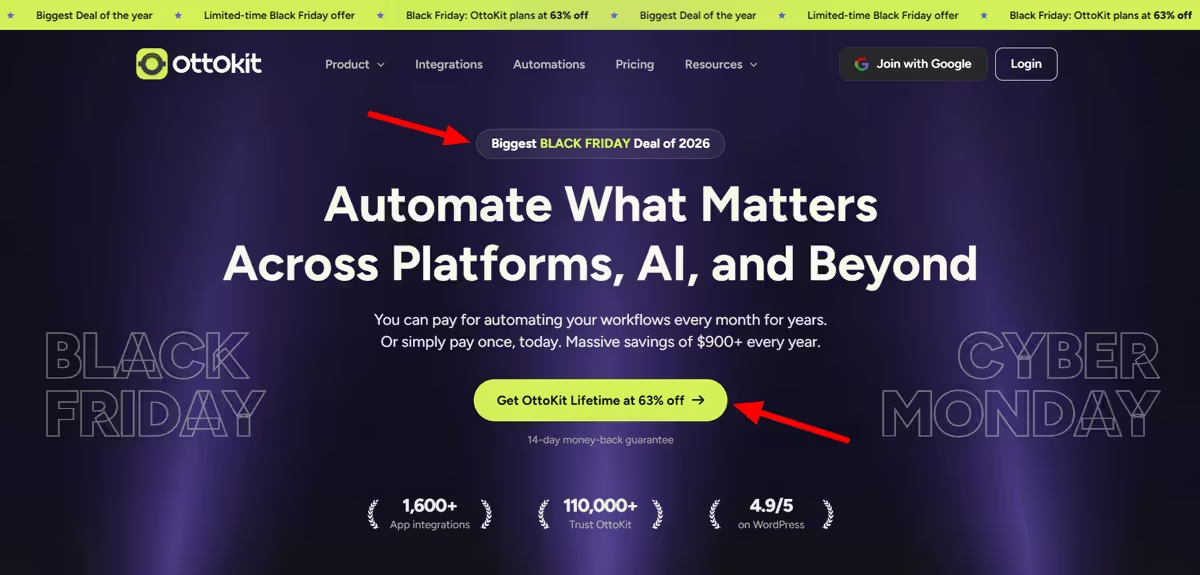
Step 2: Select Pay One-time at the top of the pricing table. This switches every plan to lifetime pricing at 63% off. If you prefer yearly, select Pay Yearly for 35% off your first year.
Step 3: Pick your plan. Pro covers 5,000 tasks a month for one business. Business covers 10,000 tasks and 5 workspaces, and Business Plus covers 30,000 tasks with unlimited workspaces.
Step 4: Click Get Lifetime Deal and check out. For Business and Business Plus, you can pay once or split into 11 monthly payments. Verify the total matches $299, $549, or $1,099 before paying.
Step 5: Connect your first apps. Sign in, link the apps you use, and import a pre-built workflow to get started quickly. If you run WordPress, install the OttoKit connector plugin to manage your sites from one place.
Step 6: Test within the refund window. You have 14 days to request a full refund by email, so build your most important workflow in the first week.
Lifetime vs Yearly: Which Saves More?
Lifetime wins if you use OttoKit for more than two to three years. Yearly plans look cheap in year one but renew at full price: $108 for Pro, $228 for Business, and $468 for Business Plus.
| Plan | Lifetime (One Payment) | Yearly Total After 3 Years | Yearly Total After 5 Years | Lifetime Pays Off In |
| Pro | $299 | $285 | $501 | Year 4 |
| Business | $549 | $605 | $1,061 | Year 3 |
| Business Plus | $1,099 | $1,235 | $2,171 | Year 3 |
Compare that with Zapier. One year of Zapier Professional at 5,000 tasks a month costs $1,068 yearly, and 10,000 tasks costs $1,548. OttoKit Pro lifetime gives 5,000 tasks a month for $299 once, less than a third of one Zapier year.
The installment option costs a little more. Business in 11 payments of $54 totals $594, which is $45 more than paying $549 once. Business Plus in 11 payments of $109 totals $1,199, which is $100 more.
How Many Tasks Do You Need?
A task is one successful action. Triggers are free, so a workflow with one trigger and two actions uses 2 tasks each time it runs.
Here’s a quick way to size it. Multiply your daily runs by the number of actions, then by 30. A workflow running 50 times a day with 3 actions uses about 4,500 tasks a month, fitting Pro. Two such workflows need Business.
Going over your limit doesn’t stop anything. Your workflows keep running, OttoKit warns you as you get close, and you can buy a one-time top-up or upgrade. Upgrades apply immediately; you pay only the prorated difference, and everything you’ve built carries over.
Which OttoKit Plan Should You Buy?
We recommend Pro lifetime for most solo makers and small businesses running one website. At $299 once, it handles 5,000 tasks a month, covering lead routing, order alerts, and form-to-CRM workflows for a typical small site.
If you need AI agents, MCP, human-in-the-loop approvals, or unlimited workflows, Business is a better fit. Pro doesn’t include these, and Business adds 5 workspaces, 20,000 table rows, and unlimited WordPress connections for $549.
Choose Business Plus if you run an agency or many client sites. It’s the only plan with unlimited workspaces and 30,000 tasks, and the only one that gets the Black Friday bonus apps.
OttoKit Features and Benefits
Here’s what you get at the Black Friday price, and where each plan stops.
1,600+ App Integrations
OttoKit connects to 1,600+ apps, plus 10+ built-in core apps and an API module for anything without a native connector. Most small-business stacks are covered, from CRMs and email tools to Slack. Some connections require re-authorizing when app permissions expire.
Multi-Step Workflows With Your Own Logic
One trigger can run 10 or more actions, with your own conditions deciding which steps fire. This replaces chains of single-step automations with one workflow. Every paid plan includes multi-step workflows, but unlimited workflows start on Business.
WordPress Connector Plugin
One plugin connects all your WordPress sites to OttoKit, and you manage workflows from your WordPress dashboard. Pro connects 5 WordPress sites. Business and Business Plus connect unlimited sites.
Pre-Built Workflow Recipes
OttoKit has thousands of ready-made workflow templates, called recipes, that you import with one click. You set up the apps, adjust a step or two, and publish. They’re the fastest way to get your first automation live during the refund window.
Workspaces for Clients and Brands
Workspaces keep each client’s or brand’s workflows separate under one plan. Pro includes 1 workspace, Business includes 5, and Business Plus includes unlimited. Agencies should skip Pro for this reason alone.
Tables, Forms, and Global Variables
OttoKit includes its own data tables and forms, so simple lead capture and storage don’t need extra tools. Pro includes 5,000 table rows and 5 forms; Business, 20,000 rows and 10 forms; and Business Plus, 50,000 rows and 20 forms. Every plan includes unlimited global variables.
AI Agents, MCP, and Human-in-the-Loop
Business and Business Plus add AI agents that act across your tools, MCP access, and human-in-the-loop steps that pause a workflow for your approval. These suit teams wanting automation to make decisions, not just move data. Pro doesn’t include any of these.
Business Plus Bonus Apps
Business Plus buyers get SureContact with 2,500 contacts ($149 value), SureForms Team for 12 months ($179 value), and ZipWP Pro for 3 months ($56 value). That’s $384 in extras at no cost. SureForms and ZipWP bonuses are time-limited, while SureContact lasts until you use the 2,500 contacts.
Free Plan to Start
Not ready to pay? The Free plan gives 250 tasks a month, 20 workflows, and every integration, with 1 workspace and 3 days of data retention. It’s enough to test one workflow before buying.
OttoKit Pros and Cons
Pros:
- 63% off lifetime plans, with no coupon code needed.
- Pro lifetime costs less than a third of one year of Zapier at 5,000 tasks.
- Triggers are free, so only successful actions count as tasks.
- Workflows keep running if you go over your task limit.
- A 14-day, no-questions-asked refund on every paid plan.
Cons:
- Pro has no AI agents, MCP, human-in-the-loop, or unlimited workflows.
- Some app connections need re-authorizing when their permissions expire.
- Pro has only 1 workspace, so it doesn’t suit agencies.
- The Black Friday bonus apps come only with Business Plus.
- Paying in installments costs $45 to $100 more than paying once.
OttoKit Alternatives
OttoKit is the value pick for most small businesses, but one of these may suit you better.
Make
| Tool | Pricing Model | Starting Point | Best For |
| OttoKit | Lifetime or yearly | $299 once for 5,000 tasks a month | Small businesses and WordPress sites |
| Make | Monthly or yearly | $12 a month for 10,000 operations | Complex visual workflows on a budget |
| Pabbly Connect | Yearly bundle or lifetime | $828 a year for Pabbly Plus (Black Friday) | Unlimited tasks across a suite of apps |
| n8n | Free self-hosted or cloud | €20 a month for 2,500 executions | Developers and long multi-step workflows |
Make.com makes sense for people wanting a visual builder with complex branching at a low monthly price. Core costs $12 a month on yearly billing for 10,000 operations. Every module, including the trigger, uses an operation, so workflows burn through the allowance faster than OttoKit’s free-trigger model. It’s a strong pick for complex logic on a tight monthly budget.
Pabbly Connect
Pabbly is OttoKit’s closest rival on price. Its Black Friday deal puts Pabbly Plus at $828 a year (from $1,428), including Pabbly Connect with unlimited tasks under a fair usage policy, plus Pabbly’s other apps. Pabbly also sells Connect lifetime plans starting at 3,000 tasks a month, but they don’t include customer support and can’t be upgraded later. Triggers and internal steps like filters and formatters are free.
n8n
n8n fits technical users wanting open-source control and long, complex workflows. You can self-host the Community Edition for free (beyond server costs), or use n8n Cloud from €20/month (billed annually) for 2,500 executions. n8n counts one full workflow run as one execution, no matter how many steps it has, so long workflows cost less than task-based tools. Expect more setup time than OttoKit, especially if you host it yourself.
Our Experience With OttoKit
We’ve been on the OttoKit Pro plan since early 2025. We mostly use it to push new website leads into our CRM and ping the team on Slack, so nothing slips through the cracks.
It handles around 4,500 tasks a month, saving roughly 15 hours of boring copy-pasting. That’s 90% of Pro’s 5,000-task allowance, so Pro is plenty for a lead-routing setup like ours.
The one thing that bugs us is having to reconnect certain apps occasionally when their permissions expire. It takes a minute to fix, but check your connections if a workflow suddenly stops sending.
How We Verified This Deal
On 20 November 2026, we checked OttoKit’s Black Friday pricing page in both the Pay One-time and Pay Yearly views and saved dated screenshots. We confirmed the lifetime prices, yearly prices, renewal rates, installment options, Business Plus bonus apps, and 14-day refund terms on the same page.
Frequently Asked Questions
Q: Is the OttoKit Black Friday deal live?
A: Yes. OttoKit lifetime plans are 63% off from 16 November to 6 December 2026, starting at $299 for Pro.
Q: Do I need an OttoKit coupon code?
A: No. The Black Friday prices are already applied on the pricing page and at checkout.
Q: Is the OttoKit lifetime plan really lifetime?
A: Yes. You pay once and keep your plan with no renewals, and the features and updates included stay yours for the life of the product.
Q: What happens if I hit my task limit?
A: Your workflows keep running. OttoKit warns you as you approach the limit, and you can add a one-time top-up or upgrade.
Q: How many tasks do I need?
A: Most small businesses run comfortably on 5,000 to 10,000 tasks a month. Triggers are free, so count only the actions each workflow performs.
Q: Can I upgrade my OttoKit plan later?
A: Yes. Upgrades apply instantly. You pay the prorated difference, and your workflows carry over.
Q: What’s the OttoKit refund policy?
A: Every paid plan has a 14-day, no-questions-asked money-back guarantee. Email support within 14 days for a full refund.
Q: Is OttoKit cheaper than Zapier?
A: Yes, for most small businesses. OttoKit Pro lifetime costs $299 once for 5,000 tasks a month, while Zapier Professional costs $1,068 a year for the same volume.
Final Take
We recommend OttoKit Pro lifetime for most small businesses that automate one website. At $299 once, it pays for itself compared to yearly billing by year 4 and costs less than a third of a year of Zapier. If you need AI agents, MCP, or several workspaces, Business at $549 is a better fit. Agencies should go straight to Business Plus for unlimited workspaces and the $384 in bonus apps.
Want more software deals? See our best SaaS Black Friday deals.
